Kubernetes is the CNCF container orchestrator: you describe the desired state of your application, and it creates and maintains that state across a set of machines, even when one of them goes down. This free course takes you from your first Pods to the administration of a hardened cluster. It has 14 modules, 136 lessons, 123 verifiable labs, including 3 capstones and 3 mock exams, and a bank of 1,895 questions in French, about 170 hours of work. It is aimed at system administrators, SREs and developers who deploy on Kubernetes, and prepares you for the CNCF certifications from the KCNA to the CKS, with a first track towards the CKNE, the networking certification announced by the CNCF in November 2026.
What is Kubernetes and how does it work?
Kubernetes, abbreviated K8s, automates the deployment, scaling and repair of containerized applications spread across a group of machines called a cluster. Created by Google, it is now hosted by the CNCF (Cloud Native Computing Foundation).
Its operating principle comes down to one mechanism, the reconciliation loop. You declare a desired state, for example three copies of an application, and controllers constantly compare this declaration with the observed state of the cluster. As soon as a gap appears, a machine goes down or a container crashes, a controller acts to close it without being asked. This mechanism, not human supervision, is what makes applications resilient and lets you resize them by changing a single value.

The cluster is split into two roles. The Control Plane decides: the API Server receives all requests, etcd stores the declared state, the Scheduler chooses which machine each Pod goes on, and the Controller Manager runs the reconciliation loops. The Worker Nodes execute: the kubelet starts the containers there through a runtime such as containerd, and kube-proxy programs the network rules there.

The path of a deployment always follows this order. Your manifest goes from kubectl apply to the API Server, which validates it and writes it to etcd. The Scheduler sees a Pod with no assigned machine appear and gives it one. The kubelet of that machine fetches the definition and asks containerd to download the image and start the container. Understanding this chain is what will let you, at the first incident, know where to look when a Pod does not start.
What does the Kubernetes course contain, and how long does it take?
The course has 14 teaching modules and 136 lessons, for about 170 hours of actual work, reading, hands-on steps, labs and knowledge checks included. It is free, accessible without sign-up, and its practice bank has 1,895 questions in French; the English quizzes cover the lessons already translated.
| What you follow | Volume |
|---|---|
| Teaching modules | 14 |
| Lessons | 136 |
| Estimated duration | 170 h |
| Question bank | 1,895 (in French) |
| Verifiable labs | 123, including 3 capstones and 3 mock exams |
| Graded capstones | 3 (one per hands-on certification) |
| Certification exercises | 68 (22 CKA, 20 CKAD, 26 CKS) |
| Practice cluster | kind, locally |
| Hands-on exercises | kubernetes-dsoxlab-training repository |
| Target certifications | KCNA, KCSA, CKAD, CKA, CKS; CKNE in part |
These hours are not limited to reading: they also count reproducing the hands-on steps on a real cluster. Reading YAML is not enough to master Kubernetes, you have to observe what the cluster does with it.
The breakdown below helps you set your pace and spot the modules you can skip if you already have hands-on experience. The Level column gives the difficulty of a module and the durations are those of the course path. This column is not the same thing as the course's five validation levels, which group the modules and each end with a trial, presented in the section on validating what you have learned.
| Module | Level | Lessons | Duration |
|---|---|---|---|
| Fundamentals | Beginner | 9 | 7 h 55 |
| Cluster architecture | Beginner | 3 | 3 h 30 |
| The core resources | Beginner | 14 | 15 h 30 |
| Deploying your applications | Intermediate | 12 | 16 h 25 |
| Networking and exposure | Intermediate | 5 | 7 h 05 |
| Persistent storage | Intermediate | 2 | 3 h 40 |
| Advanced workloads | Intermediate | 5 | 8 h 50 |
| Scheduling and capacity | Intermediate | 6 | 7 h 15 |
| Workload security | Advanced | 4 | 8 h 10 |
| Installing a cluster | Advanced | 9 | 10 h 55 |
| Administering the cluster | Advanced | 6 | 7 h 15 |
| Day-to-day operations | Advanced | 20 | 22 h 55 |
| Securing the cluster | Advanced | 26 | 32 h 25 |
| Certifications | Advanced | 15 | 18 h 00 |
Two modules are much longer than the others: Day-to-day operations has 20 lessons and Securing the cluster has 26. This imbalance is deliberate. Deploying successfully is only the beginning, and a large share of the time spent on a cluster then goes into hardening it, diagnosing an incident and upgrading it without downtime.
How do you track your progress in the course?
Each lesson has a checkbox, and your progress is saved in your browser, with no account or sign-up. No data leaves for a server.
The My path page shows the complete programme, module by module, with the completion percentage. At the top of each lesson, a banner reminds you where you are; at the bottom, a button marks the lesson as read and takes you to the next one. A course of about 170 hours is rarely followed in one go: this tracking lets you pick it up after three weeks without searching for where you were.
The course, module by module
Follow the course in order if you are starting out. If you already practise, go straight to the module you are missing: each lesson recalls its prerequisites.
Understand the cluster before deploying
The first three modules build the foundation. From the first module on, you install kubectl and create a local cluster; you then open the hood to see what happens inside.
- Fundamentals: getting started with Kubernetes, why orchestrate containers, the key concepts, the installation of kubectl, the first cluster with kind, kubeconfig and contexts, the first deployment and reading the state of the cluster with kubectl. The module closes with a knowledge check and an unguided challenge.
- Cluster architecture: the Kubernetes architecture, the Control Plane and the Worker Nodes.
- The core resources: Pods, Deployments, ReplicaSets, Services, ConfigMaps, Secrets, Namespaces, rolling updates, labels and annotations, access to an application with expose, port-forward or proxy and the kubectl cheat sheet.
These three modules make up level 1, which ends with the level 1 trial: deliver an application in three replicas, update it and repair a failing component, in about an hour.
Ship an application that holds up in production
Five modules separate an application that merely starts from one that is fit for production: declared health, reserved resources, the right type of workload, controlled exposure and Pod placement.
- Deploying your applications: exploring the API with api-resources and explain, writing manifests, applying them with create and apply, checking them with diff and wait, Kustomize, managing images, init containers and sidecars, Jobs and CronJobs, application volumes, probes, requests and limits and application debugging.
- Networking and exposure: Pod Networking, CoreDNS, Ingress, Gateway API and Network Policies.
- Persistent storage: an introduction to storage and StorageClass, for dynamic volume provisioning, without which no data survives a redeployment.
- Advanced workloads: StatefulSets for databases, DaemonSets for one Pod per node, operators and CRDs for developers for applications that manage their own lifecycle. With the three preceding modules, it makes up level 2, which closes with the level 2 trial: deliver an application with Kustomize, a database that keeps its data, a backup and an agent, in 90 minutes.
- Scheduling and capacity: Pod placement, advanced scheduling, quotas per namespace and autoscaling, horizontal with the HPA or vertical with the VPA.

The Networking and exposure module deserves a word, because beginners often get lost there. A Service gives a stable address to a group of Pods: ClusterIP makes it reachable inside the cluster only, NodePort opens a port on every node, LoadBalancer asks the provider for an external address. On a kind cluster, this last type gets no external address without an extra component. On top of Services, an Ingress or the Gateway API add HTTP routing by domain name and path, and Network Policies filter the traffic between Pods.
Install, operate, repair
Three modules cover the administrator's job, the one that starts once the cluster already exists or has to be built.
- Installing a cluster: the installation options, CNI, CSI and CRI, kubeadm, joining a worker node, the highly available control plane, then the alternatives Kubespray, Talos Linux, RKE2 and k0s.
- Administering the cluster: an overview of administration (in French), then etcd and its backup and restore. The module also covers the management of API deprecations (in French), the cluster PKI with its authorities and certificates, and cert-manager, which issues and renews TLS certificates without intervention.
- Day-to-day operations: a module of 20 lessons, with a diagnostic method (in French), the diagnosis of a cluster failure, the troubleshooting of a NotReady node, the modification of a resource in production with edit, patch and replace (in French), the preparation of a maintenance (in French) and the upgrade of a cluster. With Installing a cluster and Administering the cluster, this module makes up level 4, which ends with the level 4 trial: take over a kubeadm cluster, back it up, restore it, upgrade it and troubleshoot it, in 180 minutes.
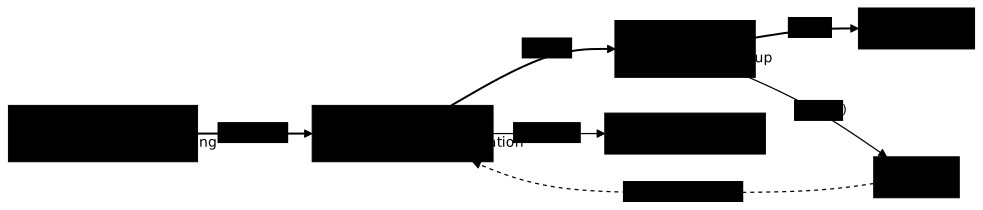
Three incidents come up often, and each has its own lesson. A CrashLoopBackOff signals a container that starts and then dies in a loop, so an application or configuration problem. A Pending Pod most often has not found a machine able to host it, so a capacity or placement problem. An ImagePullBackOff (in French) blocks before the container even starts, at the image download. Knowing how to read this difference saves you from looking in the wrong place.
Harden the cluster and the workloads
Two modules, 30 lessons in total, make up the security part of the course and match the CKS syllabus. The cross-cutting hub Securing Kubernetes (in French) opens the second module.
- Workload security: least privilege applied to the container, with the Security Context, ServiceAccounts and RBAC. With Scheduling and capacity, this module closes level 3: the level 3 trial asks you to expose, isolate, place, cap, scale and harden a festival's application, in 120 minutes.
- Securing the cluster: a module of 26 lessons, which sets the framework before the tools. It starts with the 4Cs of cloud native security, securing the infrastructure under the cluster and trust boundaries, which teach you to model threats. It then takes the attacker's point of view, with attack scenarios in a cluster, the persistence (in French) an attacker leaves behind and denial of service. Hardening comes after: the CIS Benchmark audit, then AppArmor (in French), seccomp (in French) and the Pod Security Standards to confine Pods. The cluster then learns to reject by itself what is dangerous, with the admission controllers (in French), the native admission policies VAP and MAP (in French), Kyverno, Gatekeeper (in French) and the comparison VAP, Kyverno or Gatekeeper. Exchanges and data are protected by pod-to-pod mTLS with Istio and by Secrets protection (in French). Images go through supply chain security, signing with Cosign and image scanning. The module ends on what happens at runtime: the audit logs, detection with Falco and its comparison with Tetragon (in French), then the gVisor and Kata runtime sandboxes, which isolate a Pod from the host kernel.
Prepare for the CNCF certifications
The last module does not replace the previous ones: it trains you to mobilize, within the time limit of an exam, what they teach. It serves to decide which certification to aim for, then to prepare for it.
- Certifications: the page choosing your certification compares the six exams. The two multiple-choice exams each have a preparation page, KCNA and KCSA. Each hands-on exam has its preparation guide, CKAD, CKA or CKS, then a command cheat sheet (CKAD, CKA, CKS) and timed exercises (CKAD, CKA, CKS). Each exercises page also carries a graded capstone and a hands-on mock exam, playable with dsoxlab. The CKNE has its own preparation page. The KAIA and the CKIE, announced for 2027, only have an information page for now.
Why do you need an orchestrator when you already know Docker?
Because Docker runs containers on one machine, whereas production requires spreading them across several, restarting them without intervention and updating them without downtime. The table below sets the manual action against its Kubernetes equivalent.
| What you do by hand | What Kubernetes does for you |
|---|---|
| Start each container, machine by machine | Declare "3 replicas" and let the Scheduler place them |
| Monitor and restart after a failure | Controllers recreate the Pod without intervention |
| Add servers when traffic rises | Autoscaling adjusts the replicas to the measured load |
| Cut the service to deploy a version | Progressive rolling update, with rollback possible |
| Note somewhere which container runs where | The declared state lives in etcd and is read with kubectl get |
The decisive point is the second row. With Docker alone, repair depends on someone triggering it. With Kubernetes, an automatic loop corrects the gap between the desired state and the actual state, at three in the morning as at noon. The lesson why orchestrate containers details what an engine alone does not do.
What are the prerequisites before starting Kubernetes?
Three skills are essential: administering Linux on the command line, knowing how to build and run a container, and reading YAML without getting the indentation wrong. The rest is learned here.
The Linux fundamentals come first: terminal, permissions, services, reading logs. Kubernetes does not replace this skill, it assumes it, and the first cluster incident will send you straight back to journalctl on a node.
The container foundation with Docker comes next. Kubernetes orchestrates containers: if the image, the layers, the environment variables and the volumes are not clear, the whole vocabulary of the cluster will stay blurry. YAML (in French) is the third pillar, since all the manifests depend on it.
Two skills are recommended without being blocking. Basic TCP/IP networking (in French) makes Services, internal DNS and Network Policies readable. Git (in French) becomes essential as soon as your manifests leave your workstation. Allow a few weeks to acquire these basics if you start from zero.
What I stand for
This course has opinions, and it is better to know them before committing to it.
You learn on a local cluster, not on a managed service. A kind cluster starts in a few dozen seconds, costs nothing and can be destroyed without consequences. A managed service hides exactly what you need to understand: the control plane, etcd, the certificates. Pay for a managed cluster once you know what it spares you.
Images are referenced by digest, never by latest. A tag is mutable: the same declaration can download two different contents two days apart, which makes a deployment non-reproducible and an incident hard to explain. The canonical form image:tag@sha256:… pins the exact content, and it is the one used in the manifests on the site.
Requests and limits are not optional. A Pod without requests skews the Scheduler's decisions, and a Pod without limits can consume all of a node's memory and take down its neighbours. The only remedy is to declare them from the first manifest.
RBAC is designed together with the application. Create a dedicated ServiceAccount and a Role limited to the namespace, and avoid the default account bound to a ClusterRoleBinding to cluster-admin, set "for the time being". This kind of shortcut is almost never removed, and it turns the compromise of one container into the compromise of the cluster.
Generating YAML with an AI is not mastering Kubernetes. An assistant produces a syntactically valid manifest in a few seconds. It does not diagnose a Pod stuck in CrashLoopBackOff, does not say whether a NetworkPolicy opens too many flows, and does not explain why an HPA refuses to scale up. The skill to build is understanding what happens in the cluster, and why.
What I advise against
Four mistakes come up often enough to deserve being named before you make them.
Starting with Helm. Packaging an application whose objects you cannot yet describe hides the very subject you need to learn. Write raw manifests first, understand what a Deployment generates, then abstract with the Helm course (in French). A chart you do not understand is much harder to debug than an explicit YAML file.
Putting a database in a Deployment. The replicas of a Deployment are interchangeable and have neither a stable identity nor a dedicated volume. A database needs both, and that is exactly what a StatefulSet provides. The mistake is not visible at the first deployment, it is visible at the first data loss.
Treating Kubernetes Secrets as a vault. A Secret object is base64-encoded, not encrypted. Without etcd encryption at rest or restrictive RBAC, anyone who reads the object reads the value. The lesson on Secrets explains what they actually protect, and what to add.
Aiming for the CKS before having administered a cluster. This is not only an enrolment rule, the CKA is a mandatory prerequisite of the CKS. It is also a matter of sense: hardening a component you do not know how to operate amounts to applying a recipe without understanding what it breaks.
Which cluster are the hands-on steps validated on?
Every published kubectl command is run on a local cluster before being written, with the real output taken into the guide. The reference cluster is built with kind (version 0.33) and runs Kubernetes 1.37: kind runs Kubernetes in containers on your workstation.
To follow the lessons, two processors and 4 GB of memory are enough: the kind cluster runs on your machine. The labs need more, because they run with dsoxlab in virtual machines, including those of the Fundamentals and Architecture modules; the lesson choosing a machine to train with dsoxlab gives the memory and processors required. The installation modules also build a multi-node cluster with kubeadm or a full distribution. No cloud account is needed.
Here is the minimal form of a manifest that follows the site's rules, with the image pinned by digest rather than by tag. Save it in a file named pod-nginx.yaml:
apiVersion: v1kind: Podmetadata: name: mon-podspec: containers: - name: nginx image: nginx:1.30.5@sha256:9bf97bd7714f5e24c1ccd545ecb9eb5435cb6d109c97cebb15e7e455e0239edb ports: - containerPort: 80Applying and checking take two commands. The second one must show the Pod in the Running state:
kubectl apply -f pod-nginx.yamlkubectl get pod mon-pod -o wideThe labs that extend these hands-on steps are in the companion repository presented right after.
Where to find the graded labs: the dsoxlab companion repository
The verifiable labs and the 3 capstones of this course live in the kubernetes-dsoxlab-training repository and are played with the dsoxlab CLI. The site carries the guides, the repository carries the exercises and their automatic grading. The lessons that have a guided lab present it in their "Put it into practice" section: there you repeat the gesture of the demonstration step by step. The challenges and the capstones give no steps to follow. In both cases, a test reads the actual state of the cluster to tell whether the skill has been acquired, which a commented exercise does not do.
The installation is done only once. The CLI is installed with uv or pipx, then you clone the catalogue and list what is playable:
uv tool install dsoxlab # or: pipx install dsoxlabgit clone https://github.com/stephrobert/kubernetes-dsoxlab-training.gitcd kubernetes-dsoxlab-trainingdsoxlab list-labsThe KCNA labs, those of the Fundamentals and Architecture modules, run on a kind cluster installed in a virtual machine. The certification labs run on a kubeadm cluster on virtual machines, not on the kind cluster of the guides. This difference is deliberate: kind shares the host kernel, so an AppArmor profile, a broken kubelet, a static Pod or an etcd restore cannot be demonstrated there. The guides rely on kind, because a workstation is enough. The certification labs use virtual machines, because these cases cannot be reproduced on kind. The output of dsoxlab list-labs shows the identifiers you find in the cards of each lesson.
How do you validate what you have learned and prepare for the CNCF certifications?
Five mechanisms validate the skill: a knowledge check at the end of the fundamentals, a bank of questions, labs and 3 graded capstones on a real cluster, an end-of-level trial, and 68 timed exercises in the format of the hands-on exams.
The knowledge check closes the first module: 21 questions in 15 minutes, with a threshold of 80%. Below that, go back over the lessons of the module before continuing, otherwise the rest of the course will rest on uncertain foundations. A second review of 25 questions closes the core resources module.
The course is also divided into five levels: level 1 groups Fundamentals, Cluster architecture and The core resources; level 2, Deploying your applications, Networking and exposure, Persistent storage and Advanced workloads; level 3, Scheduling and capacity and Workload security; level 4, Installing a cluster, Administering the cluster and Day-to-day operations; level 5, Securing the cluster. The Certifications module stays outside the levels, since it guides without teaching. Each level ends with an end-of-level trial, with no step-by-step guide: level 1 (about 60 minutes), level 2 (90 minutes), level 3 (120 minutes), level 4 (180 minutes) and level 5 (150 minutes).
The practice bank has 1,895 questions in French, available from the exams page; the English quizzes cover the lessons already translated. It serves as a short revision between two chapters.
The CNCF offers six Kubernetes certifications, not three as is often read. Two are multiple-choice exams at associate level, four are fully hands-on exams where you solve tasks on a real cluster on the command line, with the official documentation available.
| Certification | Who it is for | Format | Duration | Prerequisites |
|---|---|---|---|---|
| KCNA | Discovering Kubernetes and cloud native | Multiple choice | 90 min | none |
| KCSA | Security, associate level | Multiple choice | 90 min | none |
| CKAD | Developers who deploy to the cluster | Hands-on | 2 h | none |
| CKA | Administrators and SREs | Hands-on | 2 h | none |
| CKS | Advanced security of the cluster and workloads | Hands-on | 2 h | CKA required |
| CKNE | Cluster networking: CNI, Services, Gateway API, policies, observability | Hands-on | 2 h | none, CKA level assumed |
The difference between the CKA and the CKAD is not about difficulty but about point of view: the CKA looks at the cluster from the infrastructure side, the CKAD from the application running on it. Choose the one that matches your daily work, and revision will be much faster. The full comparison, with the recommended order, is in choosing your Kubernetes certification.
Each hands-on exam has its own preparation guide, its command cheat sheet and its timed exercises: 22 exercises for the CKA, 20 for the CKAD and 26 for the CKS. Each follows the exam format: short statement, observable goal, time constraint. Aim for 80% success before booking your session. The CKNE, more recent, has for now its preparation page, which says which objectives the course already covers.
FAQ: frequently asked questions about Kubernetes
Here are the answers to the questions most often asked by people starting with Kubernetes: what it does, what it costs, how it differs from Docker, the prerequisites, the learning time and how to choose the certification.
What Kubernetes does for you
| Without Kubernetes | With Kubernetes |
|---|---|
| Containers started by hand | Automated declarative deployment |
| A failure requires human intervention | Self-healing: restart and rescheduling |
| Scaling up by hand | Autoscaling based on the measured load |
| Risky updates | Built-in rolling update and rollback |
Docker and Kubernetes, side by side
| Criterion | Docker | Kubernetes |
|---|---|---|
| Role | Builds and runs containers | Orchestrates containers |
| Scope | A single machine | A cluster of machines |
| Resilience | None by default | Self-healing and replication |
| Scaling | Manual | Automatic with the HPA (Horizontal Pod Autoscaler) |
| Criterion | Docker Swarm | Kubernetes |
|---|---|---|
| Getting started | Simple | More demanding |
| Ecosystem | Small | Very large (CNCF, Helm, operators) |
| Self-healing, scaling | Basic | Advanced (HPA, reconciliation loops) |
| Place in the market | Declining | Industry standard |
The four foundations
| Skill | Required level | Key concepts |
|---|---|---|
| Linux | Intermediate | Terminal, permissions, processes, systemd |
| Docker | Intermediate | Images, containers, volumes, Dockerfile |
| YAML | Beginner | Syntax, indentation, lists, dictionaries |
| Networking | Basics | TCP/IP, DNS, ports |
Docker skills to master
You must know how to run a container, publish a port and read its logs. An image you build yourself always carries an explicit version, neverlatest.docker run -d -p 8080:80 nginx:1.30@sha256:9bf97bd7714f5e24c1ccd545ecb9eb5435cb6d109c97cebb15e7e455e0239edb
docker build -t my-app:1.0.0 .
docker ps
docker logs <container>
Reading a YAML manifest
A Kubernetes manifest is a YAML file that describes an object. This one describes a Pod, the smallest deployable unit. Indentation is part of the syntax: shifting a line by two spaces changes the meaning of the file.apiVersion: v1
kind: Pod
metadata:
name: my-pod
labels:
app: nginx
spec:
containers:
- name: nginx
image: nginx:1.30@sha256:9bf97bd7714f5e24c1ccd545ecb9eb5435cb6d109c97cebb15e7e455e0239edb
ports:
- containerPort: 80
The stages of a realistic progression
| Stage | Goal | Target skills |
|---|---|---|
| Basics | Deploy a simple application | Pods, Services, Deployments |
| Configuration | Production-ready application | ConfigMaps, Secrets, probes, volumes |
| Production | Secured cluster | RBAC, Network Policies, autoscaling, Helm |
| Expert | Design and troubleshoot an architecture | Operators, CRDs, advanced diagnosis |
What speeds up learning
- Daily practice, even brief, rather than one long weekly session.
- A real project: deploy your own application.
- A local cluster that is always available: with kind, you recreate a cluster in under a minute.
- Errors that you read, not work around: read the messages and the events instead of copy-pasting a solution.
| Criterion | CKA | CKAD |
|---|---|---|
| Target audience | Admins, SREs, DevOps | Developers |
| Focus | The cluster: installation, networking, storage, troubleshooting | The application: deployment, configuration, observability |
Which choice for your profile?
| Your current job | Certification to aim for first |
|---|---|
| Developer who ships applications on Kubernetes | CKAD, then CKA |
| System administrator, SRE or DevOps engineer who runs clusters | CKA, then CKAD |
When the certification is useful
- You are looking for a job and want a signal that recruiters recognize.
- You are changing careers and need proof of skill.
- Your company or your client requires certifications.
- You want a syllabus that structures your learning.
When it is not necessary
- Your current job already uses Kubernetes.
- You have projects you can demonstrate.
- Your budget is limited.
The alternative: a portfolio of projects
Four achievements show a real level: a multi-component application (frontend, backend, database) exposed through an Ingress; a CI/CD pipeline that builds an image and deploys it; a monitoring stack with alerts; a GitOps deployment where the Git repository is the source of truth. Publish them in a public repository with a README that explains how to replay them.If you master these skills, preparing for an exam comes down to revision. The cost and the terms of each exam are on the Kubernetes certifications page.Install kind and create the cluster
The project publishes a SHA-256 digest next to each binary. Compare it before installing to check that the file is the project's own.KIND_VERSION=v0.33.0
BASE="https://github.com/kubernetes-sigs/kind/releases/download/${KIND_VERSION}"
curl -sSLO "${BASE}/kind-linux-amd64"
curl -sSL "${BASE}/kind-linux-amd64.sha256sum" | sha256sum --check -
sudo install -m 0755 kind-linux-amd64 /usr/local/bin/kind
kind-linux-amd64: OK. Then create the cluster, specifying the node image, otherwise you inherit the version frozen in your kind binary.kind create cluster --name myapp --image kindest/node:v1.37.0@sha256:a1ed56cfb0e7b93589bdf97c8cd566405a265939e3620fc4f5de89adff580ae5
kubectl get nodes
kind delete cluster --name myapp
If your machine is limited
Browser-based labs, such as Killercoda, provide a ready-to-use cluster with nothing to install. The free tiers of cloud providers change often: check their current terms before relying on them.The stages in order
| Stage | Topics | Proof of success |
|---|---|---|
| 1. Fundamentals | Architecture, kubectl, Pods | You can describe the path of a deployment |
| 2. Workloads | Deployments, Services, ConfigMaps | An application deployed |
| 3. Cluster administration | kubeadm, etcd, upgrades | A cluster installed and backed up |
| 4. Storage | PV, PVC, StorageClass | A persistent volume |
| 5. Networking | Services, Ingress, Network Policies | An application exposed and filtered |
| 6. Security | RBAC, ServiceAccounts, Secrets | Least-privilege permissions |
| 7. Troubleshooting | Logs, events, components | Failures diagnosed |
The components to know
The control plane groupskube-apiserver (the API entry point), etcd (storage of the cluster state), kube-scheduler (Pod placement) and kube-controller-manager (control loops). Each worker node runs a kubelet (agent), kube-proxy (network rules) and a container runtime such as containerd.kubectl get nodes
kubectl get pods -n kube-system
kubectl cluster-info
kubectl describe node <node-name>
Securing with RBAC
A Role grants permissions in a namespace, a RoleBinding assigns them to a subject.apiVersion: rbac.authorization.k8s.io/v1
kind: Role
metadata:
namespace: dev
name: pod-reader
rules:
- apiGroups: [""]
resources: ["pods"]
verbs: ["get", "list", "watch"]
---
apiVersion: rbac.authorization.k8s.io/v1
kind: RoleBinding
metadata:
name: read-pods
namespace: dev
subjects:
- kind: User
name: alice
roleRef:
kind: Role
name: pod-reader
apiGroup: rbac.authorization.k8s.io
Diagnosing a Pod that does not start
kubectl describe pod <pod-name>
kubectl logs <pod-name> --previous
kubectl get events --sort-by='.lastTimestamp'
CrashLoopBackOff (the container crashes in a loop), ImagePullBackOff (the image cannot be found) and Pending (the Pod waits, most often because no node will accept it) point the diagnosis in the right direction. The complete programme, with its labs, is on the My path page, and the exam preparation is on the CKA page (in French).The stages in order
| Stage | Topics | Proof of success |
|---|---|---|
| 1. Containers | Dockerfile, images, registries | An image built and published |
| 2. Pods | Multi-container Pods, init containers | A Pod with initialization |
| 3. Deployments | Rolling updates, rollback | An application scaled |
| 4. Configuration | ConfigMaps, Secrets, variables | An application configured without a rebuild |
| 5. Observability | Probes, logs, diagnosis | An application that recovers on its own |
| 6. Exposure | Services, Ingress | A reachable application |
| 7. Packaging | Kustomize | A configuration adapted to each environment |
A Pod with initialization and a companion container
An init container runs to completion before the application containers. Here it waits for the database to answer. A second container shares anemptyDir volume with the application. The my-app image is the one you build yourself, hence its explicit version.apiVersion: v1
kind: Pod
metadata:
name: app-with-companion
spec:
initContainers:
- name: wait-for-db
image: busybox:1.37@sha256:bdf57e528e45e4433820e045b29b4597825a1c9e38353532d90a01445013f82e
command: ['sh', '-c', 'until nc -z db-service 5432; do sleep 2; done']
containers:
- name: app
image: my-app:1.0.0
ports:
- containerPort: 8080
volumeMounts:
- name: logs
mountPath: /var/log/app
- name: log-reader
image: busybox:1.37@sha256:bdf57e528e45e4433820e045b29b4597825a1c9e38353532d90a01445013f82e
command: ['sh', '-c', 'tail -F /var/log/app/app.log']
volumeMounts:
- name: logs
mountPath: /var/log/app
volumes:
- name: logs
emptyDir: {}
Configuring with a ConfigMap
A ConfigMap separates the configuration from the image. Secrets, on the other hand, are never committed in clear text to a repository: the course details how to manage them in the dedicated lesson.apiVersion: v1
kind: ConfigMap
metadata:
name: app-config
data:
DATABASE_HOST: "postgres.default.svc"
LOG_LEVEL: "info"
Making the application resilient with probes
The liveness probe restarts a stuck container, the readiness probe removes a Pod that is not ready from the Service.apiVersion: apps/v1
kind: Deployment
metadata:
name: app
spec:
replicas: 3
selector:
matchLabels:
app: app
template:
metadata:
labels:
app: app
spec:
containers:
- name: app
image: my-app:1.0.0
resources:
requests:
cpu: "100m"
memory: "128Mi"
limits:
memory: "512Mi"
livenessProbe:
httpGet:
path: /healthz
port: 8080
readinessProbe:
httpGet:
path: /ready
port: 8080
Going fast with kubectl
Generating a manifest is faster than writing one from scratch, and it is a useful reflex in the exam.kubectl run web --image=nginx:1.30@sha256:9bf97bd7714f5e24c1ccd545ecb9eb5435cb6d109c97cebb15e7e455e0239edb --dry-run=client -o yaml > pod.yaml
kubectl create deployment web --image=nginx:1.30@sha256:9bf97bd7714f5e24c1ccd545ecb9eb5435cb6d109c97cebb15e7e455e0239edb --replicas=3 --dry-run=client -o yaml > deploy.yaml
What it covers
| Domain | Example skills |
|---|---|
| Cluster setup | Network Policies, CIS benchmark, Ingress with TLS |
| Cluster hardening | Least-privilege RBAC, ServiceAccounts, restricting the API |
| System hardening | AppArmor, seccomp, reducing the attack surface |
| Microservice vulnerabilities | SecurityContext, Pod Security Standards, Secrets encryption |
| Supply chain security | Image scanning and signing, admission controllers |
| Monitoring and logging | Audit logs, anomaly detection |
A hardened Pod
This Pod does not run as root, forbids privilege escalation, mounts its filesystem read-only and drops all Linux capabilities.my-app:1.0.0 is the image you build yourself.apiVersion: v1
kind: Pod
metadata:
name: hardened-pod
spec:
securityContext:
runAsNonRoot: true
runAsUser: 1000
containers:
- name: app
image: my-app:1.0.0
securityContext:
allowPrivilegeEscalation: false
readOnlyRootFilesystem: true
capabilities:
drop:
- ALL
Who is it useful for?
It is worth it if you are a security or DevSecOps engineer, an SRE in charge of security, or if you want to move into that field. It is a lower priority if you do not have the CKA yet or have no security responsibility. The terms, the score and the price are on the CKS page (in French).Free resources
| Resource | Use |
|---|---|
| kubernetes.io/docs | Official reference, available during the hands-on exams |
| Kubernetes The Hard Way (Kelsey Hightower) | Understand the components by installing a cluster by hand |
| Free Linux Foundation courses | Solid foundations |
| Killercoda | Browser-based labs, no installation |
| kind | Local cluster, unlimited, on your workstation |
Exam simulator
Registrations for the hands-on CKA, CKAD and CKS exams give access to a simulator from the Killer.sh vendor, with two sessions. Check the current terms on the Kubernetes certifications page. To get the most out of it, start the first session early enough to fix your weak points, analyze each mistake, redo the failed tasks, then keep the second session for the end of your preparation.Discontinued platforms
Some platforms that are still quoted can no longer be used. Katacoda is closed to the public, and Docker has announced the shutdown of Play with Docker, on which Play with Kubernetes depends. To practise without an account, a kind cluster on your own machine remains the simplest solution.Checklist before the exam
- Kubernetes documentation browsed and bookmarks set in the useful sections.
- Alias
alias k=kubectlconfigured and well rehearsed. - Each domain of the syllabus practised at least once.
- Pace kept: a task that stays blocked for more than a few minutes is left aside.
- Equipment and room that meet the proctoring requirements: webcam, microphone, quiet room, valid ID.
Kubernetes in the DevOps ecosystem
| DevOps domain | Role of Kubernetes |
|---|---|
| CI/CD | Deployment target |
| Infrastructure as Code | YAML manifests, Helm |
| GitOps | Argo CD, Flux |
| Monitoring | Prometheus, Grafana |
| Security | RBAC, Network Policies |
| Logging | ELK, Loki |
What level for your profile?
| Profile | Expected level | Key skills |
|---|---|---|
| Junior DevOps | Basics | Deployments, Services, kubectl |
| DevOps engineer | Intermediate | Helm, CI/CD, monitoring |
| SRE | Advanced | Troubleshooting, scaling, security |
| Platform engineer | Expert | Architecture, operators, multi-cluster |
| DevSecOps | Advanced | RBAC, Network Policies, image scanning |
Alternatives to Kubernetes
| Solution | Use case | When to prefer it |
|---|---|---|
| Docker Compose | Local development, small applications | A single server, few containers |
| Docker Swarm | Small, simple cluster | Small team, continuity with Docker |
| Nomad | Mixed workloads | Virtual machines, containers and batch |
| ECS/Fargate | AWS environment | Everything on AWS, no servers to manage |
| Cloud Run | GCP environment | Stateless applications, automatic scaling |
What to remember
Even if you do not administer clusters, understand Pods, Services and Deployments: these notions let you collaborate with the infrastructure teams and troubleshoot an incident in production. They carry over to every cloud and to local setups.- step-by-step lessons, from the first Pod to cluster administration and security;
- demonstrations to replay on a local kind cluster, and verified labs in local virtual machines, with no cloud account;
- a progression from beginner to advanced, which prepares you for the KCNA, KCSA, CKAD, CKA and CKS certifications.
- Security and hardening: RBAC, Network Policies, admission control, CKS preparation;
- Production operations: monitoring, autoscaling, cluster maintenance and upgrades;
- Certifications: CKA (administrator), CKAD (developer) and CKS (security).