A Job runs a task until it succeeds: a migration, a batch processing, a report. Unlike the Pod of a Deployment, which runs continuously, the Pod of a Job finishes, and the Job retries the attempt on failure, up to a number of tries that you set. A CronJob creates a Job at every due time of a schedule. In this lesson, you run a Job in parallel, you read a failure, you have a Job clean itself up, then you schedule a backup and trigger it by hand.
A task that is retried or scheduled must be safe to replay: it is said to be idempotent. This is a requirement on the code of the task, not on the Job: Kubernetes retries, it does not know whether replaying is harmless.
You need the lesson Deployments, the Pods covered in Pods and the demo cluster created in First cluster.
What you will learn
- Create a Job, read its completions and its logs
- Run completions in parallel and prove it with the Pods' timestamps
- Read a failure:
backoffLimit, number of Pods created,BackoffLimitExceededreason - Clean up a finished Job with
ttlSecondsAfterFinished - Schedule a CronJob with a time zone, a concurrency policy and a bounded history
- Trigger a CronJob by hand and suspend it
Job or Deployment?
Choose a Job when the work has an end, and a Deployment when the service must stay available. A Deployment recreates a Pod that finishes, because it wants it to run all the time; a Job considers that a Pod that finished successfully is the right outcome. In the demonstration, the tasks are small busybox scripts, which is enough to observe the mechanisms without depending on an application.
You work in a dedicated namespace, deleted at the end:
kubectl config use-context kind-demo && kubectl create namespace tachesSwitched to context "kind-demo".namespace/taches createdThe names and messages of this lesson are in French on purpose, so that the outputs stay those of the tested cluster: taches means "tasks", traitement "processing", tache "task", echec "failure", indexe "indexed", ephemere "ephemeral", sauvegarde "backup", manuel "manual", "début" "start", "fin" "end", "tentative" "attempt", "terminé" "finished", "morceau" "chunk" and "sauvegarde faite le" "backup done on".
Create your first Job
The traitement Job asks for four completions (four Pods that must succeed), two Pods at a time, and each Pod lasts ten seconds. The restartPolicy field is mandatory in a Job, and Never means that the Pod is not restarted in place: the Job creates a new one if needed.
mkdir -p ~/atelier-k8s/taches && cd ~/atelier-k8s/tachescat > traitement.yaml <<'EOF'apiVersion: batch/v1kind: Jobmetadata: name: traitementspec: completions: 4 parallelism: 2 template: spec: restartPolicy: Never containers: - name: tache image: busybox:1.38.0@sha256:a46257e06c82ad85242d0d38077d0a52d9896389ca60a1a59d3463db586e5fa4 command: - sh - -c - | echo "début $(date +%T)" sleep 10 echo "fin $(date +%T)"EOFkubectl apply -f traitement.yaml -n taches && sleep 6 && kubectl get pods -n taches -l job-name=traitement -o widejob.batch/traitement createdNAME READY STATUS RESTARTS AGE IP NODE NOMINATED NODE READINESS GATEStraitement-9mw8d 1/1 Running 0 6s 10.244.0.6 demo-control-plane <none> <none>traitement-mkf4w 1/1 Running 0 6s 10.244.0.5 demo-control-plane <none> <none>Only two Pods are running, as parallelism: 2 asks. The other two completions wait for the first wave to finish. Wait for the end of the Job and read its summary:
kubectl wait --for=condition=Complete job/traitement -n taches --timeout=120s && kubectl get job traitement -n tachesjob.batch/traitement condition metNAME STATUS COMPLETIONS DURATION AGEtraitement Complete 4/4 29s 29sCOMPLETIONS 4/4 says that four Pods succeeded. The duration of 29 seconds matches two waves of two Pods: each Pod lives 10 to 13 seconds, the ten seconds of the task plus the startup, and the image download for the first wave. In series, four Pods would have taken twice as long.
Proving the parallelism
The Pods' timestamps show the overlap of two Pods. custom-columns displays the start and end dates of each Pod (the column titles are French in the command: NOM means NAME, DEBUT means START and FIN means END):
kubectl get pods -n taches -l job-name=traitement -o custom-columns=NOM:.metadata.name,DEBUT:.status.startTime,FIN:.status.containerStatuses[0].state.terminated.finishedAtNOM DEBUT FINtraitement-8g497 2026-11-11T15:56:50Z 2026-11-11T15:57:01Ztraitement-9mw8d 2026-11-11T15:56:34Z 2026-11-11T15:56:47Ztraitement-dmft5 2026-11-11T15:56:50Z 2026-11-11T15:57:00Ztraitement-mkf4w 2026-11-11T15:56:34Z 2026-11-11T15:56:47ZTwo Pods start at 15:56:34 and overlap, then the other two at 15:56:50, once the first ones have finished. This is the proof of a parallelism of two. The logs of all the Pods of a Job are read with the Job's label selector, and --prefix adds the name of the Pod in front of each line:
kubectl logs -n taches -l job-name=traitement --prefix[pod/traitement-dmft5/tache] début 15:56:50[pod/traitement-dmft5/tache] fin 15:57:00[pod/traitement-mkf4w/tache] début 15:56:37[pod/traitement-mkf4w/tache] fin 15:56:47[pod/traitement-8g497/tache] début 15:56:51[pod/traitement-8g497/tache] fin 15:57:01[pod/traitement-9mw8d/tache] début 15:56:37[pod/traitement-9mw8d/tache] fin 15:56:47Each Pod wrote a start and an end, and the times confirm the two waves.
Parallel Jobs
Two fields tune the work. completions is the number of successes expected, parallelism the number of Pods running at the same time. With completions: 4 and parallelism: 2, you saw two waves. Without completions, a Job launches a single Pod.
Indexed Jobs
In a Job in Indexed mode, each Pod receives a number in the JOB_COMPLETION_INDEX variable, from 0 to completions - 1. This number is used to split a workload into chunks: Pod 0 handles chunk 0, and so on.
cat > indexe.yaml <<'EOF'apiVersion: batch/v1kind: Jobmetadata: name: indexespec: completions: 3 parallelism: 3 completionMode: Indexed template: spec: restartPolicy: Never containers: - name: tache image: busybox:1.38.0@sha256:a46257e06c82ad85242d0d38077d0a52d9896389ca60a1a59d3463db586e5fa4 command: ["sh", "-c", "echo morceau $JOB_COMPLETION_INDEX"]EOFkubectl apply -f indexe.yaml -n taches && kubectl wait --for=condition=Complete job/indexe -n taches --timeout=90s && kubectl logs -n taches -l job-name=indexe --prefixjob.batch/indexe createdjob.batch/indexe condition met[pod/indexe-0-9hnss/tache] morceau 0[pod/indexe-1-qn7ch/tache] morceau 1[pod/indexe-2-cw9j8/tache] morceau 2The Pod names carry the index (indexe-0, indexe-1, indexe-2) and each Pod printed its own number. The order of the Pods in kubectl logs -l --prefix is not guaranteed: the Pods run at the same time, and you may see indexe-1 or indexe-2 before indexe-0.
Behavior on failure
When a Pod fails, the Job creates a new one, until backoffLimit is reached. The Job therefore does not promise to see it through: it retries a bounded number of times, then stops and declares itself failed.
restartPolicy: Pod behavior
A Job only accepts OnFailure or Never for restartPolicy. The default value of a Pod, Always, would mean that a finished Pod is always restarted, which contradicts the very idea of a finite task. The API refuses a Job whose field is missing. The following block writes the failure Job echec.yaml, used further down, then derives sans-restartpolicy.yaml from it by deleting the restartPolicy line, and applies this second file. The comment in the block reads "counter-example: the same Job, without the restartPolicy line", and sans-politique means "without policy":
cat > echec.yaml <<'EOF'apiVersion: batch/v1kind: Jobmetadata: name: echecspec: backoffLimit: 2 template: spec: restartPolicy: Never containers: - name: tache image: busybox:1.38.0@sha256:a46257e06c82ad85242d0d38077d0a52d9896389ca60a1a59d3463db586e5fa4 command: ["sh", "-c", "echo tentative; exit 1"]EOF# ❌ contre-exemple : le même Job, sans la ligne restartPolicysed -e '/restartPolicy/d' -e 's/name: echec/name: sans-politique/' echec.yaml > sans-restartpolicy.yamlkubectl apply -f sans-restartpolicy.yaml -n tachesThe Job "sans-politique" is invalid: spec.template.spec.restartPolicy: Required value: valid values: "OnFailure", "Never"The error names the field and the two accepted values. With OnFailure, the kubelet (the agent of each node) restarts the container in the same Pod; with Never, each failure leaves a Pod in Error and the Job creates another one. This second behavior keeps a trace of every attempt, which helps with diagnosis.
backoffLimit: limit the attempts
The echec Job always fails and accepts two new attempts. The attempts are separated by a delay that grows, so the Job takes a little while to give up:
kubectl apply -f echec.yaml -n taches && kubectl wait --for=condition=Failed job/echec -n taches --timeout=150sjob.batch/echec createdjob.batch/echec condition metThe Job went to Failed after 34 seconds. Count its Pods and read the reason for the failure:
kubectl get pods -n taches -l job-name=echec && kubectl get job echec -n taches -o jsonpath='{.status.conditions[?(@.type=="Failed")].reason}{"\n"}'NAME READY STATUS RESTARTS AGEechec-fgpf5 0/1 Error 0 23sechec-lnxwn 0/1 Error 0 34sechec-mbwwd 0/1 Error 0 3sBackoffLimitExceededWith backoffLimit: 2, you have three Pods: the first attempt plus two new ones, that is backoffLimit + 1 Pods. The BackoffLimitExceeded reason says that the Job used up its tries. To understand why each Pod failed, read its logs with kubectl logs echec-lnxwn -n taches.
activeDeadlineSeconds: global timeout
activeDeadlineSeconds sets a maximum duration for the whole Job: once exceeded, Kubernetes stops the running Pods and marks the Job as failed, whatever the number of tries left. Use it when a task that drags on costs more than a task that fails.
Clean up a Job with ttlSecondsAfterFinished
A finished Job and its Pods stay in the cluster as long as nobody deletes them: this is useful for reading the logs, but they pile up. The ttlSecondsAfterFinished field has the Job, with its Pods, deleted a number of seconds after it ends.
cat > ephemere.yaml <<'EOF'apiVersion: batch/v1kind: Jobmetadata: name: ephemerespec: ttlSecondsAfterFinished: 30 template: spec: restartPolicy: Never containers: - name: tache image: busybox:1.38.0@sha256:a46257e06c82ad85242d0d38077d0a52d9896389ca60a1a59d3463db586e5fa4 command: ["sh", "-c", "echo terminé"]EOFkubectl apply -f ephemere.yaml -n taches && kubectl wait --for=condition=Complete job/ephemere -n taches --timeout=60s && kubectl wait --for=delete job/ephemere -n taches --timeout=120sjob.batch/ephemere createdjob.batch/ephemere condition metjob.batch/ephemere condition metThe second condition met is the one for the deletion: the Job disappeared on its own, 33 seconds after launch, without any kubectl delete. Its Pods left with it:
kubectl get pods -n taches -l job-name=ephemereNo resources found in taches namespace.Keep this counterpart in mind: a deleted Job can no longer be read back. Set a TTL long enough to have time to read the logs of a failure.
CronJobs: schedule recurring tasks
A CronJob never launches a Pod directly: at each due time, it creates a Job object, which in turn creates the Pods. This is why the manifest contains a jobTemplate that wraps the Pod template, with two levels of spec.
Cron syntax
The schedule field follows the classic five-field cron syntax, separated by spaces. An invalid expression is refused at creation, but a valid expression that does not match your intention goes through without a warning: reread it before applying it.
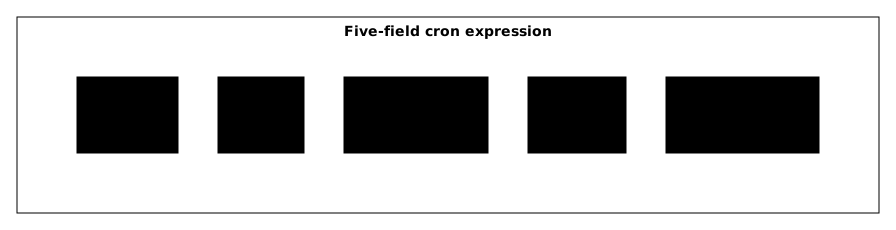
Read the diagram from left to right: minute, hour, day of the month, month, day of the week. A * means "all values" and */5 "every fifth".
| Expression | Meaning |
|---|---|
0 * * * * | Every hour at :00 |
0 2 * * * | Every day at 2 am |
0 0 * * 0 | Every Sunday at midnight |
*/15 * * * * | Every 15 minutes |
0 9-17 * * 1-5 | Every hour from 9 am to 5 pm, Monday to Friday |
Create the CronJob
The sauvegarde CronJob runs every five minutes, in Paris time. It forbids overlaps, abandons a run that starts more than 120 seconds late, keeps two successful Jobs and one failed Job, and deletes each Job ten minutes after it ends.
cat > sauvegarde.yaml <<'EOF'apiVersion: batch/v1kind: CronJobmetadata: name: sauvegardespec: schedule: "*/5 * * * *" timeZone: Europe/Paris concurrencyPolicy: Forbid startingDeadlineSeconds: 120 successfulJobsHistoryLimit: 2 failedJobsHistoryLimit: 1 jobTemplate: spec: ttlSecondsAfterFinished: 600 template: spec: restartPolicy: OnFailure containers: - name: sauvegarde image: busybox:1.38.0@sha256:a46257e06c82ad85242d0d38077d0a52d9896389ca60a1a59d3463db586e5fa4 command: ["sh", "-c", "echo sauvegarde faite le $(date)"]EOFkubectl apply -f sauvegarde.yaml -n taches && kubectl get cronjob sauvegarde -n tachescronjob.batch/sauvegarde createdNAME SCHEDULE TIMEZONE SUSPEND ACTIVE LAST SCHEDULE AGEsauvegarde */5 * * * * Europe/Paris False 0 <none> 0sThe LAST SCHEDULE column is <none> and ACTIVE is 0, because no due time has passed yet. The TIMEZONE column returns the time zone that was set.
The API validates the name of the time zone against the time zone database: a misspelled value is refused at creation, for example The CronJob "sauvegarde" is invalid: spec.timeZone: Invalid value: "Europe/Pariss": unknown time zone Europe/Pariss. Reread the parameters that were set:
kubectl describe cronjob sauvegarde -n taches | grep -E "Schedule|Time Zone|Concurrency|Starting Deadline|History"Schedule: */5 * * * *Concurrency Policy: ForbidTime Zone: Europe/ParisSuccessful Job History Limit: 2Failed Job History Limit: 1Starting Deadline Seconds: 120sLast Schedule Time: <unset>The values written are read back as they are. Last Schedule Time: <unset> confirms that nothing has been triggered yet.
Production CronJob settings
A CronJob that works in a lab causes trouble in production when the task lasts longer than the interval, or when the cluster was unavailable at the due time. Two fields, concurrencyPolicy and startingDeadlineSeconds, answer these situations.
The default values, read on a minimal CronJob
Before tuning anything, know what Kubernetes sets for you. The history limits decide what you will be able to read back the day you need to understand a past failure: only one failed Job is kept by default.
| Field | Default |
|---|---|
concurrencyPolicy | Allow |
suspend | false |
successfulJobsHistoryLimit | 3 |
failedJobsHistoryLimit | 1 |
startingDeadlineSeconds | not set |
timeZone | not set: the time zone of the component that schedules the Jobs (the controller) is used |
A Job, for its part, starts with backoffLimit: 6, completions: 1, parallelism: 1, completionMode: NonIndexed and suspend: false. It has neither activeDeadlineSeconds nor ttlSecondsAfterFinished.
concurrencyPolicy: handle overlaps
This field answers one question: what should happen if the previous run has not finished when the next one is due to start?
| Value | Behavior |
|---|---|
Allow | Allows several simultaneous Jobs (default) |
Forbid | Skips the run if a Job is running |
Replace | Stops the old Job and starts a new one |
Allow causes trouble when the Jobs touch the same resources, a file or a database: prefer Forbid for a backup.
startingDeadlineSeconds: start deadline
This field gives the maximum delay, after the scheduled time, during which a run can still start. If the cluster was unavailable at 2:00 and comes back at 2:05 with startingDeadlineSeconds: 120, the run is skipped. Without this field, no deadline exists and the missed run is launched late.
Trigger a CronJob manually
Waiting for the due time to check that a backup works makes no sense. The --from option of kubectl create job copies the CronJob's jobTemplate into a Job that starts right away. The schedule is not modified, and the Job carries the name you give it.
kubectl create job manuel-1 --from=cronjob/sauvegarde -n taches && kubectl wait --for=condition=Complete job/manuel-1 -n taches --timeout=60s && kubectl logs job/manuel-1 -n tachesjob.batch/manuel-1 createdjob.batch/manuel-1 condition metsauvegarde faite le Wed Nov 11 15:58:14 UTC 2026The task ran in three seconds without waiting for the due time. This Job nonetheless belongs to the CronJob, and this link is what makes it possible to find the Jobs of a CronJob:
kubectl get job manuel-1 -n taches -o jsonpath='{.metadata.ownerReferences[0].kind}{" "}{.metadata.ownerReferences[0].name}{"\n"}'CronJob sauvegardeThe ownerReferences field designates the owning CronJob. Now wait for the first real due time:
kubectl wait --for=jsonpath='{.status.lastScheduleTime}' cronjob/sauvegarde -n taches --timeout=330s && kubectl get cronjob sauvegarde -n taches && kubectl get jobs -n tachescronjob.batch/sauvegarde condition metNAME SCHEDULE TIMEZONE SUSPEND ACTIVE LAST SCHEDULE AGEsauvegarde */5 * * * * Europe/Paris False 1 0s 107sNAME STATUS COMPLETIONS DURATION AGEechec Failed 0/1 2m54s 2m54sindexe Complete 3/3 3s 2m57smanuel-1 Complete 1/1 3s 107ssauvegarde-29906880 Running 0/1 0s 0straitement Complete 4/4 29s 3m26sThe sauvegarde-29906880 Job was created at 17:00:00, Paris time, the first due time of */5. Its name is that of the CronJob followed by the number of minutes elapsed since January 1, 1970 (the Unix epoch). Here the wait lasted 104 seconds; depending on when you run the command, it can last up to five minutes.
The echec line shows a DURATION of 2m54s, although this Job failed after 34 seconds. This is not an error: the API sets the completionTime field only on a successful Job. For a Failed Job, kubectl therefore computes the duration up to the present moment, and the column grows with the age of the Job.
The bounded history
The history limits only keep the latest Jobs of a CronJob. Count the Jobs of a CronJob through ownerReferences, because all the Jobs carry the job-name label and a filter on this label rules none of them out:
kubectl get jobs -n taches -o jsonpath='{range .items[?(@.metadata.ownerReferences[0].name=="sauvegarde")]}{.metadata.name}{" "}{end}'manuel-1 sauvegarde-29906880The Job created by hand, manuel-1, appears in the list, because it also belongs to the CronJob. With successfulJobsHistoryLimit: 2, the CronJob only keeps the last two successful Jobs: the oldest are deleted as due times go by. A ttlSecondsAfterFinished shorter than the interval between two due times deletes the Job before the limit comes into play: set the TTL and the history together, according to what you want to be able to read back.
suspend: pause it
suspend: true stops new due times without deleting the CronJob:
kubectl patch cronjob sauvegarde -n taches -p '{"spec":{"suspend":true}}' && kubectl get cronjob sauvegarde -n tachescronjob.batch/sauvegarde patchedNAME SCHEDULE TIMEZONE SUSPEND ACTIVE LAST SCHEDULE AGEsauvegarde */5 * * * * Europe/Paris True 1 0s 107sWith SUSPEND at True, no more due times are triggered. ACTIVE stays at 1 because the Job already launched keeps going: suspending does not interrupt a running Job. The same command with false resumes the schedule.
Clean up the cluster
Deleting the namespace removes the Jobs, the CronJob and their Pods:
kubectl delete namespace tachesnamespace "taches" deletedPut it into practice
The lab has you run a processing four times, two at a time, with a Job with parallel completions, then schedule a task every five minutes with a CronJob that keeps a bounded history. The validation reads the state of the objects: the Job does ask for four completions two at a time, it finished successfully, and two runs really overlapped. It then checks the CronJob's schedule and history, and that a Job launched by hand from this CronJob, with kubectl create job --from, succeeded.
Key takeaways
- A Job runs a finite task: it retries failed Pods up to
backoffLimit, then declares itself failed with theBackoffLimitExceededreason. - With
backoffLimit: 2, a Job that always fails creates three Pods:backoffLimit + 1. restartPolicymust beOnFailureorNeverin a Job: the API refuses a missing field.completionssets the number of successes andparallelismthe number of simultaneous Pods; the Pods' timestamps prove the overlap.ttlSecondsAfterFinisheddeletes a finished Job along with its Pods, which also deletes its logs.- A CronJob creates a Job at each due time;
kubectl create job --from=cronjob/<name>triggers a Job right away without touching the schedule. concurrencyPolicy,startingDeadlineSeconds,timeZoneand the history limits are set explicitly: by default, nothing forbids overlaps or bounds the start delay.- A task that is retried or scheduled must be idempotent: Kubernetes retries, it does not know whether replaying is harmless.
Test your knowledge
This quiz covers what the Job promises and does not promise, how to read a failure and the settings of a CronJob. Allow five minutes and aim for 80%; below that, reread "Behavior on failure".
Knowledge check
Check what you have learned with this interactive quiz
How it works
- The timer starts when you click Start
- Multiple choice, true/false and short answer questions
- You can move between questions
- Detailed results are shown at the end
Starts the quiz and the timer
Review
(0/0)Score by domain
A domain groups several guides and gets several questions, so its score is more reliable than a per-topic score, which often rests on a single question.
Summary
Strengths
No topic passed at 80% on at least two questions yet.
Weak areas
No topic below the pass mark.
Recommended next
Hints before you try again?
Continue the course: Kubernetes application volumes: share and inject your data
A new full quiz with random questions
Work again only on the questions you missed