Your build has to download a private package with a token, or clone a private repository with an SSH key. If you pass that secret through ARG or ENV, it ends up in the image history and sometimes in its layers. BuildKit, Docker's build engine, offers temporary mounts instead: --mount=type=secret for a token or a file, --mount=type=ssh for the SSH agent, and --mount=type=cache to keep a download cache out of the image. This lesson is for readers who already know how to write a Dockerfile, and the main claims come with the output that proves them.
Several names in this lesson are French because the commands and outputs are the ones that were run: acces ("access") is the secret id, contexte ("context") the build context folder, ~/essai-secret ("secret test") the work folder, jeton ("token") and paquets ("packages") name the HTTP token and the test service, SOURCE_HOTE ("host source") and CHEMIN ("path") are build arguments, depot ("repository") the test Git repository, and messages such as secret lisible, taille 26 octets ("secret readable, size 26 bytes") are printed by the Dockerfiles themselves. They are identifiers, so they stay as they are.
It does not cover builders or multi-platform builds, which the lesson Build an image for several architectures presents, nor the cache shared between CI runs, which you will find in BuildKit cache in CI and image promotion between registries.
What you will learn
- Compare what
ARG,ENVand a secret mount leave in the image, by searching for the value in the history and in the layers. - Pass a secret with
--mount=type=secret(src=andenv=), keep its file out of the build context and require its presence withrequired=true. - Build with a private dependency, first through an HTTP token, then through SSH.
- Use a cache mount and know where its content lives.
- Spot with
docker build --checkthe variable names that give away a secret, and know the limit of that check. - Diagnose the most common failures from their message.
Prerequisites
- Knowing how to write a Dockerfile: see Write a Dockerfile.
- Knowing how to read the metadata of an image: Read an OCI image and its identity.
- A Linux machine with Docker Engine and its Buildx plugin.
- Python 3 (for the small test service in the HTTP token section) and, for the SSH section, the OpenSSH commands
ssh-keygen,ssh-agentandssh-keyscan.
All the outputs in this lesson were captured with Docker Engine 29.9.2, Buildx 0.38.1 and BuildKit v0.34.0, on the default builder (docker driver, containerd image store). Check yours before comparing:
docker version --format '{{.Server.Version}}'docker buildx versiondocker buildx inspect | grep 'BuildKit version'The secret used in the examples is a made-up value, SYNTH-c17-9f3a7b21d4e85c06. Create it in a work folder, without a trailing newline: it then weighs 26 bytes. The contexte folder will receive the Dockerfiles: it is the build context, the set of files that docker build sends to the builder and that COPY can read.
mkdir -p ~/essai-secret/contexte && cd ~/essai-secretprintf '%s' 'SYNTH-c17-9f3a7b21d4e85c06' > acces.txtwc -c acces.txtThe wc -c command must print 26 acces.txt.
The secret file stays next to the context, never inside it: a COPY . . that you added to the Dockerfile later would embed the secret in the image. Each Dockerfile in this lesson is saved as contexte/Dockerfile (it replaces the previous one), unless stated otherwise. All the docker build commands run from ~/essai-secret, with contexte as the last argument. The src= path is read from the directory where you run the command, not from the context.
Why doesn't an ARG or an ENV protect a secret?
An ARG is a value passed to the build with --build-arg, and an ENV sets an environment variable in the image. Neither is made for a secret: BuildKit records in the history the instructions as it executed them, value included. To see it, build this image, which writes the value to a file and then deletes that file.
# syntax=docker/dockerfile:1@sha256:4edf897a3ffa55b89f906fc8cc78afdb3f1834cc9c7083565e611a8a7d5fe99eFROM alpine:3.24.3@sha256:be2656061b536c1883c4034790e21d0a09c5aaaf51968b89368a3c0371ea2c9aARG ACCES_PRIVERUN echo "acces=${ACCES_PRIVE}" > /etc/app.confRUN rm /etc/app.confThe first line pins the frontend by its digest. The frontend is the image that BuildKit loads to read the Dockerfile and translate it into build steps. Without pinning, docker/dockerfile:1 designates an image that changes with every release.
docker build --no-cache --progress=plain \ --build-arg ACCES_PRIVE=SYNTH-c17-9f3a7b21d4e85c06 -t c17:arg contexte 2>&1 | tee build-arg.loggrep -c 'SYNTH-c17-9f3a7b21d4e85c06' build-arg.logThe count is 1, on the line that shows the command with the value already substituted:
#7 [2/3] RUN echo "acces=SYNTH-c17-9f3a7b21d4e85c06" > /etc/app.confNow look at the image history. The column that matters is CREATED BY:
docker history --no-trunc c17:argRUN |1 ACCES_PRIVE=SYNTH-c17-9f3a7b21d4e85c06 /bin/sh -c rm /etc/app.conf # buildkitRUN |1 ACCES_PRIVE=SYNTH-c17-9f3a7b21d4e85c06 /bin/sh -c echo "acces=${ACCES_PRIVE}" > /etc/app.conf # buildkitARG ACCES_PRIVE=SYNTH-c17-9f3a7b21d4e85c06The value appears three times, in the two RUN instructions and in the ARG instruction. Anyone who receives the image can read the value with docker history. Now add ENV ACCES_PRIVE=${ACCES_PRIVE} right after the ARG, rebuild under the name c17:env, and compare what each variant leaves elsewhere.
docker image inspect c17:arg --format '{{json .Config.Env}}'docker run --rm c17:arg env | grep -c ACCES_PRIVEdocker image inspect c17:env --format '{{json .Config.Env}}'docker run --rm c17:env env | grep -c ACCES_PRIVE| Where to look | ARG only | ARG and ENV |
|---|---|---|
docker history --no-trunc | 3 occurrences | 4 occurrences |
Config.Env of the image | absent | present |
| Environment of the running container | absent (0 lines) | present (1 line) |
| Build log | 1 occurrence | 1 occurrence |
| Layer that writes the file | 1 occurrence | 1 occurrence |
Cache descriptions (docker buildx du --verbose) | 0 occurrences | 0 occurrences |
In both cases, the docker image inspect command returns Config.Env: with ARG only, it contains just PATH; with ENV, it also contains "ACCES_PRIVE=SYNTH-c17-9f3a7b21d4e85c06". An ARG used in a RUN therefore leaks into the history but not into the container environment. An ENV also leaks into Config.Env and into every container you start. That is not a reason to prefer ARG: the history alone is enough to expose the secret.
The last row of the table looks only at the cache descriptions, not at its content. The cache layers do keep the value: after docker rmi c17:arg, a rebuild with the same value reports CACHED for both RUN instructions, and the rebuilt image still contains the value. The layers stay in the cache until a docker builder prune (or until the builder's garbage collector runs); after docker builder prune, the next build no longer reports anything as CACHED.
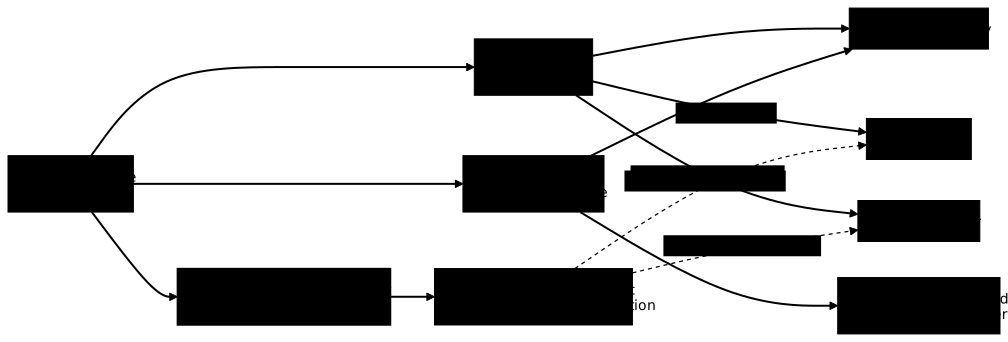
The diagram sums up the three paths. Look at the solid arrows: those of ARG and ENV leave a durable trace. The secret mount arrows go through a temporary mount, and only the dotted arrows can bring the secret back, through the fault of the step and not of the mechanism.
Why does deleting the file remove nothing from the image?
An image is a stack of layers, each recording what one instruction added or removed. RUN rm /etc/app.conf therefore erases nothing from the previous layer: it adds a layer that marks the file as deleted, and the old layer travels with the image. To prove it, export the image and search for the value in every blob.
docker save c17:arg -o img.targrep -a -c 'SYNTH-c17-9f3a7b21d4e85c06' img.tarmkdir -p ex && tar -xf img.tar -C exfor f in ex/blobs/sha256/*; do n=$(zcat -f "$f" 2>/dev/null | grep -a -c 'SYNTH-c17-9f3a7b21d4e85c06') echo "$(basename "$f" | cut -c1-12) taille=$(stat -c %s "$f") occurrences=$n"doneThe first grep returns 1: that is the configuration JSON, which is not compressed and therefore readable as is. The layers, on the other hand, are gzip-compressed archives on the containerd image store, the default of a fresh Docker 29 installation. To know which one you use, run docker info -f '{{.Driver}}': the answer is overlayfs for the containerd store and overlay2 for the classic store. On the containerd store, a raw search on the tar does not see the content of the layers. zcat -f decompresses them before the search, and it passes through a file that is not compressed unchanged: the method therefore also reads an uncompressed layer.
The loop prints one line per blob, nine for this image. The counts and sizes below were measured on the containerd store. The blob names are digests that change with every build: yours will differ. Sizes compare to within a few bytes, and it is the counts that identify the blobs. Three lines matter:
36738b99fe89 taille=165 occurrences=1c5887a0b2674 taille=1310 occurrences=1f750566bac1f taille=130 occurrences=0The 1310-byte line is the configuration JSON already spotted by the first grep. To know what the other two carry, list their content, replacing the prefix with the one from your own output:
zcat -f ex/blobs/sha256/36738b99fe89* | tar -tzcat -f ex/blobs/sha256/f750566bac1f* | tar -tetc/etc/app.confetc/etc/.wh.app.confThe 165-byte layer contains the file with the value, and the 130-byte layer contains only etc/.wh.app.conf, the deletion marker (.wh. stands for "whiteout"). The file is no longer visible in the container, but it stays in the image. The measurement on the ENV variant gives the same result.
How do you mount a secret for the duration of one RUN instruction?
The secret mount avoids these traces: the value is not written in an instruction but supplied to the build by --secret, then made visible to a single RUN instruction, the one that asks for it with --mount=type=secret. By default, it is mounted as a file in /run/secrets/<id>. With the env= option, it is exposed as an environment variable of that instruction only.
# syntax=docker/dockerfile:1@sha256:4edf897a3ffa55b89f906fc8cc78afdb3f1834cc9c7083565e611a8a7d5fe99eFROM alpine:3.24.3@sha256:be2656061b536c1883c4034790e21d0a09c5aaaf51968b89368a3c0371ea2c9aRUN --mount=type=secret,id=acces test "$(wc -c < /run/secrets/acces)" -gt 0 && echo "secret lisible, taille $(wc -c < /run/secrets/acces) octets"RUN --mount=type=secret,id=acces,env=ACCES_ENV test -n "$ACCES_ENV" && echo "variable ACCES_ENV non vide, longueur ${#ACCES_ENV}"RUN ls /run/secrets 2>&1 || trueThe Dockerfile does not contain the value, only an id. It is supplied at build time, here from the acces.txt file:
docker build --no-cache --progress=plain \ --secret id=acces,src=acces.txt -t c17:sec contexte 2>&1 | tee build-sec.logThe three instructions print the following in the log:
#7 0.158 secret lisible, taille 26 octets#8 0.248 variable ACCES_ENV non vide, longueur 26#9 0.189 ls: /run/secrets: No such file or directoryThe first step reads the mounted file, the second reads the variable, and the third, with no mount, finds nothing: the secret exists only in the instruction that asked for it. It remains to prove that it is nowhere else.
grep -c 'SYNTH-c17-9f3a7b21d4e85c06' build-sec.logdocker history --no-trunc c17:sec | grep -c 'SYNTH-c17-9f3a7b21d4e85c06'docker buildx du --verbose | grep -c 'SYNTH-c17-9f3a7b21d4e85c06'docker image inspect c17:sec --format '{{json .Config.Env}}'docker run --rm c17:sec ls /run/secretsEach of the three grep commands returns 0: neither the log, nor the history, nor the cache descriptions contain the value. Config.Env contains only PATH, and the final container answers No such file or directory. The loop over the blobs from the previous section also gives 0 occurrences in the eight blobs of the image.
The file can also come from a host variable, which avoids writing the secret to disk in CI. The Dockerfile does not change, and --no-cache forces the steps to read the secret again instead of reporting CACHED from the previous build:
export HOTE_ACCES=SYNTH-c17-9f3a7b21d4e85c06docker build --no-cache --progress=plain --secret id=acces,env=HOTE_ACCES -t c17:sec contexteIn CI, the HOTE_ACCES variable comes from the CI secret store. Locally, the export line above writes the value into your shell history; type it with read -rs HOTE_ACCES instead, then export HOTE_ACCES, and the value appears in no history.
Keep the two env= apart. The one in --secret id=acces,env=HOTE_ACCES says where BuildKit reads the value on the host; the one in --mount=type=secret,env=ACCES_ENV says under which name the RUN instruction receives it.
What remains despite the secret mount?
The secret mount protects the mount point, not what the step does with it. BuildKit masks nothing in the logs, and it does not watch the files the step writes. Two Dockerfiles show it.
In the first, the step prints the secret: RUN --mount=type=secret,id=acces cat /run/secrets/acces; echo. The plain-text log contains it:
#7 0.181 SYNTH-c17-9f3a7b21d4e85c06In the second, the step copies the secret into the file system: RUN --mount=type=secret,id=acces cp /run/secrets/acces /etc/copie.conf. The log and the history show nothing (0 occurrences), but a layer of about 160 bytes contains etc/copie.conf with the value, and the image carries it.
The rule that follows fits in one sentence: a step that receives a secret must neither print it nor record it in the image. It uses it, for example in an authentication header, and nothing else.
What happens when the secret is missing or changes?
Without --secret, a step that mounts a secret runs anyway: the file simply does not exist. With cat /run/secrets/acces, the build fails on the output of the command, with a message that does not mention the secret:
cat: can't open '/run/secrets/acces': No such file or directoryERROR: failed to build: failed to solve: process "/bin/sh -c cat /run/secrets/acces" did not complete successfully: exit code: 1Adding required=true to the mount declaration changes the failure: BuildKit refuses to start the step and names the missing secret, provided the step is not already cached (see below), hence the --no-cache in the command.
RUN --mount=type=secret,id=acces,required=true cat /run/secrets/accesdocker build --no-cache --progress=plain -t c17:abs contexteERROR: failed to build: failed to solve: secret acces: not foundThe message is the same when --secret is given with another id (--secret id=autre,src=acces.txt). Get into the habit of writing required=true on every step that cannot succeed without a secret.
A second trap concerns the cache. The secret value does not enter the cache key of a step. With a step RUN --mount=type=secret,id=acces echo "etape jouee a $(date +%s)" > /etc/horodatage, building a first time with one value, then a second time with another value for the same id, gives:
#7 [stage-0 2/2] RUN --mount=type=secret,id=acces echo "etape jouee a $(date +%s)" > /etc/horodatage#7 CACHEDThe step is not replayed, although the secret has changed. If the content of the secret must be read again (renewed token, republished dependency), run the build with --no-cache.
The same mechanism defeats required=true. A step already built with the secret stays CACHED when you rerun the build without --secret: the build succeeds instead of failing on secret acces: not found. With --no-cache, the failure comes back. A CI build that must prove the presence of the secret is therefore run without cache.
How do you detect a badly passed secret with docker build --check?
The --check option asks BuildKit to analyze the Dockerfile without building it. One of its rules, SecretsUsedInArgOrEnv, flags the ARG and ENV whose name suggests sensitive data. With this Dockerfile, which contains ENV DB_PASSWORD=x:
# syntax=docker/dockerfile:1@sha256:4edf897a3ffa55b89f906fc8cc78afdb3f1834cc9c7083565e611a8a7d5fe99eFROM alpine:3.24.3@sha256:be2656061b536c1883c4034790e21d0a09c5aaaf51968b89368a3c0371ea2c9aENV DB_PASSWORD=xdocker build --check contexteecho "code=$?"The progress lines (#1, #2...) are mixed into the output, and the analysis boils down to the following:
Check complete, 1 warning has been found!
WARNING: SecretsUsedInArgOrEnv - https://docs.docker.com/go/dockerfile/rule/secrets-used-in-arg-or-env/Do not use ARG or ENV instructions for sensitive data (ENV "DB_PASSWORD")contexte/Dockerfile:3--------------------   1 |     # syntax=docker/dockerfile:1@sha256:4edf897a3ffa55b89f906fc8cc78afdb3f1834cc9c7083565e611a8a7d5fe99e   2 |     FROM alpine:3.24.3@sha256:be2656061b536c1883c4034790e21d0a09c5aaaf51968b89368a3c0371ea2c9a   3 | >>> ENV DB_PASSWORD=x   4 |--------------------code=1
The exit code is 1 as soon as a warning exists, which lets you block a CI. The check relies on the name: it compares it, ignoring case, to a short list of words (key, token, secret, password, auth, credential and a few variants), provided they form a whole word between underscores.
The Dockerfile from the first section, with ARG ACCES_PRIVE, contains none of these words. It answers Check complete, no warnings found. with exit code 0, although it leaks the secret: a green check does not replace reading the history.
How do you fetch a private dependency with an HTTP token?
The common case is a package or an artifact served by a private repository that requires an Authorization: Bearer <token> header. To reproduce it without a real repository, make up a test token and a small HTTP service in Python, which answers 401 without a valid token and paquet-prive-v1 with the right one. Like the secret, the token stays out of the context. The jeton.txt file contains the token alone, without a trailing newline; the build will construct the HTTP header from it:
printf '%s' 'SYNTH-c17-jeton-4b7d1e90' > jeton.txtfrom http.server import BaseHTTPRequestHandler, HTTPServer
JETON = open("jeton.txt").read().strip()
class Paquets(BaseHTTPRequestHandler): def do_GET(self): if self.path == "/dep.txt" and self.headers.get("Authorization") == f"Bearer {JETON}": corps = b"paquet-prive-v1\n" self.send_response(200) else: corps = b"refuse\n" self.send_response(401) self.send_header("Content-Length", str(len(corps))) self.end_headers() self.wfile.write(corps)
HTTPServer(("0.0.0.0", 8099), Paquets).serve_forever()Save this code as paquets.py next to jeton.txt, run it in the background and note your machine's address, which the build will use to reach the service:
python3 paquets.py &HOTE=$(hostname -I | awk '{print $1}')curl -s -o /dev/null -w '%{http_code}\n' "http://$HOTE:8099/dep.txt"printf 'Authorization: Bearer %s\n' "$(cat jeton.txt)" | curl -s -H @- "http://$HOTE:8099/dep.txt"The first request must print 401, the second paquet-prive-v1. The Dockerfile receives the address through an ARG, which is not a secret, and mounts the token for the one instruction that downloads. That instruction builds the Authorization header from the token, then passes it to curl on its standard input:
# syntax=docker/dockerfile:1@sha256:4edf897a3ffa55b89f906fc8cc78afdb3f1834cc9c7083565e611a8a7d5fe99eFROM alpine:3.24.3@sha256:be2656061b536c1883c4034790e21d0a09c5aaaf51968b89368a3c0371ea2c9aARG SOURCE_HOTEARG CHEMIN=dep.txtRUN apk add --no-cache curlRUN --mount=type=secret,id=paquets_jeton,required=true \ printf 'Authorization: Bearer %s\n' "$(cat /run/secrets/paquets_jeton)" | \ curl -fsS -H @- -o /opt/paquet.txt http://${SOURCE_HOTE}:8099/${CHEMIN}CMD ["cat", "/opt/paquet.txt"]The CHEMIN argument designates the file to download, dep.txt by default. With -H @-, curl reads the header on its standard input, which printf supplies. printf is a shell builtin (type printf answers printf is a shell builtin in the Alpine image of the lesson): the value is therefore passed as an argument to no process. During a deliberately slow 8-second download, ps -eo pid,args on the host showed only the command as written in the Dockerfile and curl -fsS -H @- …, never the token value, in any of the samples taken.
A variant with wget --header "Authorization: Bearer $(cat …)" does the opposite and exposes the value in the host's process list: ps -eo pid,args, run during the build, showed the line wget … --header Authorization: Bearer SYNTH-c17-jeton-4b7d1e90 ….
The address is HTTP because the test service runs on your machine; in production, use HTTPS, otherwise the token travels in clear text over the network.
docker build --progress=plain --build-arg SOURCE_HOTE="$HOTE" \ --secret id=paquets_jeton,src=jeton.txt -t c17:paquet contextedocker run --rm c17:paquetWith the right token, the build succeeds (code 0) and docker run prints paquet-prive-v1. The log, the history and docker image inspect have 0 occurrences of the token; the layer contains opt/paquet.txt, the product, and not the token. For comparison, the same download with --build-arg also succeeds, but docker history then contains the value twice.
If you do not want to write the token to disk, supply it from a host variable, as for the secret in the previous section. The Dockerfile does not change, only the command does, and the build succeeds the same way. read -rs waits for input without echoing anything: paste the token, then press Enter. The --no-cache option is necessary, because without it the step would report CACHED and would not read the variable (the section on the missing or changed secret shows it). unset JETON then removes the variable from your shell:
read -rs JETON && export JETONdocker build --no-cache --progress=plain --build-arg SOURCE_HOTE="$HOTE" \ --secret id=paquets_jeton,env=JETON -t c17:paquet-env contexteunset JETONThe two expected failures carry different messages, which helps with diagnosis. Without --secret and with --no-cache, it is required=true that speaks:
ERROR: failed to build: failed to solve: secret paquets_jeton: not foundFor the second, put another token in a file (printf '%s' 'mauvais' > mauvais.txt) and pass it to --secret id=paquets_jeton,src=mauvais.txt with --no-cache. With a wrong token, it is the repository that answers 401: curl's -f option then makes the step fail, with curl: (22) The requested URL returned error: 401, and the build stops on that instruction with exit code: 22.
The first failure is an omission on the build command side, the second a token rejected by the repository: you do not look in the same place. Then stop the test service with kill %1 (or kill followed by the process number that jobs -p prints).
How do you clone a private repository with the host's SSH key?
For a private Git repository, you do not send the private key to the build. An SSH agent is a process on the host that holds your keys and signs connections on their behalf; it offers them through a socket, a local contact point. BuildKit forwards that socket to the step, and git has its connections signed through it without ever reading the key. To reproduce the demonstration without a real repository, make up a throwaway key and a Git server in a container, listening on port 2299 of your machine. The following command creates the key, and the script after it, to be saved as depot-ssh.sh, installs the SSH and Git server, registers the public key and creates a bare repository containing lib.txt:
ssh-keygen -q -t ed25519 -N '' -C c17-test -f cle-testset -eapk add --no-cache openssh git >/dev/nulladduser -D gitsed -i 's/^git:!/git:*/' /etc/shadowmkdir -p /home/git/.ssh /srv/gitecho "$PUB" > /home/git/.ssh/authorized_keyschmod 700 /home/git/.sshchmod 600 /home/git/.ssh/authorized_keysgit init -q --bare /srv/git/depot.gitgit clone -q /srv/git/depot.git /tmp/wcd /tmp/wgit config user.email t@t.tgit config user.name techo "bibliotheque privee v1" > lib.txtgit add lib.txtgit commit -qm initgit push -q origin HEAD:masterchown -R git:git /home/git /srv/gitssh-keygen -A > /dev/nullexec /usr/sbin/sshd -D -e -p 2299HOTE=$(hostname -I | awk '{print $1}')docker run -d --name depot-ssh -e PUB="$(cat cle-test.pub)" \ -v "$PWD/depot-ssh.sh:/depot-ssh.sh:ro" -p 2299:2299 \ alpine:3.24.3@sha256:be2656061b536c1883c4034790e21d0a09c5aaaf51968b89368a3c0371ea2c9a \ sh /depot-ssh.shfor i in $(seq 1 30); do ssh-keyscan -p 2299 "$HOTE" 2>/dev/null | grep -q ssh-ed25519 && break; sleep 1; doneThe loop waits at most 30 seconds for the server to answer. On the host side, you then need a running agent that carries the test key (with a real repository, it would be your usual key, for example ~/.ssh/id_ed25519):
eval "$(ssh-agent -s)"ssh-add cle-testssh-add -lssh-add -l must list the fingerprint of the key, with its c17-test comment.
The Dockerfile then declares --mount=type=ssh on the instruction that clones, and first prepares known_hosts, the file where SSH keeps the public key of the servers it knows: without this entry, SSH refuses to connect to an unknown server. Here, ssh-keyscan fills that file with the key the server presents at that moment. That is a first contact without verification, acceptable for a test server running on your own machine, but not for a real repository. With a hosting provider, you write into known_hosts a line whose fingerprint has been compared with the one the provider publishes (ssh-keygen -lf displays the fingerprint of a known_hosts line).
The address arrives through an ARG, which is not a secret, and a first instruction prints the socket received:
# syntax=docker/dockerfile:1@sha256:4edf897a3ffa55b89f906fc8cc78afdb3f1834cc9c7083565e611a8a7d5fe99eFROM alpine:3.24.3@sha256:be2656061b536c1883c4034790e21d0a09c5aaaf51968b89368a3c0371ea2c9aARG SOURCE_HOTERUN apk add --no-cache git openssh-clientRUN --mount=type=ssh echo "SSH_AUTH_SOCK=$SSH_AUTH_SOCK"; ls -l "$SSH_AUTH_SOCK"; ssh-add -lRUN mkdir -p -m 0700 /root/.ssh && ssh-keyscan -p 2299 "${SOURCE_HOTE}" >> /root/.ssh/known_hostsRUN --mount=type=ssh git clone ssh://git@${SOURCE_HOTE}:2299/srv/git/depot.git /app && cat /app/lib.txtThe build must receive the agent with --ssh default:
docker build --no-cache --progress=plain --build-arg SOURCE_HOTE="$HOTE" --ssh default -t c17:ssh contexteThe clone succeeds, and cat /app/lib.txt prints bibliotheque privee v1. In a step that mounts SSH, the SSH_AUTH_SOCK variable points to the socket provided by BuildKit, and the agent answers there with your key:
SSH_AUTH_SOCK=/run/buildkit/ssh_agent.0srw------- 1 root root 0 ... /run/buildkit/ssh_agent.0256 SHA256:4V7KR6... c17-test (ED25519)The final image has no SSH_AUTH_SOCK in its environment, and no private key in its layers. To check, search every blob, decompressed as above, for b3BlbnNzaC1rZXktdjE (the beginning of a base64-encoded OpenSSH key) and for the c17-test comment: the count is 0. The root/.ssh/known_hosts file, on the other hand, does appear in a layer, with the server's public key, which is not a secret.
A search for the raw text openssh-key-v1 is not suitable here, because it also appears in the OpenSSH binaries installed by apk.
Without the ssh-keyscan line (or without an equivalent known_hosts line), the same build fails, because the container does not yet know the host:
Cloning into '/app'...Host key verification failed.fatal: Could not read from remote repository.Two other failures come from forgetting --ssh. Without required, the step runs and the socket does not exist:
ls: /run/buildkit/ssh_agent.0: No such file or directoryError connecting to agent: No such file or directoryWith --mount=type=ssh,required=true, BuildKit refuses to start it:
ERROR: failed to build: failed to solve: unset ssh forward key defaultTwo symptoms concern the host agent. If --ssh default is requested in a shell where SSH_AUTH_SOCK is not defined, the build fails before starting. If the agent is running but carries no key (after ssh-add -D), the server refuses the clone. Both messages appear in the troubleshooting table.
When the experiments are over, stop the agent and the test server, then delete the files of the throwaway key, which are in ~/essai-secret. ssh-agent -k prints unset commands that only eval applies: without it, SSH_AUTH_SOCK stays set to a dead socket. Likewise, eval "$(ssh-agent -s)" replaces the agent your shell was already using: if you have one, do this exercise in a dedicated shell, which you close afterwards.
eval "$(ssh-agent -k)"docker rm -f depot-sshrm cle-test cle-test.pubHow do you speed up a build with a cache mount?
A cache mount is a persistent directory, managed by the builder, that you mount in a RUN instruction to keep what a tool downloads. The first build fills it; the following ones reuse it even when the RUN layer has to be replayed. The content never enters the image. Example with apk, which installs 33 packages (the image has 49 with those of its base):
# syntax=docker/dockerfile:1@sha256:4edf897a3ffa55b89f906fc8cc78afdb3f1834cc9c7083565e611a8a7d5fe99eFROM alpine:3.24.3@sha256:be2656061b536c1883c4034790e21d0a09c5aaaf51968b89368a3c0371ea2c9aCOPY app.txt /app.txtRUN --mount=type=cache,target=/var/cache/apk \ ln -sf /var/cache/apk /etc/apk/cache && \ apk add git curl openssh-client python3Save it as contexte/Dockerfile.cache. The comparison variant, contexte/Dockerfile.nocache, changes only the RUN:
# syntax=docker/dockerfile:1@sha256:4edf897a3ffa55b89f906fc8cc78afdb3f1834cc9c7083565e611a8a7d5fe99eFROM alpine:3.24.3@sha256:be2656061b536c1883c4034790e21d0a09c5aaaf51968b89368a3c0371ea2c9aCOPY app.txt /app.txtRUN apk add --no-cache git curl openssh-client python3To replay the measurement, empty the builder cache (see the warning in the cleanup section about the scope of docker builder prune -af), then build, modify contexte/app.txt and rebuild. Do the series with Dockerfile.cache, then the same one with Dockerfile.nocache (emptying the cache again beforehand):
docker builder prune -afecho v1 > contexte/app.txttime docker build --progress=plain -f contexte/Dockerfile.cache -t c17:cm contexteecho v2 > contexte/app.txttime docker build --progress=plain -f contexte/Dockerfile.cache -t c17:cm contexteecho v3 > contexte/app.txttime docker build --progress=plain -f contexte/Dockerfile.cache -t c17:cm contextedocker builder prune -afecho v1 > contexte/app.txttime docker build --progress=plain -f contexte/Dockerfile.nocache -t c17:nocache contexteecho v2 > contexte/app.txttime docker build --progress=plain -f contexte/Dockerfile.nocache -t c17:nocache contexteecho v3 > contexte/app.txttime docker build --progress=plain -f contexte/Dockerfile.nocache -t c17:nocache contexteThe /etc/apk/cache link is necessary because apk looks for its local cache at that location, which must be a link to the chosen directory (according to the Alpine documentation). The app.txt file is copied before the RUN so that the source can be modified without touching the installation, which replays the next layer. The durations below come from a single run per case, with the builder cache emptied beforehand (docker builder prune -af) and the real network of the Alpine mirrors: they are orders of magnitude, so measure your own.
| Build | Total duration with cache mount | Total duration with apk add --no-cache |
|---|---|---|
| 1st, cold | 8.56 s | 8.03 s |
| 2nd, source modified | 3.93 s | 5.78 s |
| 3rd, source modified | 3.94 s | 6.28 s |
The first build is comparable in both cases, because the cache is empty and the Dockerfile frontend has to be downloaded. From the second one on, the installation with a cache mount takes about 1 s against 2 to 3 s without (measurement of the RUN step alone). The gain depends on bandwidth, and it was measured here only with apk, not with pip, apt or npm. For a mounted pip cache, see Organize layers and use the cache.
Where did the cache content go? Not into the image: its size is identical with or without a cache mount (98.6 MB), and docker run --rm c17:cm ls -A /var/cache/apk returns nothing. On the cache side, the layer contains only the empty directory and the /etc/apk/cache link, which points to /var/cache/apk: that directory exists in the image and stays empty. The link, for its part, stays in the images derived from this one. The cache lives with the builder:
docker buildx du --verboseSize: 26.24MBDescription: cached mount /var/cache/apk ...Usage count: 3Type: exec.cachemountA cache mount is therefore reusable from one build to the next on the same machine, but it is emptied by docker builder prune.
How do you limit the build's access to only the secrets it needs?
A build secret that is passed correctly remains an open door as long as access is not bounded. The following practices reduce what a build can reach.
- One
idper secret, mounted on the single instruction that needs it: the other steps do not see it, as thels /run/secretsstep showed earlier. required=truewherever the step cannot succeed without the secret, to fail fast with a clear message rather than with a distant error. A step already in cache checks nothing: only the build that has to prove the presence of the secret is run with--no-cache, the others keep their cache.- A token with minimal rights, read-only on the single repository concerned, and short-lived: if the value leaks anyway, the damage stays limited. A renewed token is read again with
--no-cache, as seen above. - Never a secret in a cache mount: it persists with the builder and serves the following builds.
- Pass neither
--secretnor--sshto a Dockerfile whose content you do not control: any instruction that mounts the secret can print or copy it, like the two counter-examples in this lesson.
For secrets at run time, rather than at build time, see Secrets Docker (in French).
What to do when the build fails?
BuildKit messages are precise, provided you know who produces them.
| Symptom | Cause | Solution |
|---|---|---|
secret acces: not found | required=true without a matching --secret, or a different id (the error does not appear if the step is already cached) | Pass --secret id=acces,src=... with the same id as in the Dockerfile |
cat: can't open '/run/secrets/acces' then exit code: 1 | Step without required=true, run without --secret | Add required=true and the missing --secret |
curl: (22) The requested URL returned error: 401 then exit code: 22 | Token rejected by the repository | Check the value of the file passed to --secret, not the Dockerfile |
failed to stat acces.txt: stat acces.txt: no such file or directory | Build run from a directory other than the one where src= resolves | Run the build from ~/essai-secret, or give a src= path that is valid from where you are |
Host key verification failed during git clone | The container does not know the server key | Add to known_hosts a line whose fingerprint has been verified (in a local demo, ssh-keyscan) |
invalid empty ssh agent socket: make sure SSH_AUTH_SOCK is set | --ssh default with no agent in the build shell | Run eval "$(ssh-agent -s)" then ssh-add, in the same shell as the build |
Permission denied (publickey,password,keyboard-interactive) then exit code: 128 | The agent is running but does not carry the key accepted by the server | Load the key with ssh-add and check with ssh-add -l |
Error connecting to agent: No such file or directory | Build run without --ssh default | Add --ssh default and check ssh-add -l on the host |
unset ssh forward key default | required=true on the SSH mount, without --ssh | Add --ssh default to the build command |
curl: (28) Failed to connect to … after 133833 ms: Could not connect to server then exit code: 28 | The host firewall blocks the build network (here the 172.17.0.0/16 network) from reaching the service port; the build waits more than two minutes before failing | Add a firewall rule that allows the 172.17.0.0/16 network to reach the address and port of the service (here port 8099) |
Step CACHED although the secret changed | The secret value does not enter the cache key | Rerun with --no-cache |
| The value appears in the build log | The step prints the secret | Remove the printing from the step; the mount masks nothing |
The grep on docker save finds nothing although the value is in the image | The layers are compressed (measured on the containerd store) | Decompress each blob with zcat -f before searching; the command also reads an uncompressed layer |
How do you clean everything up after the experiments?
The experiments left c17:* images, a Python service, a Git repository container, files in ~/essai-secret and in ~/essai-secret/contexte, and a build cache that contains, among other things, the apk cache. The SSH agent and the throwaway key were already removed at the end of the SSH section.
The block below removes the rest in order: process and container first, images next, builder cache, then the files one by one, the contexte folder and finally the work folder. It does not delete the folders in one go: rmdir refuses to remove a folder that is not empty, which warns you if a file escaped the cleanup.
pkill -f 'paquets.py'docker rm -f depot-sshdocker image ls --format '{{.Repository}}:{{.Tag}}' | grep '^c17:' | xargs -r docker rmidocker builder prune -afcd ~/essai-secretrm -f ex/blobs/sha256/* ex/index.json ex/manifest.json ex/oci-layoutrmdir ex/blobs/sha256 ex/blobs exrm -f contexte/Dockerfile contexte/Dockerfile.cache contexte/Dockerfile.nocache contexte/app.txtrmdir contexterm -f acces.txt jeton.txt mauvais.txt paquets.py depot-ssh.sh *.log img.tarcd ~ && rmdir ~/essai-secretdocker builder prune -af empties the whole build cache of the machine, not only that of this lesson: if other projects use the same builder, their next builds will start from zero. If rmdir answers Directory not empty, list the content with ls -A ~/essai-secret ~/essai-secret/contexte: you named a file differently from the lesson, delete it then rerun rmdir. Then check that no c17 image and no cache remain.
docker image lsdocker buildx duOn the test machine, which carried only alpine images before the lesson, the output is the following. Your image list contains your own.
IMAGE ID DISK USAGE CONTENT SIZE EXTRAalpine:latest be2656061b53 13MB 3.94MBalpine@sha256:be2656061b536c1883c4034790e21d0a09c5aaaf51968b89368a3c0371ea2c9a be2656061b53 13MB 3.94MBID RECLAIMABLE SIZE LAST ACCESSEDReclaimable: 0BTotal: 0BThe remaining alpine images do not come from the lesson: they were already on the test machine and do not carry the c17: prefix. The Total: 0B line confirms that the build cache is empty.
Practice
The lab starts from a Dockerfile that fetches a product from a private repository by passing the secret through a build argument, then deleting it, which is not enough. You fix it so that the build uses an ephemeral BuildKit secret. The checks then read the configuration, the history and the layers of your image looking for the secret, rebuild with a different secret to verify that it is taken into account, and verify that a missing or wrong secret makes a build without cache fail.
Key points
- An
ARGused in aRUNleaves the value indocker history; anENValso leaves it inConfig.Envand in the running container. - Deleting a file in a later layer does not remove it from the image: the original layer stays, and you have to decompress each blob (
zcat -f) to see it. RUN --mount=type=secretkeeps the value out of the log, the history and the layers, as long as the step neither prints it nor copies it.required=truemakes the build fail withsecret <id>: not foundwhen the secret is missing, unless the step is already cached.- The value of a secret does not enter the cache key: a changed secret requires
--no-cache. - For SSH,
--mount=type=sshand--ssh defaultgive the step an agent socket;known_hostsis still yours to provide, with a fingerprint verified for real (ssh-keyscanis enough for a local test server). - A cache mount speeds up builds and lives with the builder, not in the image.
docker build --checkflags suggestive names: it does not replace reading the history.
Knowledge check
Check that the essentials of this lesson have stuck. The questions cover only what has just been explained here.
Knowledge check
Check what you have learned with this interactive quiz
How it works
- The timer starts when you click Start
- Multiple choice, true/false and short answer questions
- You can move between questions
- Detailed results are shown at the end
Starts the quiz and the timer
Review
(0/0)Score by domain
A domain groups several guides and gets several questions, so its score is more reliable than a per-topic score, which often rests on a single question.
Summary
Strengths
No topic passed at 80% on at least two questions yet.
Weak areas
No topic below the pass mark.
Recommended next
Hints before you try again?
Continue the course: Build an image for several architectures
A new full quiz with random questions
Work again only on the questions you missed
FAQ: frequently asked questions
The questions below cover what comes up most often around BuildKit: build secrets, SSH access, cache mounts and cache cleanup.
One engine, one command, one file
- BuildKit is Docker's build engine: it reads the Dockerfile and executes each instruction.
- Buildx is the Docker Engine plugin that provides the
docker buildxcommand (build,create,inspect,ls). - A builder is the component that runs your builds: it runs BuildKit, and its driver says where. The default builder is called
defaultand uses thedockerdriver, that is, the BuildKit built into the engine. - Docker Bake orchestrates several builds from a file, instead of chaining
docker buildcommands.
docker buildx ls
docker buildx inspect --bootstrap
BuildKit version line of the default builder shows v0.34.0 and the docker buildx version command answers Buildx 0.38.1. A docker-container builder, on the contrary, runs BuildKit in a separate container, with its own version.To go further: read the builders and their platforms and the guide Docker Bake.The image history keeps the value
AnARG receives a value through --build-arg, and an ENV sets a variable in the image. BuildKit records in the history the instructions as it executed them, value included. Anyone who receives the image reads it with:docker history --no-trunc c17:arg
CREATED BY column shows the value in the ARG instruction and in every RUN that uses it.| Where to look | ARG only | ARG and ENV |
|---|---|---|
docker history --no-trunc |
value visible | value visible |
Config.Env of the image |
absent | present |
| Environment of the running container | absent | present |
ARG used in a RUN therefore leaks into the history but not into the environment; an ENV also leaks into Config.Env. That is not a reason to prefer ARG: the history alone is enough to expose the secret.Deleting afterwards the file that contained the value changes nothing. The RUN rm adds a layer that marks the file as deleted, and the old layer travels with the image. The cache layers also keep the value until a docker builder prune.See the full demonstration with the outputs.A secret mount, mounted on a single instruction
The secret is not written in the Dockerfile, only itsid. It is supplied at build time by --secret, then mounted on the RUN instruction that asks for it. By default, it becomes a file in /run/secrets/<id>; with env=, it becomes a variable of that instruction only.Case of an HTTP token: the Dockerfile builds the Authorization header from the token and passes it to curl on its standard input (-H @-).# syntax=docker/dockerfile:1@sha256:4edf897a3ffa55b89f906fc8cc78afdb3f1834cc9c7083565e611a8a7d5fe99e
FROM alpine:3.24.3@sha256:be2656061b536c1883c4034790e21d0a09c5aaaf51968b89368a3c0371ea2c9a
ARG SOURCE_HOTE
ARG CHEMIN=dep.txt
RUN apk add --no-cache curl
RUN --mount=type=secret,id=paquets_jeton,required=true \
printf 'Authorization: Bearer %s\n' "$(cat /run/secrets/paquets_jeton)" | \
curl -fsS -H @- -o /opt/paquet.txt http://${SOURCE_HOTE}:8099/${CHEMIN}
docker build --progress=plain --build-arg SOURCE_HOTE="$HOTE" \
  --secret id=paquets_jeton,src=jeton.txt -t c17:paquet contexte
docker history, nor in docker image inspect. Going through printf (a shell builtin) then curl -H @- also keeps the value out of the host process list, which a wget --header "Authorization: Bearer $(cat …)" variant does not.Four points to remember:--secret id=acces,env=HOTE_ACCESreads the value from a host variable, which avoids writing the secret to disk; thisenv=says where to read on the host, whereas the one in--mountsays under which name the step receives the value.required=truemakes the build fail withsecret paquets_jeton: not foundwhen the secret is missing, unless the step is already cached.- The secret value does not enter the cache key: a renewed secret requires
--no-cache. - The mount protects the mount point, not what the step does with it: a step that prints or copies the secret puts it back into the log or into a layer.
The agent signs, the key stays on the host
An SSH agent is a process on the host that holds your keys and signs connections on their behalf. BuildKit forwards its socket to the step:git has its connections signed through it without ever reading the key. On the host side, you need a running agent that carries the key (ssh-add -l must list it). On the Dockerfile side:ARG SOURCE_HOTE
RUN --mount=type=ssh git clone ssh://git@${SOURCE_HOTE}:2299/srv/git/depot.git /app && cat /app/lib.txt
docker build --no-cache --progress=plain --build-arg SOURCE_HOTE="$HOTE" --ssh default -t c17:ssh contexte
SSH_AUTH_SOCK points to the socket provided by BuildKit (/run/buildkit/ssh_agent.0). The final image contains no private key.The container must also know the server's public key, in known_hosts, otherwise the clone fails with Host key verification failed. In the demonstration, ssh-keyscan fills that file with the key the server presents at that moment: it is a first contact without verification, acceptable for a test server on your machine, not for a real repository. With a hosting provider, write into known_hosts a line whose fingerprint has been compared with the one it publishes.Common errors read as follows:| Message | Cause |
|---|---|
Error connecting to agent: No such file or directory |
Build run without --ssh default |
unset ssh forward key default |
required=true on the mount, without --ssh |
invalid empty ssh agent socket: make sure SSH_AUTH_SOCK is set |
No agent in the build shell |
Permission denied (publickey,password,keyboard-interactive) |
The agent does not carry the key accepted by the server |
A directory kept by the builder
A cache mount is mounted in aRUN instruction with --mount=type=cache. The first build fills it; the following ones reuse it even when the RUN layer has to be replayed. Example with apk, whose local cache is looked up in /etc/apk/cache, hence the link:# syntax=docker/dockerfile:1@sha256:4edf897a3ffa55b89f906fc8cc78afdb3f1834cc9c7083565e611a8a7d5fe99e
FROM alpine:3.24.3@sha256:be2656061b536c1883c4034790e21d0a09c5aaaf51968b89368a3c0371ea2c9a
COPY app.txt /app.txt
RUN --mount=type=cache,target=/var/cache/apk \
ln -sf /var/cache/apk /etc/apk/cache && \
apk add git curl openssh-client python3
docker run --rm c17:cm ls -A /var/cache/apk returns nothing. The cache lives with the builder, as this shows:docker buildx du --verbose
Description: cached mount /var/cache/apk line and the exec.cachemount type.The gain depends on bandwidth. On a single measured run, after modifying the source, the build took 3.9 s with the cache mount against 5.8 to 6.3 s with apk add --no-cache, and the measurement covers only apk: take these durations as an order of magnitude and measure your own.Two limits to know: the cache is emptied by docker builder prune, and you must never put a secret in it, because it persists with the builder and serves the following builds.See the cache mount section.Another lesson for multi-platform
This lesson is limited to secrets, the SSH agent and the cache mount. Building an image for several architectures, with builders, the--platform option, QEMU emulation, cross-compilation and the exec format error, has its own lesson: Build an image for several architectures.The cache is shared between all your projects
docker builder prune -af empties the whole build cache of the builder, not only that of your experiments: if other projects use the same builder, their next builds will start from zero. On a machine you depend on, skip this command. To check the result:docker buildx du
Total: 0B line confirms that the cache is empty. The remaining images that do not carry your experiment prefix do not come from the lesson.See the cleanup of the BuildKit lesson. Builders and emulation are cleaned up in the multi-architecture lesson.