Mounting /var/run/docker.sock as :ro in a tool does not stop it from stopping your containers: the daemon accepts the order and answers 204. This socket is equivalent to root access, because the API lets you create a privileged container that mounts the host's root /. To give a tool read access only, you place a proxy that filters the HTTP requests in front of the socket. This lesson shows it on Docker Engine 29.9.2, deploys a proxy that opens read access to containers, then measures what each variable opens, the containers' environment variables included, and where the protection stops.
It is meant for people who already run Docker and must connect a tool to its API. Before you get to it, remove the socket mounts that the tool does not need, as Remove direct access to the Docker daemon teaches; this lesson covers the case where it really needs the API.
What you will learn
- Show that a socket mounted as
:roaccepts a write on the API. - Explain how a proxy filters by path and by HTTP method.
- Choose a proxy image and pin it by its digest.
- Deploy the proxy on an
--internalnetwork, connect a client to it and restart it with another configuration. - Measure what
CONTAINERS=1exposes, including the containers' environment. - Spot the combination that amounts to root:
POST=1withCONTAINERS=1. - Measure what
--internalisolates, and what it lets through. - Diagnose a silent 403, a 400 returned by the daemon and a failure to connect to the socket.
Prerequisites
- Knowing why access to the socket amounts to root access. The opening sentence gives the reason, and Securing Docker in production details the threat model.
- Knowing how to run a container, create a network and read logs with
docker logs. - Knowing the principle of an HTTP request: method (
GET,POST), path, response code. - Having a Linux host with Docker Engine and a user allowed to run
docker.
The measurements come from a Debian 13 machine with Docker Engine 29.9.2 (API 1.56, minimum accepted version 1.40). All the images cited are pinned by tag and by digest. The host's curl is the one installed on the test machine (Debian 13 package, version 8.14.1).
Some names in this lesson are French because the commands and outputs are the ones that were run: relais-api ("API relay") is the proxy, reseau-api ("API network") its network, temoin-1 and temoin-2 ("witness") the test containers, MOT_DE_PASSE ("password") the fake secret and /hote ("host") the mount point in the container. They are identifiers, so they stay as they are.
Why does mounting the socket as :ro protect nothing?
The :ro makes the socket file non-modifiable, but it does not filter what travels through it. The socket is a channel to the daemon, and the daemon runs as root. A write on the API, such as stopping a container, is an HTTP POST request that goes through this channel whether it is mounted read-only or not: the daemon alone decides how to answer.
To see it, you need a test container and an HTTP client. The two variables in the next block keep the commands readable.
CURL='curlimages/curl:8.23.0@sha256:3fb7e13e5d179a845c97d78204f3f1064d1907037f26a3ebf91710571151fd93'ALPINE='alpine:3.24.3@sha256:be2656061b536c1883c4034790e21d0a09c5aaaf51968b89368a3c0371ea2c9a'
docker run -d --name temoin-1 "$ALPINE" sleep 600docker inspect -f '{{.State.Status}}' temoin-1
The second command must print running. The client then mounts the socket read-only and sends a stop POST. The --user root option is required: without it, the default user of the curl image has no right to open the socket, as the troubleshooting section below shows.
docker run --rm --user root \ -v /var/run/docker.sock:/var/run/docker.sock:ro \ "$CURL" --unix-socket /var/run/docker.sock \ -s -o /dev/null -w '%{http_code}\n' \ -X POST http://localhost/containers/temoin-1/stopdocker inspect -f '{{.State.Status}}' temoin-1The code 204 means that the daemon carried out the stop, and the status of the test container goes from running to exited. To see what rights the client believed it had, display the mount line from the client:
docker run --rm --user root --entrypoint sh \ -v /var/run/docker.sock:/var/run/docker.sock:ro \ "$CURL" -c 'mount | grep docker.sock'The output contains the ro option, even though the stop has just succeeded:
tmpfs on /run/docker.sock type tmpfs (ro,nosuid,nodev,noexec,relatime,size=297760k,mode=755,inode64)The ro option applies to the file system, not to the requests.
How does a proxy filter the Docker API?
A socket proxy is a small HTTP server (here HAProxy) placed between the tool and the socket. It receives requests over TCP, compares each method and path pair with an allowlist, then forwards to the socket what is allowed and refuses the rest.
The diagram follows two requests from the tool: an allowed read (GET /containers/json) and a refused write (POST /containers/.../stop). Notice that the refusal never goes down to the daemon: the proxy answers by itself.
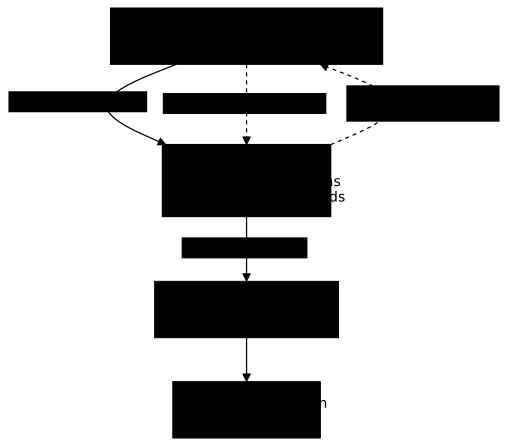
The refusal always has the same form, whatever path or method is blocked: a 403 code and an HTML body 403 Forbidden followed by Request forbidden by administrative rules., except for HEAD (the same request as GET, to which the server answers with the status code and headers only), whose answer never has a body. This text comes from the proxy, not from Docker. By default, almost all the path families are closed: only /_ping, /version and /events stay open, as both proxies document. An environment variable set to 1 opens its family: CONTAINERS=1 opens read access to containers, IMAGES=1 to images, POST=1 allows the write methods.
A route opened for reading does not answer only to GET. Both images separate read and write with HAProxy's predefined METH_GET ACL (the Tecnativa line is quoted further down; the LinuxServer one carries the same rule, http-request deny unless METH_GET || { env(POST) -m bool }), and the HAProxy documentation states that it covers GET and HEAD. A route opened for reading therefore also accepts HEAD requests. Four requests sent to the LinuxServer image with CONTAINERS=1, the last one directly to the socket, give the following output. The first three can be replayed from a client on the proxy's network once it is deployed, with curl -I, the option that sends a HEAD request:
for chemin in /containers/json /volumes /_ping; do printf 'HEAD %s -> ' "$chemin" docker run --rm --network reseau-api "$CURL" \ -s -o /dev/null -w '%{http_code}\n' -I "http://relais-api:2375$chemin"doneHere are the codes recorded:
HEAD /containers/json -> 404 (open family)HEAD /volumes -> 403 (closed family)HEAD /_ping -> 200 (always open)HEAD /containers/json without proxy, directly on the socket -> 404A HEAD has no body: the proxy's text cannot be read in it, and the origin of each code is deduced. The 403 on /volumes comes from the proxy, because the family is closed and GET /volumes already receives the proxy's 403 there, whose HTML body can be read. The 404 on /containers/json is the same without a proxy: it therefore comes from the daemon, which shows that the proxy let the HEAD through on an open family, as it lets a GET through.
To send a HEAD with curl, use -I, never -X HEAD. With -X HEAD, the server returns the same code, but curl hangs on /containers/json and /volumes: the response announces content-length: 29, curl believes it is reading the response to a GET and waits for that body, which never arrives. With -m 8, it exits after 8 seconds with code 28: always bound such a test with -m. On /_ping, whose response announces content-length: 0, it does not hang, and that is what makes the form look like it works.
# ❌ To avoid: curl waits for a body the server will never senddocker run --rm --network reseau-api "$CURL" -m 8 \ -s -o /dev/null -w '%{http_code}\n' -X HEAD http://relais-api:2375/volumesThe route is indeed open to HEAD, even though the Docker API does not answer it with a list. Another proxy may compare the method exactly and refuse HEAD: never assume that a method variant is closed without having tried it.
The ALLOW_ variables open a single action instead of a whole family: ALLOW_STOP=1 allows only stopping a container. The LinuxServer image exposes others of the same type: ALLOW_PAUSE, ALLOW_RESTARTS, ALLOW_START and ALLOW_UNPAUSE for actions, ALLOW_ARCHIVE, ALLOW_EXPORT, ALLOW_LOGS, ALLOW_TOP and ALLOW_CHANGES for specific reads. All of them default to 0.
Which proxy image should you choose?
Two images meet this need and share the same basic variables: lscr.io/linuxserver/socket-proxy and tecnativa/docker-socket-proxy. This lesson recommends the LinuxServer one, for three reasons. With CONTAINERS=1, it keeps five sensitive read routes closed (files, export, logs, processes, changes) that the Tecnativa image opens, and it reopens them one by one with ALLOW_ variables. With CONTAINERS=1 ALLOW_STOP=1, it keeps read access to containers and adds stopping without POST=1; with Tecnativa, you have to choose between stopping without the list (POST=1 ALLOW_STOP=1) and the list with all the writes. Its build is also more recent.
| Image | Version (label) | Build | HAProxy | Licence |
|---|---|---|---|---|
lscr.io/linuxserver/socket-proxy | 3.4.7-r0-ls104 | 2026-10-27 | 3.4.7 | GPL-3.0 |
tecnativa/docker-socket-proxy | v0.5.0 | 2026-07-27 | 3.4.2 | Apache-2.0 |
Version, date and licence come from the images' build labels, read on 2026-11-03, not from the repositories. The Tecnativa image remains usable: its 403 responses have the same body, it simply opens more routes for the same variables, as the section on profile variables measures.
Images are pinned by tag and by index digest (the fingerprint of the image's list of platforms), as everywhere on the site. The digest below is the one recorded for 3.4.7-r0-ls104.
PROXY='lscr.io/linuxserver/socket-proxy:3.4.7-r0-ls104@sha256:4e5e59efd3338205561c54262581992036e5a36ccca97d487b1d4ec41f9adc58'For Tecnativa, the matching reference would be tecnativa/docker-socket-proxy:v0.5.0@sha256:1f5038b54f06c3e18422902cf00ba21803d1c97805aae032e5e6673d532d3459.
How do you deploy the proxy and connect a tool to it?
The proxy is the only container that mounts the socket. Clients reach it by name, on a network where it is the only access point to the API. You first create an --internal network: containers attached to it have no route to the Internet, and the proxy does not need one since it only talks to the socket.
The proxy is hardened from the start: --read-only makes its file system non-modifiable and --tmpfs /run gives it the write space it needs. The test container temoin-2 carries a fake environment variable, MOT_DE_PASSE, which plays the role of a secret passed with -e.
docker network create --internal reseau-apidocker run -d --name relais-api --network reseau-api \ --read-only --tmpfs /run \ -v /var/run/docker.sock:/var/run/docker.sock:ro \ -e CONTAINERS=1 \ "$PROXY"docker run -d --name temoin-2 -e MOT_DE_PASSE=demo-secret "$ALPINE" sleep 600With the Tecnativa image, you must add --tmpfs /tmp: without it, the container stops at startup with can't create /tmp/haproxy.cfg: Read-only file system. Both images open /events by default (EVENTS=1). If the tool does not need the Docker event stream, add -e EVENTS=0 to close it; this value was not measured here, so check that it really closes the path before relying on it.
The :ro mount is kept out of habit, but the lesson has just shown that it protects nothing: the proxy does the filtering. No port is published with -p.
A client on the same network reaches the proxy by name, on port 2375. With CONTAINERS=1, the read paths for containers answer 200 and everything else answers 403:
for chemin in /_ping /version /containers/json /info /images/json /volumes /networks; do printf '%s -> ' "$chemin" docker run --rm --network reseau-api "$CURL" \ -s -o /dev/null -w '%{http_code}\n' "http://relais-api:2375$chemin"doneYou must read 200 for /_ping, /version and /containers/json, and 403 for /info, /images/json, /volumes and /networks. The three paths that answer 200 are the ones the proxy lets through with this configuration; the other four belong to closed families.
A stop requested through the proxy is refused too. The test container temoin-2 must stay running:
docker run --rm --network reseau-api "$CURL" -s -w ' [HTTP %{http_code}]\n' \ -X POST http://relais-api:2375/containers/temoin-2/stopdocker inspect -f '{{.State.Status}}' temoin-2<html><body><h1>403 Forbidden</h1>Request forbidden by administrative rules.</body></html> [HTTP 403]runningA tool that talks to the Docker API (a client written with the Go or Python SDK, or the docker CLI) is redirected to the proxy with the DOCKER_HOST variable, here DOCKER_HOST=tcp://relais-api:2375, instead of mounting the socket. Docker documents the variable, but this lesson did not measure it with a specific tool: test with yours, because some hard-code the socket path.
What do the profile variables let through?
Each variable opens a family of paths, and combining two variables gives a profile. An open family often contains more than its name suggests: let us start with CONTAINERS=1, the only variable of the deployment above.
CONTAINERS=1 opens inspection, and so the containers' environment
GET /containers/<name>/json is the inspection of a container: the same information as docker inspect. It contains .Config.Env, that is, all the variables passed with -e, secrets included, and it works for any container on the machine. The client only needs a name:
docker run --rm --network reseau-api "$CURL" -s \ http://relais-api:2375/containers/temoin-2/json | grep -o '"Env":\[[^]]*\]'"Env":["MOT_DE_PASSE=demo-secret","PATH=/usr/local/sbin:/usr/local/bin:/usr/sbin:/usr/bin:/sbin:/bin"]Look at the first entry: the value of the fake password is readable by a client that only obtained "read access to containers". A read tool is therefore not a harmless tool: every secret passed with -e to a container on the machine is visible to it.
Neither proxy separates the list of containers from their inspection: with CONTAINERS=1, one comes with the other. On a host where a tool has this variable, do not pass any secret with -e. Pass it through a file mounted in the container or a Compose secret, as the guide on Docker secrets (in French) explains.
Both images open inspection. They differ on the rest of the /containers/<name>/ subtree, as the following table shows. It comes from measurements made with a test container: only the first row can be replayed with the command above.
GET /containers/<name>/… with CONTAINERS=1 only | LinuxServer | Tecnativa |
|---|---|---|
json (inspection, with Env) | 200 | 200 |
archive?path=… (container files) | 403 | 200 |
export (whole file system) | 403 | 200 |
logs | 403 | 200 |
top (processes) | 403 | 200 |
changes | 403 | 200 |
With Tecnativa, CONTAINERS=1 therefore gives you what you need to extract files, export a container's whole file system and read its logs. With LinuxServer, these five routes stay at 403, and each one opens separately: ALLOW_ARCHIVE=1, ALLOW_EXPORT=1, ALLOW_LOGS=1, ALLOW_TOP=1 or ALLOW_CHANGES=1. Measured: each variable opens exactly its route, and none works without CONTAINERS=1. This is the main argument in favor of this image: you decide route by route, instead of receiving the whole subtree at once.
The profile table
The table sends the same requests to four configurations, with the LinuxServer image; the first column is the socket mounted as :ro, without a proxy.
| Request | No proxy, :ro | CONTAINERS=1 | CONTAINERS=1 ALLOW_STOP=1 | CONTAINERS=1 POST=1 |
|---|---|---|---|---|
GET /_ping, /version, /containers/json | 200 | 200 | 200 | 200 |
GET /images/json, /volumes | 200 | 403 | 403 | 403 |
POST /containers/<id>/stop | 204 | 403 | 204 | 204 |
POST /containers/<id>/exec, no body | not measured | 403 | 403 | 400 |
POST /containers/create, no body | not measured | 403 | 403 | 400 |
POST /images/create?fromImage=alpine | not measured | 403 | 403 | 403 |
The CONTAINERS=1 ALLOW_STOP=1 column is a narrow profile that keeps the list: read access to containers and stopping, nothing else, but with inspection and therefore the environment. The two 400 responses in the last column are not refusals from the proxy. They mean that the request went through and that the daemon rejects it ({"message":"No exec command specified"} and {"message":"invalid JSON: EOF"}) because the test did not send a body.
ALLOW_STOP does not behave the same in the two images
With CONTAINERS=1 ALLOW_STOP=1, the Tecnativa image answers 403 to the stop, where the LinuxServer one answers 204. The HAProxy configuration read in the container explains it: the order of the rules is not the same. With Tecnativa, the line http-request deny unless METH_GET || { env(POST) -m bool } comes before the ALLOW_STOP rules, so a POST is refused before ALLOW_STOP is evaluated. With LinuxServer, the ALLOW_STOP rules are placed before the general refusal of POST.
To get the same stop with Tecnativa, the "stop only" profile is POST=1 and ALLOW_STOP=1, without CONTAINERS. Measured on Tecnativa: the stop answers 204, while the list of containers, start, exec and create answer 403. This profile therefore also closes read access: GET /containers/json answers 403. The same configuration, tried on LinuxServer, gave the same answers for the list, the stop, the start and the creation.
Why POST=1 with CONTAINERS=1 amounts to root on the host
With CONTAINERS=1 POST=1, exec, create, start and delete go through the proxy, and a client can create a privileged container that mounts the host's root. On the test machine, a request to create a container with the Privileged option and a mount of / on /hote answered 201, and docker inspect of the created container showed privileged=true binds=[/:/hote]. The container was then deleted with a DELETE (204). The same result was measured on both images.
How do you restart the proxy with another configuration?
A container's variables are fixed when it is created: to change the profile, you delete the proxy and recreate it with other -e options. The network and the test container stay in place. Try the LinuxServer "read and stop" profile, then redo the stop from earlier:
docker rm -f relais-apidocker run -d --name relais-api --network reseau-api \ --read-only --tmpfs /run \ -v /var/run/docker.sock:/var/run/docker.sock:ro \ -e CONTAINERS=1 -e ALLOW_STOP=1 \ "$PROXY"docker run --rm --network reseau-api "$CURL" -s -o /dev/null -w '%{http_code}\n' \ -X POST http://relais-api:2375/containers/temoin-2/stopdocker inspect -f '{{.State.Status}}' temoin-2204exitedThis time the stop goes through, but it takes about ten seconds (10.6 s measured, client startup included): sleep runs as process 1 of the container and ignores the polite stop order, so Docker waits for its 10-second timeout before killing it. The same method, applied to another combination of variables, lets you measure each profile of the table.
Is the internal network enough to protect the proxy?
No. The measurement was made on a single machine, with the daemon's default iptables firewall, and it separates three effects that are often attributed to --internal. Isolation between containers comes from separating the networks, not from this option: a proxy placed on a normal network cannot be reached by its IP address from the default bridge network or from another user-created network (code 000 in both cases). --internal cuts the exit to the Internet for the proxy and its clients. And the Docker host reaches the proxy in both cases. First check the network and the absence of a published port:
docker network inspect reseau-api -f 'internal={{.Internal}}'docker inspect -f '{{.HostConfig.PortBindings}}' relais-apidocker inspect -f '{{range .NetworkSettings.Networks}}{{.IPAddress}}{{end}}' relais-apiThe first command must print internal=true, the second map[] (the Go form of an empty map: no -p written), the third the proxy's address.
Do not use docker port relais-api for this proof. On an --internal network, Docker ignores the publication of a port mistakenly written with -p: docker port prints nothing whether or not the -p was written. HostConfig.PortBindings, by contrast, keeps what was requested, so a map[] proves that no -p was written.
The next three commands test the proxy's reach: a container on the default bridge network (curl -m 5 gives up after 5 seconds), the host's shell, then a client on the internal network that tries to reach the Internet.
IP=$(docker inspect -f '{{range .NetworkSettings.Networks}}{{.IPAddress}}{{end}}' relais-api)docker run --rm "$CURL" -m 5 -s -o /dev/null -w '%{http_code}\n' "http://$IP:2375/_ping"curl -s -o /dev/null -w '%{http_code}\n' "http://$IP:2375/_ping"docker run --rm --network reseau-api "$CURL" -m 5 -s -o /dev/null -w '%{http_code}\n' https://example.orgYou must read 000, 200, then 000. The first 000 comes from the separate network: the bridge container does not reach the proxy's address. The 200 shows that the host does get through. The last 000 comes from --internal: the client on the internal network has no route to the Internet. A container on the default network reaches the same site with 200, and the same test on a network created without --internal gave 200 to the Internet and the same 000 from the other networks.
The diagram gathers the reach measurements. Look at who reaches the proxy and who does not: the client on the internal network and the host's shell get through, only the container on the default network fails.

Keep --internal in your deployment: it prevents a compromised proxy, and its clients, from reaching the Internet. Do not count on it to separate containers from one another. The host reaches the proxy in every case, and the proxy's rules are then the only barrier. Two cases were not tested: access from another machine on the network, and publishing the port with -p 2375:2375 on a non-internal network. The second is to be avoided, since the proxy has no authentication. A client that itself needs to reach the Internet needs a second network.
The proxy is itself a sensitive component
The proxy runs as root and mounts the real socket: whoever compromises it gets everything the socket allows. This command lists its processes:
docker exec relais-api ps -o user,pid,argsOn the test machine, the first lines were root 1 /usr/sbin/haproxy -f /run/haproxy/haproxy.cfg -W -db and a second HAProxy process also started by root. The Tecnativa image behaves the same way and HAProxy reports at startup HAProxy was started as root without any 'chroot' directive. The :ro on the mount does not get in the proxy's way, because opening a connection to a socket remains possible in read-only mode.
The proxy offers neither authentication nor TLS: whatever reaches its port reaches its rules. It therefore reduces what a client on the internal network can do, but it does not protect the host from someone who already controls it, nor from another container placed on the same network as it. Keep one proxy per tool, one network per proxy, and no published port.
How do you diagnose a 403, a 400 or a connection failure?
Three symptoms come up. Each has a precise cause, and a way to see it.
The proxy answers 403 although the variable is set
If a variable is misspelled, the proxy starts without an error or a warning and refuses everything. To trigger it, restart the proxy with CONTAINER=1 instead of CONTAINERS=1, following the restart method seen above, then ask for the list of containers:
docker rm -f relais-apidocker run -d --name relais-api --network reseau-api \ --read-only --tmpfs /run \ -v /var/run/docker.sock:/var/run/docker.sock:ro \ -e CONTAINER=1 \ "$PROXY"docker run --rm --network reseau-api "$CURL" -s -o /dev/null -w '%{http_code}\n' \ http://relais-api:2375/containers/jsonThe code displayed is 403, with the usual body if you let it print. The proxy's logs confirm it:
docker logs relais-apiWith the LinuxServer image, the log line looks like this:
::ffff:172.18.0.3:49852 [03/Nov/2026:15:13:11.903] proxy proxy/<NOSRV> 0/-1/-1/-1/0 403 0 - - PR-- 1/1/0/0/0 0/0 "GET /containers/json HTTP/1.1"You can read the request (GET /containers/json) and the 403 code. The <NOSRV> marker indicates that the proxy forwarded the request to no server: the refusal comes from its rules. No alert reports the unknown variable. So reread the spelling of the variables with docker inspect -f '{{.Config.Env}}' relais-api before looking elsewhere.
To fix it, delete the proxy and restart it with the right variable. The list must then answer 200:
docker rm -f relais-apidocker run -d --name relais-api --network reseau-api \ --read-only --tmpfs /run \ -v /var/run/docker.sock:/var/run/docker.sock:ro \ -e CONTAINERS=1 \ "$PROXY"docker run --rm --network reseau-api "$CURL" -s -o /dev/null -w '%{http_code}\n' \ http://relais-api:2375/containers/jsonThe daemon answers 400 on a versioned path
Docker clients prefix their paths with the API version, for example /v1.44/containers/json. The proxy accepts this prefix. The 400 responses you see then come from the daemon, which compares the requested version with its bounds (here from 1.40 to 1.56):
| Request | Code | Daemon message |
|---|---|---|
/v1.24/containers/json | 400 | client version 1.24 is too old. Minimum supported API version is 1.40, please upgrade your client to a newer version |
/v1.44/containers/json | 200 | list of containers |
/v1.54/containers/json | 200 | list of containers |
/v1.99/containers/json | 400 | client version 1.99 is too new. Maximum supported API version is 1.56 |
/v9/containers/json | 400 | client version 9 is too new. Maximum supported API version is 1.56 |
With these two HAProxy proxies, a message in the JSON format {"message":"..."} indicates that the request went through the proxy: the proxy's own refusal is an HTML page. This rule does not hold for every proxy, because another product may refuse by itself in JSON. To fix the 400, update the client or pin its API version within the range the daemon accepts.
The daemon's 400 does not come only from versions. With CONTAINERS=1 POST=1, a POST /containers/<id>/exec sent without a body goes through the proxy, then the daemon rejects it with a 400 and {"message":"No exec command specified"}. The same POST sent with CONTAINERS=1 alone, without POST=1, receives instead a 403 from the proxy (see the profile table). The two codes therefore tell you who refused: an HTML 403 comes from the proxy (a refused HEAD receives the same 403, but without a body), a JSON 400 comes from the daemon, which received the request but finds it incomplete.
The client cannot open the socket
Without the proxy, a curl container started with its default user cannot open the socket:
docker run --rm -v /var/run/docker.sock:/var/run/docker.sock:ro \ "$CURL" --unix-socket /var/run/docker.sock -sS http://localhost/versioncurl: (7) Failed to connect to localhost:80 over unix:///var/run/docker.sock after 0 ms: Could not connect to serverThe exit code of curl is 7 (connection failure), and the message says that the connection to the socket could not be opened. The socket belongs to root and to the docker group, with the rights 660 (root:docker 660), and the image's default user, curl_user, is not root. We deduce that this account has no access to the socket file, since the same call succeeds with --user root.
Adding --user root to docker run fixes the failure: the stop POST of the demonstration at the start then returns 204, with an exit code of 0. Without the -S option, curl stays silent and the HTTP code displayed is 000. With a TCP proxy, this problem disappears for the client: only the proxy touches the socket.
How do you clean up after the tests?
The tests leave two test containers, the proxy, a network and three images. You remove them by name, one by one, with no global delete command that would touch your other containers. The PROXY, CURL and ALPINE variables must still be defined in your shell; otherwise, define them again as above. The last command also removes the curl and alpine images: if you were already using them for something else before this lesson, remove only the ones you pulled for it.
docker rm -f relais-api temoin-1 temoin-2docker network rm reseau-apidocker rmi "$PROXY" "$CURL" "$ALPINE"If you also tried the Tecnativa image, add its pinned reference to the last command. A final check, docker ps -a, must no longer list these containers.
Practice
The lab asks you to restrict a proxy placed in front of the Docker API: an initial configuration that is too broad has to be tightened, with requests that must go through and others that must be refused. It is validated on the resulting state, that is, on the real answers of the API through the proxy, and not on the commands you type.
This lab uses another proxy than the two HAProxy images of this lesson: environment variables and docker logs do not apply to it. What carries over is the reasoning: a proxy filters by method and by path, it forwards what it allows and stops the rest before the daemon. For the rest, the lab scenario describes its own setup.
Key points
- A socket mounted as
:roaccepts a stopPOST(204): the:roapplies to the file, not to the API. - A proxy filters by path and by HTTP method, and answers
403 Request forbidden by administrative rules.to what it refuses, without involving the daemon. CONTAINERS=1opens inspection, and so.Config.Env: the secrets passed with-eto all containers become readable. Neither proxy separates the list from inspection: on a host where a tool hasCONTAINERS=1, a secret goes through a mounted file or a Compose secret, never through-e(Docker secrets, in French). With Tecnativa,CONTAINERS=1also opens files, export, logs, processes and changes.lscr.io/linuxserver/socket-proxyis recommended here: these five reads stay closed there and open one by one (ALLOW_ARCHIVE,ALLOW_EXPORT,ALLOW_LOGS,ALLOW_TOP,ALLOW_CHANGES, which requireCONTAINERS=1).tecnativa/docker-socket-proxyopens more routes for the same variables.ALLOW_STOP=1withCONTAINERS=1is enough with LinuxServer to stop a container. With Tecnativa, stopping alone requiresPOST=1andALLOW_STOP=1withoutCONTAINERS, which also closes the list: you have to choose between stopping without the list and the list with all the writes.POST=1combined withCONTAINERS=1lets you create a privileged container mounted on/(measured as201): do not combine these two variables for a read tool.- Isolation between containers comes from separating the networks.
--internalalso cuts the exit to the Internet, but the host reaches the proxy (200measured, on one machine, with the default iptables firewall) in both cases. - The proxy runs as root, with no authentication or TLS: it limits a client, it does not protect the host. Start it with
--read-onlyand--tmpfs /run(plus--tmpfs /tmpwith Tecnativa). - A persistent 403 is diagnosed with
docker logs(misspelled variable), a JSON 400 comes from the daemon (API version refused or incomplete request), andcurl: (7)without--user rootcomes from the socket's permissions (root:docker,660), whichcurl_userdoes not have.
Knowledge check
Check that the essentials of this guide have stuck. The questions cover only what has just been explained here.
Knowledge check
Check what you have learned with this interactive quiz
How it works
- The timer starts when you click Start
- Multiple choice, true/false and short answer questions
- You can move between questions
- Detailed results are shown at the end
Starts the quiz and the timer
Review
(0/0)Score by domain
A domain groups several guides and gets several questions, so its score is more reliable than a per-topic score, which often rests on a single question.
Summary
Strengths
No topic passed at 80% on at least two questions yet.
Weak areas
No topic below the pass mark.
Recommended next
Hints before you try again?
Continue the course: Run Docker in rootless mode
A new full quiz with random questions
Work again only on the questions you missed