An SBOM describes what was assembled at build time, not what actually runs in production: to see the rest (execution, services, hardware, cryptography, AI models) you need the other inventories of the xBOM family. This lesson is for development, security and architecture teams that already have an SBOM (Software Bill of Materials, the list of a piece of software's components) and wonder what is still missing. It presents the six main CycloneDX inventory types, helps you choose between them and shows how to link them in a central tool.
What you will learn
- Explain why the SBOM alone is not enough, with its concrete limits.
- Tell the six BOM types apart: SBOM, OBOM, SaaSBOM, HBOM, CBOM and ML-BOM.
- Choose the BOM that fits your role and technical context.
- Combine these inventories for end-to-end traceability.
Prerequisites
Read SBOM: the inventory of what you ship first: it explains how to generate and use an SBOM with Syft. You also need the basics of software supply chain security. This lesson does not repeat how to generate an SBOM: it starts where the SBOM stops.
Why is the SBOM no longer enough?
An SBOM is generated at build time. It describes the declared dependencies (package.json, requirements.txt, go.mod), the packages installed in the image when it was built and the libraries linked in. In production, reality differs: modules load dynamically, configurations change, external services are called. The table below sets what the SBOM captures against what it misses.
| What the SBOM captures | What it misses |
|---|---|
| Build-time dependencies | Dependencies loaded dynamically at runtime |
| Container image as built | Runtime configuration, environment variables |
| Analysed source code | External services called (APIs, SaaS) |
| Embedded libraries | Firmware of connected devices |
| Cryptographic algorithms in the code | Cipher suites negotiated in production |
Take a Python application that loads its plugin from an environment variable: importlib.import_module(os.getenv("PLUGIN_MODULE", "default_plugin")). The build SBOM lists flask but not the module chosen in production, so a vulnerability in that module stays invisible to it. The OBOM guide details this example and how to collect the data.
Each SBOM limit has an inventory that fills it. The table links them, adding the pipeline that built the artifact.
| Limit | Consequence | Solution |
|---|---|---|
| Build-time only | No runtime visibility | OBOM |
| Software only | No hardware visibility | HBOM |
| No external services | SaaS and APIs invisible | SaaSBOM |
| No crypto | Obsolete algorithms go undetected | CBOM |
| No ML models | AI supply chain not traced | ML-BOM |
| No pipeline visibility | CI/CD images, templates and components invisible | PBOM / SLSA provenance |
The SBOM describes the artifact produced, but not the CI/CD chain that built it. Tools such as Plumber introduce the PBOM (Pipeline Bill of Materials) to inventory the images, components, templates and includes of a GitLab CI/CD pipeline, with an export in CycloneDX format. The PBOM is not an xBOM type standardised by CycloneDX at the same level as the SBOM or the OBOM: it is a useful extension. For the cryptographic proof of how an artifact was produced, see SLSA provenance (in French).
What is the CycloneDX xBOM ecosystem?
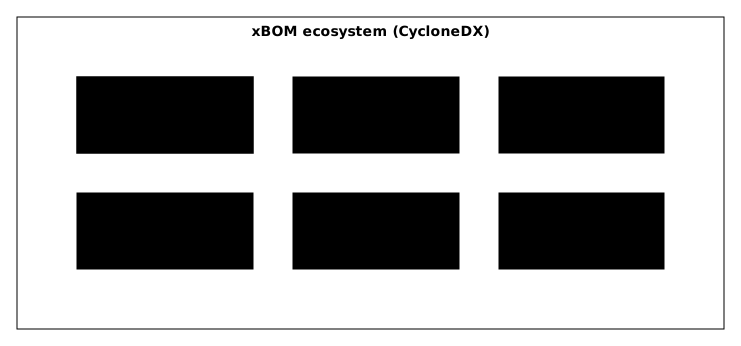
xBOM (eXtended Bill of Materials) refers to all the BOM types offered by CycloneDX, an OWASP standard formalised under the reference ECMA-424, which represents different inventories in one unified format. Look at the diagram: each box is a BOM type with its scope, from software at build time (SBOM) to AI models (ML-BOM), through execution (OBOM), external services (SaaSBOM), hardware (HBOM) and cryptography (CBOM).
SBOM: what does the build-time inventory contain?
The SBOM is the inventory of software components at build time: name, version and supplier of each component, stable identifiers (purl, a standardised package address, and CPE, the product name used by vulnerability databases), direct and transitive dependencies, licences and hashes. It is generated for every artifact build, to feed vulnerability scans and meet compliance requirements (the EU Cyber Resilience Act, CRA, and the NIS2 directive, both detailed at the end of this lesson). The usual tools are Syft (in French), Trivy and cdxgen; the SBOM lesson covers the topic in detail.
OBOM: what does the runtime inventory contain?
The OBOM (Operations Bill of Materials) is the inventory of what actually runs in production: dynamically loaded dependencies, active environment variables, configurations read at startup, state of services and active integrations. It complements the SBOM, lets you audit staging and production and detect drift between build and runtime. The table sums up the difference.
| Aspect | SBOM | OBOM |
|---|---|---|
| When it is generated | Build | Runtime |
| Source of truth | Code and manifests | Deployed environment |
| Content | What is planned | What runs |
| Generation frequency | At every build | Continuous or periodic |
SaaSBOM: which services does your application consume?
The SaaSBOM (Services Bill of Materials) inventories the services, APIs and endpoints that support the application, internal or external: third-party SaaS services, microservices, serverless functions, protocols, certificates and the classification of the data flowing through them. It serves to map service dependencies, assess supplier risk (TPRM, third-party risk management, see technical TPRM), document data flows for GDPR and feed threat modelling. It is not limited to paid SaaS: it covers any service consumed. The excerpt below shows what it captures.
{ "services": [ { "name": "Stripe Payment Gateway", "provider": "Stripe Inc.", "endpoints": ["api.stripe.com"], "data": ["credit_card", "pii"], "authentication": "oauth2", "trustZone": "external" }, { "name": "Auth0 Identity", "provider": "Okta Inc.", "endpoints": ["your-tenant.auth0.com"], "data": ["user_credentials", "tokens"], "authentication": "oidc" } ]}HBOM: which hardware and firmware?
The HBOM (Hardware Bill of Materials) inventories hardware components: processors, controllers, embedded modules, firmware versions, hardware configurations and IoT and ICS (industrial control systems) equipment, with links to the associated software items. It targets IoT, industrial, medical and automotive sectors, to track firmware vulnerabilities and trace the physical supply chain. A connected medical device, for example, contains a microcontroller with a specific firmware: the HBOM documents it and lets you follow the updates it needs.
CBOM: which algorithms and which certificates?
The CBOM (Cryptography Bill of Materials) inventories cryptographic assets: algorithms (AES, RSA), protocols (TLS, SSH), certificates and their lifecycle, keys and their status. It detects obsolete algorithms (SHA-1, MD5, RC4), audits cryptographic compliance and manages certificates centrally. Its flagship use is preparing for post-quantum cryptography (PQC): future quantum computers threaten today's asymmetric algorithms (RSA, ECC), and the CBOM helps spot them to plan the migration.
Preparing that migration takes four steps: inventory every cryptographic use, identify the quantum-vulnerable algorithms, plan the migration, then verify the new implementations. Cipher suites negotiated in production often live in configuration files rather than in code: combining CBOM and OBOM captures both the code and the runtime configuration.
ML-BOM: which models and which data?
The ML-BOM (Machine Learning Bill of Materials) inventories the components of an AI system: models (architecture, version, provenance), training datasets (source, licence, potential biases), frameworks such as PyTorch or TensorFlow, training pipelines and dependencies between models. It serves to trace models in production, to comply with the European AI Act and to secure the ML supply chain. The table shows the risks it helps address.
| Risk | Description | How the ML-BOM helps |
|---|---|---|
| Model poisoning | Compromised pre-trained model | Provenance traceability |
| Dataset tampering | Training data modified | Inventory of data sources |
| Dependency confusion | Malicious ML package | Visibility over dependencies |
| License violation | Commercial model used without a licence | Licence tracking |
Which BOM should you choose for your role and context?
The right BOM depends on what you must prove and to whom: a developer fixes CVEs (publicly catalogued vulnerabilities), an architect maps flows, a CISO needs to see everything. The first table chooses by role, the second by technical context.
| Role | Main BOM | Secondary BOMs | Use case |
|---|---|---|---|
| Developer | SBOM | None | Know your dependencies, fix CVEs |
| DevSecOps | SBOM + OBOM | CBOM | Build + runtime visibility, audits |
| Architect | SaaSBOM | SBOM, HBOM | System mapping, threat modelling |
| CISO/GRC | All | None | Full view, compliance, risks |
| IoT/OT team | HBOM | SBOM, CBOM | Equipment security, firmware |
| ML/AI team | ML-BOM | SBOM | Model traceability, AI Act compliance |
| Context | BOM required | Why |
|---|---|---|
| Classic web application | SBOM | Component inventory |
| Application + external services | SBOM + SaaSBOM | External dependencies |
| Critical application in production | SBOM + OBOM | Runtime reality |
| Application with encryption | SBOM + CBOM | Crypto audit |
| IoT / embedded | SBOM + HBOM | Hardware and firmware |
| ML/AI system | SBOM + ML-BOM | Models and datasets |
| Full system to audit | All | 360° view |
How do you combine BOMs in practice?
The idea is not to generate every BOM independently, but to link them into one coherent view. The diagram shows this chaining in the graph of GUAC or Dependency-Track: SBOM and OBOM feed the components, the CBOM joins in to qualify the vulnerabilities, then SaaSBOM and HBOM complete the risk analysis, from which security decisions come.
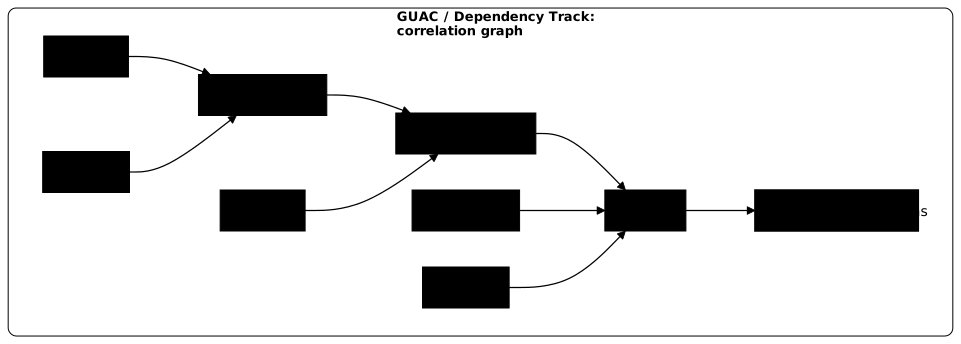
The workflow takes four steps, from the build to central correlation.
-
Generate the SBOM at build time
At every CI/CD build, generate an SBOM with Syft or cdxgen:
Terminal window syft . -o cyclonedx-json > sbom.cdx.jsonThe
sbom.cdx.jsonfile contains the components in CycloneDX format. -
Enrich with the OBOM in staging and production
Collect the runtime information (configurations, loaded modules, environment variables) and generate an OBOM that complements the SBOM.
-
Document external services (SaaSBOM)
For each third-party integration, document the service, the data exchanged and the protocols used.
-
Correlate in a central tool
GUAC (in French) is a knowledge graph that correlates SBOM, VEX and provenance. Dependency-Track (in French) uses SBOM and VEX to manage vulnerabilities and compliance: less oriented towards multi-domain correlation, but excellent for day-to-day follow-up. To qualify a detected vulnerability, see VEX.
Which tools generate each BOM type?
Tooling maturity varies greatly from one type to another: the SBOM is well supported, the other types often require manual collection. The table shows the state of the tooling, to check before any choice.
| BOM type | Tools | Notes |
|---|---|---|
| SBOM | Syft (in French), Trivy, cdxgen, Grype | High maturity, well supported |
| OBOM | cdxgen (experimental), manual collection | Still emerging |
| SaaSBOM | cdxgen, manual documentation | Often needs manual mapping |
| HBOM | Vendor tools, manual documentation | Sector-specific |
| CBOM | CBOMkit (IBM), cdxgen | Under active development |
| ML-BOM | cdxgen, CycloneDX ML tools | Growing support |
What do the CRA and NIS2 say about inventories?
The European Cyber Resilience Act (CRA) requires manufacturers to draw up an SBOM covering at least top-level dependencies (Annex I, Part II) and, in its Annex II, to state where the SBOM can be accessed when the manufacturer decides to make it available. It formalises the importance of the SBOM in technical documentation, but does not prescribe a "complete xBOM". In practice, many organisations go beyond the SBOM alone to cover runtime, third-party services, cryptography or AI.
| CRA requirement | Relevant BOM | Mandatory / Recommended |
|---|---|---|
| Component inventory | SBOM | Explicit (Annex I, Part II: SBOM covering at least top-level dependencies) |
| Vulnerability management | SBOM + VEX | Explicit for vulnerability handling; the VEX format is not named |
| Complete documentation | SBOM + extensions | Cautious interpretation |
| Security by default | CBOM (safe crypto) | Recommended |
NIS2 (the EU directive on the security of networks and information systems) ties dependency and third-party management to supply chain risk management, with no explicit SaaSBOM-type obligation. Knowing your external dependencies remains a good practice in the spirit of the regulation. The texts are moving towards a view wider than the SBOM alone: the CRA formalises the SBOM, and the NIST SP 800-161 framework covers supply chain risk management, including that of third parties.
Key points
- The SBOM describes the build, not the runtime: it captures neither dynamically loaded plugins, nor runtime configuration, nor external services.
- The CycloneDX xBOM ecosystem offers several complementary types: SBOM, OBOM, SaaSBOM, HBOM, CBOM, ML-BOM, and others such as MBOM, VDR and BOM-Link.
- Each BOM answers a need: choose according to your role and context (developer, SecOps, IoT, ML).
- The power comes from correlation: SBOM, OBOM and VEX brought together in a tool such as GUAC or Dependency-Track.
- The CRA formalises the SBOM; moving to a wider xBOM remains a maturity step, with no immediate obligation.
Knowledge check
Check that the essentials of this lesson are in place. The questions only cover what has just been explained here.
Knowledge check
Check what you have learned with this interactive quiz
How it works
- The timer starts when you click Start
- Multiple choice, true/false and short answer questions
- You can move between questions
- Detailed results are shown at the end
Starts the quiz and the timer
Review
(0/0)Score by domain
A domain groups several guides and gets several questions, so its score is more reliable than a per-topic score, which often rests on a single question.
Summary
Strengths
No topic passed at 80% on at least two questions yet.
Weak areas
No topic below the pass mark.
Recommended next
Hints before you try again?
Continue the course: OBOM: inventory what really runs in production
A new full quiz with random questions
Work again only on the questions you missed