Trunk-based development is a branching model where the whole team integrates its work on a single shared branch, several times a day, through short-lived branches that live less than a day. This page explains the model without jargon, compares it with the other branching strategies (GitFlow, GitHub Flow, GitLab Flow, Release Flow, OneFlow), and shows why it conditions continuous integration and continuous delivery. It is for teams hesitating between several branch conventions who want to choose with full knowledge, DORA figures to back it up.
What you will learn
- Define trunk-based development and the role of short-lived branches
- Use feature flags to ship incomplete code without breaking production
- Compare GitFlow, GitHub Flow, GitLab Flow, Release Flow and OneFlow
- Choose a model suited to the size of your team and your deployment cadence
- Adopt trunk-based development in practice and defuse the classic objections
What is Trunk-Based Development
Trunk-based development is a branching strategy where developers collaborate on a single branch called the trunk (often named main), resisting the temptation to create long-lasting development branches. This is the definition carried by the reference site trunkbaseddevelopment.com, maintained by Paul Hammant. The central idea fits in one sentence: integrate early and often rather than piling up isolated code for weeks.
This model runs directly against approaches where each feature lives in its own branch for days or weeks before a painful merge. Take a team of six developers working on a billing API. In trunk-based development, each one pushes their work to main at least once a day; the conflicts stay tiny because they cover a few hours of difference, not three weeks of divergence.

A single living branch, short-lived branches (< 1 day), frequent commits
The founding principle is that there is only one long-lived branch: the trunk. Everything else is disposable. On a small team, developers can even commit directly to the trunk several times a day. On a larger team (scaled trunk-based development), short short-lived branches are used: they only serve for code review and for checking by continuous integration before the code lands on the trunk.
The duration rule is explicit: a short-lived branch must live less than a day and merge into the trunk at least every 24 hours. Concretely, a developer adding a refund endpoint creates a branch in the morning, opens a Pull Request after two or three commits, has it validated by the CI and a colleague, then merges it in the afternoon. The branch disappears the same day. This avoids merge hell, the moment when merging an old branch requires resolving dozens of accumulated conflicts.
The role of feature flags to integrate incomplete code without breaking production
The first objection to trunk-based development is obvious: how do you merge a half-finished feature without breaking production? The answer is the feature flag (also called feature toggle). A feature flag is a software switch that enables or disables a piece of code without redeploying the application. The code is integrated on the trunk, but stays off until it is complete.
Back to the billing API. You are developing a new VAT calculation engine over several days. Each piece of code goes to the trunk, but wrapped in a condition such as if (featureFlags.nouveauCalculTVA). Since the flag is false in production, users see nothing. The day the engine is ready and tested, you switch the flag to true, progressively, for a percentage of users. The code had been in production for a long time; only its activation changes. This technique, combined with branch by abstraction (introducing an abstraction layer to replace a component smoothly), makes continuous integration possible without long branches.
Why it is a prerequisite for continuous integration (DORA link, elite teams)
Trunk-based development is not an aesthetic preference: it is the technical condition of continuous integration. The rigorous definition of CI, carried by the DORA research (DevOps Research and Assessment, the research programme behind the State of DevOps report), is precise: CI means practising trunk-based development and maintaining a suite of fast automated tests that run after every commit on the trunk. Without a regularly updated shared trunk, there is nothing to integrate continuously.
The figures of the DORA programme are unambiguous. Elite teams that meet their reliability targets are 2.3 times more likely to practise trunk-based development, and 5.8 times more likely to rely on continuous integration. Trunk-based development directly feeds the DORA metrics: the shorter the branches, the higher the deployment frequency and the lower the lead time. It is the foundation on which continuous delivery, then continuous deployment, rests.
Branching models compared
There is no universal model. The right choice depends on your deployment cadence, the size of the team and whether or not you need to maintain several versions in parallel. This section details the main models, from the heaviest to the lightest, to place trunk-based development in the landscape. For the Git tool side, the Git workflows page completes this strategic reading.
GitFlow (Vincent Driessen): master/develop/feature/release/hotfix, and why it slows continuous deployment
GitFlow is the model published by Vincent Driessen in 2010 in the article A successful Git branching model. It relies on two permanent branches, master (the production state) and develop (the ongoing integration), and three families of support branches: feature branches (one per feature, from develop), release branches (preparing a version) and hotfix branches (urgent fixes starting from master). It is a rich and structured model, designed for explicitly versioned software.
The problem is precisely its richness. With feature branches that can live a long time and a round trip from develop to release to master, GitFlow multiplies long-lived branches and manual steps. It mechanically slows continuous deployment. Driessen himself added a note at the top of his article in 2020: if your team is doing continuous delivery, adopt a much simpler workflow. He specifies that GitFlow remains relevant for software of which you maintain several versions in the wild (a library, a tool installed at customers), but not for a web application deployed continuously.
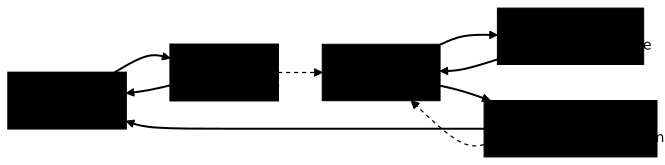
GitHub Flow: main + short feature branches + Pull Request + deployment from main
GitHub Flow is a radical simplification. A single permanent branch, main, always deployable. For any change, you create a short feature branch, open a Pull Request, have it reviewed, merge it into main, then deploy from main. There is neither a develop branch nor a release branch. It is the model Driessen implicitly recommends when he speaks of a simple workflow.
GitHub Flow is very close to trunk-based development, with one nuance: feature branches can live a little longer there than the strict 24-hour limit of trunk-based development. For a team shipping a SaaS application several times a week, GitHub Flow is often the ideal entry point: little ceremony, one PR per change, a deployment from main.
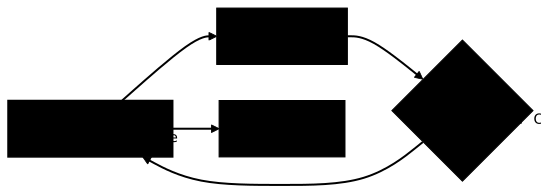
GitLab Flow: GitHub Flow + environment branches (pre-production, production) or release branches
GitLab Flow starts from GitHub Flow and adds a missing notion: environment branches. The major difference between the two is that GitLab Flow introduces branches such as pre-production and production. The code flows from main to pre-production, then from pre-production to production, which materialises the passage through successive environments before reaching users.
This model answers a concrete case: not all teams can deploy to production at every merge on main. A banking platform that requires an acceptance validation before going to production will find in environment branches a faithful representation of its process. GitLab Flow also allows, optionally, release branches for versioned projects, with the rule of only carrying major fixes there. This promotion logic is close to the GitOps approaches, where the desired state of each environment is described in Git.

Release Flow (Microsoft): trunk-based with read-only release branches
Release Flow is the trunk-based variant used by Microsoft teams (notably Azure DevOps), described on Microsoft's DevOps blog. Day to day is pure trunk-based development: to fix a bug or add a feature, you create a short topic branch from the main integration branch, open a Pull Request, it passes the build policies and the review, then merges into the trunk. Working from a single main branch almost eliminates merge debt.
The specificity lies in the release. At the end of each sprint, the team creates a frozen release branch, for example releases/M129. This branch serves as a snapshot of the shipped version; nobody develops on it. Urgent fixes are first merged into the trunk, then cherry-picked (selective transfer of a precise commit) to the release branch concerned. You thus combine the speed of trunk-based development with the traceability of frozen versions for a product deployed at scale.

OneFlow: a lighter alternative to GitFlow
OneFlow, proposed by Adam Ruka in 2017, presents itself as a simplified alternative to GitFlow without losing any of its expressiveness. Its premise: keep a single eternal branch in the repository, instead of GitFlow's master plus develop pair. Advanced cases (finding a past version, handling a fix on an old release) are covered by Git tags rather than by additional permanent branches.
OneFlow allows the same support branches as GitFlow (feature, release, hotfix), but insists on their short and disposable nature: they mainly serve to share code and to act as a backup. For a team attached to the GitFlow framework but tired of the complexity of two permanent branches, OneFlow offers a compromise: fewer long branches, a simpler versioning scheme, while staying far from the strict discipline of trunk-based development.

Forking Workflow: the open-source model
The Forking Workflow is the strategy of open-source projects hosted on platforms such as GitHub or GitLab. Here, each contributor does not push to the central repository: they create a personal copy (a fork), work on it, then propose their changes to the original project through a cross-repository Pull Request. The project maintainer thus keeps full control over what enters the official repository.
This model shines when untrusted or external contributors must be able to propose code without having write access to the main repository. A project such as the Linux kernel or a popular npm library receives hundreds of contributions from strangers: the fork is the natural barrier. In a company, on a close-knit team with shared write access, this level of isolation is generally superfluous and slows the pace.

Ship / Show / Ask: when to merge directly, open a PR for information, or ask for a review
Ship / Show / Ask is a strategy formulated by Rouan Wilsenach, published on Martin Fowler's site. It does not replace the previous models: it answers a tactical question of trunk-based development, does this precise change need a review? It classifies each change into three categories according to the level of control needed.
In Ship mode, you merge directly into the main branch without review: it is the pure spirit of continuous integration, reserved for low-risk changes (typo fix, log adjustment). In Show mode, you open a Pull Request then merge it immediately, without waiting for human feedback, to make the change visible and open to discussion afterwards. In Ask mode, you open a PR and wait for feedback before merging, for uncertain or structural changes. This gradation avoids the trap of systematic review that slows everything down, including trivial changes.

Comparison table
This table summarises the models according to four decisive criteria. The lifetime of branches is the best predictor of compatibility with continuous delivery: the shorter it is, the better suited the model is to frequent deployment. Read it as a decision aid, not as a quality ranking: each model has its ground.
| Model | Branch lifetime | Suited to CD | Team size | Complexity |
|---|---|---|---|---|
| Trunk-Based Development | < 1 day | Excellent | Any size | Low but strong discipline |
| GitHub Flow | A few days | Very good | Small to medium | Low |
| GitLab Flow | A few days + environments | Very good | Medium to large | Medium |
| Release Flow | < 1 day + frozen releases | Very good | Large | Medium |
| OneFlow | Days to weeks | Medium | Medium | Medium |
| GitFlow | Weeks | Low | Medium to large, versioned product | High |
| Forking Workflow | Variable | Medium | Open source, external contributors | Medium |
Adopting trunk-based development in practice
Moving to trunk-based development cannot be decreed: it is a set of technical practices that reinforce each other. Without them, integrating several times a day becomes dangerous. The switch succeeds when the automated safeguards are in place before shortening the branches, not after.
-
Continuous review and short branches. Adopt small Pull Requests, reviewed within a few hours. A PR of 40 lines gets reviewed; a PR of 2000 lines gets skimmed. Ship / Show / Ask helps calibrate the level of review per change.
-
Fast CI. The test suite must run in a few minutes, otherwise nobody integrates several times a day. A CI of 45 minutes kills trunk-based development. Parallelise, cache, split the stages.
-
Reliable automated tests. Every commit on the trunk triggers automated tests that guarantee the system still works. Without a test safety net, integrating often amounts to breaking often.
-
Feature flags. Equip yourself with a feature flag system to ship incomplete code, enable progressively and disable in case of an incident without redeploying.
Once these foundations are laid, trunk-based development becomes a natural accelerator. It fits well with progressive deployment strategies such as rolling updates and rollbacks under Kubernetes, where a new version is enabled in waves and rolled back without drama if a feature flag or a metric drifts.
Pitfalls and common objections
The most frequent objection concerns code review: if you integrate several times a day, don't you sacrifice proofreading? No. Trunk-based development does not remove review, it shortens and moves it. Short-lived branches go through a Pull Request, but the small size of the changes makes the review fast. Ship / Show / Ask even lets you adjust: systematic review for sensitive code, direct integration for trivial changes.
The second fear concerns quality. Would integrating fast lower quality? The DORA data says the opposite: teams practising trunk-based development have a lower change failure rate, because small batches are easier to test, understand and roll back. A 30-line change that breaks production is diagnosed in minutes; a three-week merge that breaks production is diagnosed in days.
The third objection targets teams distributed across several time zones. The answer is twofold: first, solid documentation, because DORA research shows that trunk-based development contributes far more to performance when documentation is good; then feature flags, which decouple integrating the code from activating it, reducing the need for synchronous coordination between continents.
Key points
- Trunk-based development relies on a single living branch and short-lived branches of less than a day.
- Feature flags make it possible to integrate incomplete code without ever breaking production.
- It is the technical prerequisite of continuous integration: no shared trunk, no real CI.
- DORA elite teams are 2.3 times more likely to practise it and keep 3 active branches or fewer.
- GitFlow suits versioned software but slows continuous deployment; its author recommends a simpler model for continuous delivery.
- GitHub Flow and GitLab Flow are accessible entry points; Release Flow and OneFlow answer versioning needs.
- The right practice is chosen according to the deployment cadence, the team size and the need to maintain several versions.
- Adopting trunk-based development first requires a fast CI, reliable tests and short PRs, otherwise quality drops.
Knowledge check
Check that you have the essentials of this guide. The questions only cover what has just been explained here.
Knowledge check
Check what you have learned with this interactive quiz
How it works
- The timer starts when you click Start
- Multiple choice, true/false and short answer questions
- You can move between questions
- Detailed results are shown at the end
Starts the quiz and the timer
Review
(0/0)Score by domain
A domain groups several guides and gets several questions, so its score is more reliable than a per-topic score, which often rests on a single question.
Summary
Strengths
No topic passed at 80% on at least two questions yet.
Weak areas
No topic below the pass mark.
Recommended next
Hints before you try again?
Continue the course: Testing strategies: the safety net of DevOps
Continue the course: Feature Flags: decoupling deployment and release
A new full quiz with random questions
Work again only on the questions you missed
FAQ: frequently asked questions
The questions below cover the most frequent hesitations before adopting trunk-based development: how long a branch lives, the place of code review and the choice against GitFlow.
main), several times a day, through short-lived branches that live less than a day. It avoids merge hell and feeds continuous integration.