Picture a company where the DevOps team is drowning in tickets, where developers wait days for a test environment, and where every deployment feels like open-heart surgery. This scenario, unfortunately common, shows what happens when team structure does not keep up with the organisation's growth. This page applies the Team Topologies model to DevOps: its 4 team types, its 3 interaction modes, and concrete benchmarks to size your organisation, from a startup to a company with several hundred developers.
What you will learn
- Understand the 4 Team Topologies team types and their target proportion
- Apply the 3 interaction modes depending on the context (collaboration, self-service, coaching)
- Size your organisation according to its size: startup, scale-up, enterprise
- Spot the most frequent organisational anti-patterns
- Steer a progressive transformation without breaking everything at once
Why does team structure matter so much?
Before talking about tools, CI/CD pipelines or containers, you need to understand a fundamental truth: the structure of your teams determines the quality of your software. This is Conway's law, formulated in 1967 by Melvin Conway, whose substance is:
Any organisation that designs a system produces a design whose structure copies the organisation's communication structure.
In practice, if your teams work in silos, your architecture will be fragmented. If communication between teams is difficult, the interfaces between components will be too. This law is not inevitable, it is a lever: by structuring your teams wisely, you shape your architecture instead of suffering it.
That is exactly what Team Topologies offers, a model created by Matthew Skelton and Manuel Pais. Rather than suffering Conway's law, this framework lets you use it to your advantage by defining clear team types and interaction modes.
The fundamental concepts
Before diving into the details, let's clarify three essential concepts that will guide our whole reflection on team structure: cognitive load, flow and autonomy.
Cognitive load
Cognitive load refers to the mental effort needed to perform a task. For DevOps teams, it is the amount of information a member must keep in mind to be productive: the system's architecture, the tools, the processes, the dependencies on other teams.
When cognitive load exceeds a team's capacity, several symptoms appear:
- Delivery times lengthen
- Code quality degrades
- Turnover increases
- Innovation disappears
The main goal of Team Topologies is to reduce and fairly spread cognitive load across teams. The book's 2nd edition (2025) explicitly makes it the number one design criterion: before anything else, you ask whether a team has the mental bandwidth to absorb its scope.
Value flow
Flow represents the ability to deliver value end to end, from the idea to the end user. A good team structure maximises this flow by minimising handoffs, waiting and blocking dependencies.
Think of it as a river: every organisational silo is a dam that slows the current. The goal is to create teams able to deliver value with the minimum of external dependencies. The value stream and flow lesson details the mapping tools to see where your own dams are.
Team autonomy
An autonomous team can make decisions, experiment and deliver without needing constant external permissions. This autonomy is not a luxury, it is a necessity to keep velocity as the organisation grows.
But beware: autonomy does not mean isolation. Teams must stay aligned with the company's goals and coordinated with the other teams. That is the whole art of Team Topologies: defining the right levels of autonomy and the right coordination mechanisms.
The 4 Team Topologies team types
Team Topologies defines exactly four team types, no more, no less. This simplicity is deliberate: it forces you to clarify each team's role and avoid grey areas where nobody is really responsible. The proportions in brackets are common practitioner benchmarks, not rules from the book: above all, remember that stream-aligned teams must remain by far the majority.
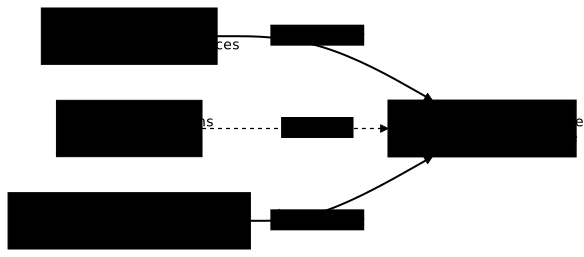
Stream-aligned teams (60-80 % of teams)
Stream-aligned teams are the heart of your organisation. They are aligned on a business value stream: a product, a major feature, a customer segment, or a user journey.
Key characteristics:
- End-to-end responsibility: from code to production
- Maximum autonomy: can deliver without blocking dependencies
- Business focus: understand the functional domain they serve
- Optimal size: 5 to 9 people (Amazon's "two-pizza teams" rule)
Why aim for 60 to 80 %? Because these are the teams that directly create value for users. The other team types exist to support them, not the other way round. If you have more support teams than stream-aligned teams, something is wrong in your organisation.
Concrete example: at an online retailer, you could have a stream-aligned "Checkout" team responsible for the whole payment journey, a "Product catalogue" team, a "Delivery" team, and so on.
Platform teams (10-20 % of teams)
Platform teams provide internal services that speed up the work of stream-aligned teams. Their mission is to reduce the cognitive load of developers by offering them self-service capabilities.
Key characteristics:
- Self-service mode: stream-aligned teams consume with no human intervention
- Exemplary documentation (in French): guides, tutorials, working examples; documentation is a product, not a chore
- Reliability: services must be more stable than if each team ran them
- Voluntary adoption: the platform must be attractive, not imposed
What a platform team typically provides:
- Pre-configured CI/CD pipelines
- Standardised development environments (see DevContainers, in French)
- Observability (logs, metrics, traces) as a service
- Automated infrastructure provisioning (Terraform, Ansible)
- Secrets and access management
The concept of Thinnest Viable Platform (TVP) remains central: do not build a monumental platform. Start with the bare minimum and enrich it according to the teams' real needs. An overly ambitious platform becomes a burden instead of an accelerator.
Enabling teams (5-15 % of teams)
Enabling teams are skills catalysts. Their role is to help stream-aligned teams adopt new practices, technologies or ways of working.
Key characteristics:
- Temporary mission: they only step in for as long as necessary
- No direct delivery: they do not code in place of others
- Skills transfer: their success is measured by the autonomy gained by the other teams
- Cross-cutting expertise: security, performance, architecture, DevOps practices
Examples of enabling interventions:
- Training a team on Kubernetes for 2 to 3 sprints
- Supporting the adoption of automated testing practices
- Helping set up a feature flags strategy
- Coaching on trunk-based development practices
Typical engagement duration: an enabling team should not work with the same stream-aligned team for more than a few weeks to a few months. If the engagement lasts longer, there is a problem: either the skill is too complex (a complicated-subsystem team is needed), or the transfer is not happening.
Complicated-subsystem teams (0-10 % of teams)
Complicated-subsystem teams handle components that require expertise so specialised that it would be unreasonable to expect it from stream-aligned teams.
Key characteristics:
- Rare expertise: domains such as machine learning, video codecs, cryptography
- Reusable component: the subsystem is consumed by several stream-aligned teams
- Specialised maintenance: requires skills that are hard to acquire and maintain
Beware of the trap: the temptation is strong to create complicated-subsystem teams for everything "technical". Resist it. If you can train stream-aligned teams to handle a component (through an enabling team), that is preferable. Keep this team type for real cases of irreducible complexity.
Legitimate examples: a team specialised in real-time video processing, a team of data scientists for production ML models, a cryptographic security team for payment systems.
The 3 interaction modes
Defining team types is not enough. You also need to clarify how these teams interact. Team Topologies offers three interaction modes, each suited to specific situations.

Collaboration
The collaboration mode involves joint work between two teams. Boundaries blur temporarily, the teams share common goals and discover solutions together.
When to use it:
- Exploring a new domain
- Innovation requiring cross-skills
- Defining a new API or interface
- Starting a project with no clear specifications
Characteristics:
- High communication bandwidth (frequent meetings, pair programming)
- Time-limited (a few weeks to a few months)
- Clearly defined common goal
- Both teams learn from each other
Example: a stream-aligned team and a platform team collaborate for 6 weeks to define the primitives of a new deployment API. Once the API is stable, they switch to X-as-a-Service mode.
X-as-a-Service
The X-as-a-Service mode is the opposite of collaboration: one team consumes another's services with a minimum of interaction. The interface (API, documentation, SLA) is clear enough that direct communication is rarely needed.
When to use it:
- Mature, well-documented services
- Routine, repetitive operations
- The consuming team does not need to understand the implementation details
Characteristics:
- A clear, stable API
- Complete, up-to-date documentation
- Support through standard channels (documentation, a questions channel), never a ticket desk for every action
- Defined and respected SLAs
It is the target mode for most interactions between stream-aligned teams and platform teams. A successful platform is one you can use without needing to talk to anyone.
Facilitating
The facilitating mode is used when a team (usually enabling) helps another acquire new skills, without doing the work for it.
When to use it:
- Adopting new technologies
- Upskilling on specific practices
- Improving existing processes
Characteristics:
- The facilitating team does not ship code to production
- It teaches, coaches, supports
- The goal is the autonomy of the supported team
- Limited in time by definition
Difference with collaboration: in collaboration mode, both teams work together on a deliverable. In facilitating mode, one team teaches the other how to do it, without producing the deliverable itself.
Sizing teams according to organisation size
The ideal structure depends heavily on your organisation's size. What works for a startup of 15 people does not suit a company of 500 developers, and conversely: imposing heavy governance on a small team paralyses it.

Startup (fewer than 20 developers)
At this stage, a dedicated DevOps team is often premature. The challenge is to spread the DevOps culture across the whole technical team rather than handing it to an isolated role.
Recommended setup:
- 1 to 2 generalist DevOps/SRE profiles embedded in the development teams
- No dedicated platform team
- Focus on basic automation (CI/CD, IaC)
Priorities:
-
Set up a working CI/CD
A pipeline that builds, tests and deploys automatically. Nothing sophisticated, but working. You can start with GitLab CI or GitHub Actions (in French).
-
Adopt Infrastructure as Code from the start
Terraform, Pulumi or equivalent. Even simple, this practice avoids huge technical debt.
-
Implement basic observability
Centralised logs, application metrics, alerts on critical errors.
-
Document the essential runbooks
How to deploy, how to roll back, how to diagnose common failures. A good Docs-as-Code approach (in French) makes sure the documentation stays up to date with the code.
Trap to avoid: trying to reproduce Google's or Netflix's organisation. At this stage, simplicity is your best ally. A developer who understands the whole system is worth more than a complex organisation.
Scale-up (20 to 100 developers)
This is the critical phase where complexity explodes. Informal practices are no longer enough, but an organisation that is too rigid kills the agility that made the company successful so far.
Recommended setup:
- 2 to 6 Platform Engineers forming an emerging platform team
- An often-cited benchmark: 1 Platform Engineer for 10 to 15 developers
- Several autonomous stream-aligned teams
Typical structure:
├── Platform team (3-5 people)│ ├── CI/CD & Tooling│ ├── Infrastructure│ └── Observability│├── Stream-aligned team Product A (5-8 people)├── Stream-aligned team Product B (5-8 people)└── Stream-aligned team Product C (5-8 people)This typical structure remains a starting point, not a fixed mould: it is readjusted as soon as the boundaries between products change or a domain takes up too much cognitive room for a single team.
Priorities:
-
Build a minimalist internal platform
Project templates, standard CI/CD pipelines, documentation of good practices.
-
Define the stream-aligned teams' domains
Use Domain-Driven Design (DDD, a design method that aligns software decomposition with business boundaries) to identify the bounded contexts (coherent functional boundaries).
-
Set up shared SLOs/SLIs
Each stream-aligned team must be responsible for the reliability of its domain. The DORA indicators complement this approach: the DORA 2025 report replaced the old four-tier classification (Elite/High/Medium/Low) with seven team profiles that cross delivery performance with cultural signals, and adds an AI capabilities model to tell teams where AI really speeds up delivery from those where it mostly amplifies instability.
-
Create a cross-cutting DevOps guild
A space to share practices across teams.
Enterprise (more than 100 developers)
At this scale, specialisation becomes necessary. Generalist teams can no longer cover every domain with the required expertise, and the number of dependencies grows faster than the number of teams.
Recommended setup:
- Specialised platform teams (infra, CI/CD, observability, security)
- Enabling teams to support practices
- Possibly complicated-subsystem teams
- A DevOps centre of excellence for strategic alignment
Typical structure:
├── Platform department│ ├── Cloud Infrastructure team (4-6)│ ├── CI/CD & Developer Experience team (4-6)│ ├── Observability team (3-5)│ └── Platform Security team (3-5)│├── DevSecOps enabling team (3-4)│ └── Security support for product teams│├── SRE Practices enabling team (3-4)│ └── Reliability engineering coaching│├── Product tribes (several stream-aligned teams each)│ ├── Payment tribe│ ├── Catalogue tribe│ └── Logistics tribe│└── DevOps centre of excellence └── Standards, governance, platform roadmapThis diagram shows a typical organisation, but the important point is not the number of boxes: it is that each team stays within a manageable cognitive load range, even if it means multiplying specialised platform teams rather than having a single overloaded one.
Priorities:
-
Develop a complete Internal Developer Platform (IDP)
Self-service for the whole lifecycle: project creation, deployment, monitoring. See the Platform Engineering guide for the full approach.
-
Set up enabling teams per domain
Security, performance, reliability: each critical domain has its champions.
-
Define clear governance
Technical standards, adoption processes, measuring the adoption of practices.
-
Measure the platform's effectiveness, not just its existence
Developer Experience surveys, time to production, lead time for changes. It is a sensitive point: Gartner predicted that by 2026, 80 % of large software engineering organisations would have a platform team. Having a team proves nothing: only measurement sustained over time shows a real productivity gain.
Anti-patterns to avoid
Recognising bad patterns matters as much as knowing the good ones. Here are the most common mistakes, seen in organisations of all sizes.
The DevOps silo team
Symptoms:
- A "DevOps" team deploys in place of the developers
- Developers file tickets for every operational action
- A clear "Dev" vs "Ops" divide
This anti-pattern is a problem because it recreates exactly the silo DevOps was meant to remove. Developers are not responsible for their code in production, and the "DevOps" people lack the functional context needed to decide well. The solution is to build DevOps skills into the stream-aligned teams and turn the DevOps team into a platform team providing self-service services.
The ticket-driven platform
Symptoms:
- The platform team handles tickets instead of building services
- Developers wait days for simple actions
- No tooling improvement despite repeated requests
This trap turns the platform team into a bottleneck instead of an accelerator: it spends its time on support instead of building. The remedy is systematic: for each recurring request, automate and expose it in self-service, then measure the average waiting time and aim to keep reducing it.
Premature over-engineering
Symptoms:
- A complex Kubernetes platform for 3 services
- Microservices for a team of 10 people
- Sophisticated tools used at 5 % of their capacity
Technical complexity generates cognitive load that slows everyone down: the team spends more time managing tools than delivering value. The question to ask systematically is simple: is this complexity justified by current needs or needs anticipated within the next 12 months?
Teams that are too small or too big
Symptoms:
- Teams of 2-3 people with no cover during absences
- Teams of 15+ people with endless meetings
- A bus factor of 1 (a single departure would be enough to block maintenance) on critical components
Small teams lack resilience; large teams lose communication and velocity. The target remains 5 to 9 people per team: below that, merge; above it, split by identifying distinct value streams.
Progressive evolution: how to transform your organisation
Moving to Team Topologies does not happen overnight. Here is a progressive approach suited to most contexts, split into four successive phases.
Phase 1: mapping and diagnosis (2-4 weeks)
-
Identify the current value streams
Which products or services do you deliver? Who are the users?
-
Map the existing teams
Who does what? What are the dependencies? Where are the bottlenecks?
-
Measure cognitive load
How many domains or technologies must each team master?
-
Identify dysfunctional interactions
Where is there recurring waiting? Frustration?
This diagnosis phase benefits from relying on a structured framework rather than impressions: the guide to assess your DevSecOps maturity offers a grid usable as is to objectify the starting point.
Phase 2: quick wins (1-3 months)
Before touching the org chart, this phase aims for quick wins that build confidence in the approach. The classic mistake is wanting to restructure everything at once in the name of Team Topologies: better to prove the model's value on concrete pain points, measurable ones, before proposing a deeper structural change.
-
Clarify existing responsibilities
Without changing the structure, make explicit who is responsible for what.
-
Reduce the obvious dependencies
Automate the most frustrating recurring requests.
-
Improve the documentation
Make existing services more accessible without human intervention.
-
Train teams on Team Topologies concepts
Create a common vocabulary before restructuring anything.
Phase 3: progressive restructuring (3-12 months)
Once confidence is established by the quick wins, this phase finally touches the team structure itself. The goal is not to transform everything at once: you pilot with one or two volunteer teams, observe what really works in the field, then extend the approach progressively to the rest of the organisation.
-
Pilot with one or two teams
Turn an existing team into a stream-aligned team with end-to-end responsibility.
-
Build the first platform building blocks
Start with the most requested service and provide it in self-service.
-
Define the interaction modes
Make explicit how the pilot teams interact with the rest of the organisation.
-
Iterate and extend
Apply the lessons learned to the other teams progressively.
Phase 4: continuous optimisation (permanent)
This phase never stops: the organisation keeps measuring, adjusting its team boundaries and its interaction modes as the business evolves.
-
Measure regularly
Deployment time, developer satisfaction, incidents, resolution time.
-
Adjust the boundaries
Domains evolve, teams must adapt.
-
Assess cognitive load
If a team is overwhelmed, question its scope rather than adding tools.
-
Evolve the interaction modes
A collaboration can become X-as-a-Service once the service has stabilised.
This phase has no end: the 2nd edition of Team Topologies insists on this point by presenting the model as a continuous process rather than a stable state to reach once and for all.
Key roles in a mature DevOps organisation
Beyond team structure, some roles are essential to the organisation running well. This section positions them briefly; the dedicated guide details how to place them precisely in the model.
Site Reliability Engineer (SRE)
The SRE combines development and operations skills to guarantee the reliability of services. Their focus: SLOs, error budgets, automating operations.
Typical positioning: embedded in stream-aligned teams or in an SRE enabling team.
Platform Engineer
The Platform Engineer builds the internal platform's services. Their focus: developer experience, self-service, automation.
Typical positioning: platform team.
DevSecOps Engineer
The DevSecOps Engineer builds security into the development cycle. Their focus: shift-left security, automated controls, supply chain security.
Typical positioning: enabling team or platform security team.
The career paths detail the responsibilities and skills of each job, and the page mapping roles onto Team Topologies offers a matrix that places each role in a team type.
Key points
The six cards below sum up what to keep from Team Topologies to organise a DevOps team: the team types, their interaction modes and cognitive load as the decision criterion.
4 team types
Stream-aligned (60-80 %) create the value. Platform (10-20 %) provide services. Enabling (5-15 %) transfer skills. Complicated-subsystem (0-10 %) handle irreducible complexity.
3 interaction modes
Collaboration for exploration (temporary). X-as-a-Service for autonomous consumption (target). Facilitating for learning (temporary).
Cognitive load first
The structure must minimise cognitive load. It has been the number one design criterion since the book's 2nd edition (2025). No tool saves a cognitively overwhelmed team.
Platform grouping
Since 2025, we talk about a platform grouping rather than a single platform team: several teams cooperate to deliver a coherent platform.
Measure, not just build
Gartner predicted that by 2026, 80 % of large organisations would have a platform team. Without tracked indicators, none of them can prove a productivity gain.
Progressive evolution
Do not restructure everything at once. Map, pilot, iterate. The transformation takes months, not weeks.
Knowledge check
Check that you have the essentials of this guide. The questions only cover what has just been explained here.
Knowledge check
Check what you have learned with this interactive quiz
How it works
- The timer starts when you click Start
- Multiple choice, true/false and short answer questions
- You can move between questions
- Detailed results are shown at the end
Starts the quiz and the timer
Review
(0/0)Score by domain
A domain groups several guides and gets several questions, so its score is more reliable than a per-topic score, which often rests on a single question.
Summary
Strengths
No topic passed at 80% on at least two questions yet.
Weak areas
No topic below the pass mark.
Recommended next
Hints before you try again?
Continue the course: Agile, DevOps and SRE: three complementary approaches
A new full quiz with random questions
Work again only on the questions you missed
FAQ: frequently asked questions
The questions below cover the most frequent doubts about Team Topologies: the team types, Conway's law and adapting to the organisation's size.
External resources
Skelton and Pais's book remains the model's primary source; the official site publishes case studies of organisations that applied it, and the Platform Engineering community extends the platform side.