An effective security training programme replaces the annual awareness day with continuous learning: paths adapted to each role, practice on labs and CTFs (Capture The Flag, competitions where you solve security challenges), short reminders every week, and a measurement of the impact on code rather than on completion rates.
This lesson is for technical leads, Security Champions and managers who need to raise a team's skills without an outsized budget. It covers why traditional training fails, how to build role-based paths, which methods to choose (e-learning, WebGoat, Juice Shop, internal CTF), a six-month rollout plan and the indicators that prove its effect.
What you will learn
- Explain why annual slide-based training does not change behaviour
- Design training paths adapted to each role
- Choose between e-learning, labs, CTFs and threat modeling workshops
- Deploy WebGoat, Juice Shop and CTFd with pinned images
- Plan a gradual rollout over six months
- Measure the impact of training on the vulnerabilities introduced
What is security training for teams?
Training a team in security is not just about teaching the vulnerabilities of the OWASP Top 10. It is about changing everyday behaviour so that every team member, developer, ops, product manager, makes informed security decisions. This change comes through knowledge, but above all through regular practice and by building security into existing workflows.
The difference between effective training and a box-ticking exercise lies in three fundamental elements. First, continuity: regular micro-learning beats an intensive annual course. Then, practice: hands-on labs and CTFs anchor knowledge far better than theoretical presentations. Finally, context: training on your real technical stack multiplies the impact compared with generic examples.
Recommended prerequisites
Before rolling out a training programme, make sure you have laid the organisational foundations. Without them, even the best programme runs out of steam for lack of support. A maturity audit identifies the gaps to fill first, a network of Security Champions provides the relays that carry the programme day to day, and the logic of shift-left explains why training early costs less than fixing late.
The problem: why traditional training fails
Most organisations approach security training as a regulatory obligation rather than a strategic investment. This approach produces mediocre results and frustrates technical teams. Understanding why traditional training fails lets you build an effective alternative.
The first problem is the annual format. One day of training a year is like going to the gym once a year and expecting to be fit. Knowledge that is not reviewed regularly evaporates within a few weeks: this is the well-documented forgetting curve, described as early as the nineteenth century by the psychologist Hermann Ebbinghaus and confirmed since by many studies in cognitive science. Annual courses tick a compliance box, but do not change behaviour durably.
The second problem is generic content. Presenting abstract vulnerabilities with no link to the company's technical stack creates a gap between theory and practice. A Python developer who only sees Java examples will struggle to transpose the concepts. Worse, they may think "this does not apply to my code".
The third problem is the lack of practice. Slides and videos convey information, but do not build skills. It is like learning to drive by watching video tutorials without ever taking the wheel. Security training without hands-on labs produces developers who "know" vulnerabilities but keep introducing them, an observation consistent with studies of the vulnerability lifecycle in source code, which show that vulnerabilities often appear early in a file's life and during its routine maintenance.
The following table illustrates the impact of these different approaches on knowledge retention and real behavioural change in teams. The orders of magnitude are indicative: they summarise field experience, not a single standardised measurement.
| Approach | Perceived retention at 30 days | Impact on code | Real cost |
|---|---|---|---|
| Annual training (slides) | Low | Almost none | High (time lost) |
| Monthly passive e-learning | Medium-low | Low | Medium |
| Hands-on labs + quizzes | Good | Measurable | Medium |
| CTF + continuous micro-learning | High | Transformation | Optimal |
This is not a criticism of training teams: traditional methods were simply never designed to build complex technical skills. The good news: proven alternatives exist.
Active practice: why it beats theory
Research in the learning sciences has shown for decades that active practice far outperforms passive consumption of information, a principle known as retrieval practice: restating or applying knowledge anchors memory much better than rereading it. This principle explains why traditional training fails and how to structure an effective programme.
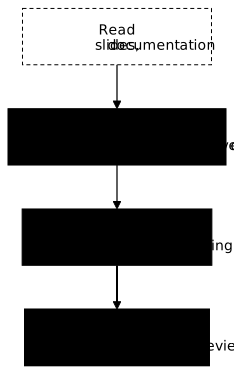
The diagram above takes the ranking of the famous "learning pyramid" popularised by the National Training Laboratories Institute in the 1960s, without its figures. It must be handled with care: the precise percentages it puts forward (10 % retention for reading, 90 % for practice) have never been traced back to a verifiable source study, and education researchers regard them as a widely spread teaching myth with no empirical proof. What remains solidly established, however, is the relative ranking: reading slides retains much less than watching a demonstration, which itself retains less than active practice (labs, CTFs, code review). Use this diagram as a memory aid, not as a scientific statistic to quote as is.
This understanding of learning guides the whole design of the programme: minimise passive content, maximise opportunities to practise, and build learning into daily work rather than separating it from it.
Training paths by role
Not every team member needs the same security skills. A frontend developer has different priorities from an infrastructure engineer, and a product manager does not need to know how to configure a WAF (Web Application Firewall). Adapting the path to the role avoids wasting time and demotivating teams with irrelevant content.
The following matrix defines the priority skills by role. Each cell gives the expected level of investment: mandatory means the person cannot work effectively without this skill, recommended indicates a significant plus for their effectiveness, and optional designates skills that are useful for career development.
| Skill | Developer | DevOps/SRE | Security | Manager |
|---|---|---|---|---|
| OWASP Top 10 | Mandatory | Mandatory | Mandatory | Recommended |
| Secure coding | Mandatory | Recommended | Mandatory | Optional |
| Container security | Recommended | Mandatory | Mandatory | Optional |
| IaC security | Optional | Mandatory | Mandatory | Optional |
| Cloud security | Recommended | Mandatory | Mandatory | Recommended |
| Threat modeling | Recommended | Recommended | Mandatory | Recommended |
| Incident response | Optional | Mandatory | Mandatory | Recommended |
This matrix is not set in stone. Adapt it to your context: a full-stack startup will have developers who also do ops, while a large company will have more specialised roles.
Developer path: from beginner to expert
The developer path represents the largest volume of training in most organisations. It progresses over four levels, each building on the previous one. The classic mistake is to jump straight to the advanced levels: without the foundations, complex concepts do not stick.

The first level covers the absolute basics every developer must master. This knowledge forms the foundation everything else rests on. Without it, the following levels are out of reach.
Content:
- OWASP Top 10: understand the most critical application risks. The 2025 edition introduces two new categories: software supply chain failures (A03, compromised dependencies, unsecured CI/CD pipelines) and mishandling of exceptional conditions (A10, badly handled errors that leak information or break business logic). Broken Access Control remains the number one risk.
- Secure coding basics: input validation, output encoding, least privilege
- Secrets management: why never to hardcode, how to use environment variables
- Secure authentication: sessions, tokens, passwords
Recommended format: 4 hours of interactive e-learning spread over 2 weeks, with a validation quiz at the end of each module. E-learning lets everyone progress at their own pace, but the quizzes are mandatory to validate understanding.
Validation: a quiz with a minimum score of 80 %, plus a simple practical exercise (identify 3 vulnerabilities in a code extract).
The second level turns knowledge into skills through intensive practice. This is where reflexes start to develop, working on real code rather than abstract concepts.
Content:
- Hands-on labs: guided exercises by language (Python, JavaScript, Java, Go)
- Security code review: learn to spot vulnerabilities in other people's code
- SAST tools in the IDE: integrate Semgrep or SonarQube for IDE (formerly SonarLint) into your development environment
- First CTF: take part in a beginner-level internal CTF
Recommended format: 6 hours of hands-on labs over 2 weeks. These sessions can be self-paced or in small groups with a Security Champion as facilitator. What matters is producing code and receiving feedback.
Validation: complete 3 of the 5 labs offered, take part in the internal CTF (no minimum score required).
The third level tackles the advanced concepts that set a security-competent developer apart from one who is merely aware. These skills make it possible to design secure systems from the start, not only to fix vulnerabilities.
Content:
- Threat modeling: identify threats before writing code (STRIDE method)
- Applied cryptography: TLS, hashing, signatures, certificates, when and how to use them
- API security: OAuth 2.0, JWT, rate limiting, schema validation
- Practical project: audit and secure a real application
Recommended format: 8 hours of blended training (2h of theory + 6h of project) over 4-6 weeks. The practical project is ideally a security audit of a real company application, which creates immediate value.
Validation: produce a documented threat model, plus a security audit with a report of at least 5 findings.
The fourth level is not mandatory for every developer, but it is the natural path for those who want to specialise or become Security Champions. It is a level of continuous learning rather than a course with a defined end.
Content:
- Competitive CTFs: take part in external CTFs (HackTheBox, CTFtime-style platforms)
- Bug bounty: look for vulnerabilities in official programmes
- Custom SAST rules: write Semgrep rules specific to the company context
- Certifications: CSSLP (ISC²), GWEB (GIAC), or equivalent
Format: continuous, with a dedicated time budget (for example 10 % of working time). People at this level become multipliers who lift the whole team.
DevOps/SRE path: securing the infrastructure
DevOps and SRE (Site Reliability Engineer) engineers have distinct training needs, focused on infrastructure, pipelines and incident response. Their path puts less emphasis on application code and more on systems.
-
Level 1: Secure infrastructure (4h)
The fundamentals of secure infrastructure cover three critical areas. First, container security: understand the attack vectors of Docker images, configure registries securely, and harden the runtime. Then, IaC security (Infrastructure as Code): scan Terraform and Kubernetes with tools such as Checkov, apply configuration best practices. Finally, secrets management: use Vault or a cloud equivalent, automatic rotation, secure injection into pipelines.
-
Level 2: Pipeline security (6h)
Building security into CI/CD pipelines transforms the organisation's posture. This level covers the architecture of a secure pipeline, the integration of SAST (static analysis of source code), SCA (analysis of third-party dependencies) and DAST (security testing at runtime) tools, and the configuration of security gates. Particular focus goes to the supply chain: SBOM (Software Bill of Materials) generation, artifact signing, provenance verification, a topic that has become essential since a dedicated category was added to the OWASP Top 10 2025.
-
Level 3: Monitoring and response (6h)
The last level prepares for crisis situations. It covers runtime security monitoring (Falco, eBPF), the basics of SIEM (Security Information and Event Management, the centralisation of security logs) and SOAR (automated response to alerts), and incident response procedures. The goal is for every SRE to be able to take part effectively in responding to a security incident.
Training methods: from e-learning to CTFs
The choice of training methods directly affects the effectiveness of the programme. Each method has its strengths and limits, and a complete programme combines several complementary approaches.
Structured e-learning
E-learning is often the base of the programme because it scales easily and allows asynchronous learning. Not all e-learning is equal, though. Interactive platforms with built-in labs far outperform libraries of passive videos.
| Platform | Target audience | Strengths | Commercial model |
|---|---|---|---|
| SecureFlag | Dev, DevOps, QA | Multi-technology hands-on labs | Enterprise licence on quote |
| Secure Code Warrior | Developers | Gamification, paths by language | Licence per developer |
| HackTheBox Academy | Security profiles | Very technical modules, CTF style | Individual or enterprise subscription |
| Pluralsight | General Dev and Ops | Broad IT catalogue, security included | Subscription per user |
Prices change often and depend on team size as much as on commercial negotiation: ask the vendor for a quote before building a budget, rather than relying on a published figure. The main selection criterion must remain the presence of hands-on labs. A platform with good videos but no exercises will have less impact than an average platform with built-in labs.
Hands-on labs: WebGoat and Juice Shop
Hands-on labs offer a safe environment to experiment with vulnerabilities. Two free OWASP projects cover training needs excellently: WebGoat for guided exercises, and Juice Shop for CTF-style challenges.
WebGoat is a deliberately vulnerable application with guided exercises. Each lesson explains a vulnerability, demonstrates its exploitation, then asks the participant to reproduce it. It is ideal for beginners because the path is structured and hints are available.
# Deploy WebGoat locallydocker run -d -p 8080:8080 -p 9090:9090 \  --name webgoat \  webgoat/webgoat:v2026.4@sha256:d4ac9fc2b0a41b68d64dedde684f4783aa60cc785838435a6d5bd5a25b387497
# Open the exercises# WebGoat: http://localhost:8080/WebGoat# WebWolf (attacker tool): http://localhost:9090/WebWolf
WebGoat covers the whole OWASP Top 10 with a teaching progression: SQL injection, XSS, XXE, broken authentication, security misconfiguration. Each module takes 30 to 60 minutes. Both addresses answer within a few seconds after the container starts: if the page does not show, docker logs webgoat shows where the application stands.
Juice Shop is a vulnerable e-commerce application with more than 100 challenges of increasing difficulty (116 in version 20.2.0). Unlike WebGoat, the vulnerabilities are not pointed out: you have to find them. It is closer to real conditions and develops an auditor's eye.
# Deploy Juice Shopdocker run -d -p 3000:3000 \  --name juice-shop \  bkimminich/juice-shop:v20.2.0@sha256:8739101ade29358abb5469ee66ae78e582c97ed0a5543a4ad102e5fa5193526b
# Access: http://localhost:3000# Hidden score board to discover
The gamified score board motivates participants. The challenges are ranked by difficulty (1 to 6 stars) and by OWASP category. It is perfect for group sessions or internal mini-CTFs.
Capture The Flag (CTF): learning through play
CTFs (Capture The Flag) are competitions where participants solve security challenges to earn points. This gamified approach significantly increases engagement compared with classic training. Teams that take part in CTFs regularly develop practical skills that are hard to acquire otherwise.
Three CTF formats exist, each with its advantages. Jeopardy CTFs offer independent challenges by category (web, crypto, forensics, pwn): it is the most accessible format and the one recommended to start with. Attack/Defense CTFs pit teams against each other, each having to attack the others and defend its own infrastructure: intense and formative, but it takes significant organisation. King of the Hill CTFs ask you to take and keep control of a system: a good middle ground.
To organise an internal CTF, several open source platforms make deployment easier. CTFd is the most popular and installs in a few minutes:
# Deploy CTFddocker run -d -p 8000:8000 \  --name ctfd \  ctfd/ctfd:3.8.7@sha256:284f1f06c5464108c4eaaea8a28934cb1e81d491e3f0fe60f3d686cf38593e41
# Open the setup wizard# http://localhost:8000
On first access, CTFd opens a setup wizard that creates the admin account and the event name. Challenges are then added from the admin interface, with their category, their number of points and the expected flag.
A successful internal CTF needs challenges adapted to your stack. Rather than generic challenges, create scenarios based on vulnerabilities actually fixed in your applications. This anchors learning in the real context and shows the relevance of the training.
Threat modeling workshops
Threat modeling workshops bring developers, security and product together to identify the threats to a feature before even coding it. It is the direct application of shift-left: anticipate rather than react.
A typical workshop gathers 5-8 people for 2-4 hours and follows a structured progression. First, the team diagrams the architecture of the system concerned. Then it identifies the assets to protect, the entry points and the trust boundaries. Next it lists the threats using a framework such as STRIDE (Spoofing, Tampering, Repudiation, Information disclosure, Denial of service, Elevation of privilege). Finally, it prioritises the risks and defines mitigations.
These workshops are doubly beneficial: they identify risks before they become vulnerabilities, and they train participants in security reasoning. After a few sessions, developers naturally build this kind of thinking into their daily work.
Micro-learning: continuous training that works
Micro-learning means delivering small doses of training regularly rather than one big annual session. This approach fights the forgetting curve and builds learning into daily work. In practice, it takes the form of weekly tips, quick quizzes and contextual reminders.
Security tip of the week
A Slack channel or a weekly internal newsletter sharing a security tip keeps awareness alive. The format must be short (2-3 minutes of reading at most), practical (with a code example) and actionable (something to apply this week).
# Example of a structured weekly tipweek: 24topic: "Input Validation"vulnerability: "SQL Injection"language: python
bad_example: |  # Dangerous - direct interpolation  query = f"SELECT * FROM users WHERE id = {user_id}"  cursor.execute(query)
good_example: |  # Safe - parameterised query  cursor.execute(    "SELECT * FROM users WHERE id = %s",    (user_id,)  )
why_it_matters: |  String interpolation in SQL queries lets  an attacker inject malicious code.  Parameterised queries escape values automatically.
quick_quiz:  question: "What is the risk if user_id = '1; DROP TABLE users;--'?"  answer: "The users table would be deleted (SQL injection)"
This format can be automated with a Slack bot that posts every week from a library of tips. After one year, you have covered a significant amount of knowledge without ever overloading the teams.
Security review in pull requests
Adding a security checklist to the PR template recalls good practices at the most relevant moment: when the code is written but not yet merged. It is contextual micro-learning.
## Security Review Checklist
- [ ] Input validation on every user input- [ ] Output encoding to avoid XSS- [ ] No hardcoded secrets (check with a git secrets type tool)- [ ] Logging without sensitive data (PII, tokens)- [ ] Rate limiting if the endpoint is exposed- [ ] Authorization checked for every action- [ ] No raw SQL (use parameterised queries)
This checklist serves as a reminder, but also as a starting point for security-oriented code review conversations. Security Champions can use it to structure their reviews.
Six-month rollout plan
Rolling out a training programme calls for a gradual approach. Trying to do everything at once leads to exhaustion and abandonment. The following plan spreads the rollout over 6 months, with clear milestones and quick wins to keep the momentum.

-
Month 1: Lay the foundations
The first month sets up the training infrastructure and launches the first modules. It is the time to choose and deploy the e-learning platform, identify the Security Champions who will carry the programme, and launch the OWASP Top 10 onboarding for every developer. The goal is not perfection but getting started: an imperfect programme that exists beats a perfect one that stays on the shelf.
Deliverables: platform deployed, 100 % of developers enrolled, first OWASP modules assigned.
-
Months 2-3: Labs and first CTF
Once the fundamentals are in place, move to intensive practice. Make WebGoat and Juice Shop available to everyone, organise the first internal CTF (even a small and simple one), and launch threat modeling workshops on a pilot project. These activities turn theoretical knowledge into practical skills.
Deliverables: lab environments available, first CTF held (participation above 50 %), 2 threat modeling workshops completed.
-
Months 4-6: Continuous integration
The third phase builds training into daily work so that it becomes invisible and durable. Launch the weekly micro-learning, add the security checklist to the PR templates, and set a quarterly CTF rhythm. At this stage, training is no longer a one-off project but a continuous practice.
Deliverables: automated weekly tips, PR checklist in place, second CTF with participation above 60 %.
-
Month 6+: Established culture
Beyond 6 months, the programme moves into maintenance and continuous improvement mode. Launch certification paths for volunteers, fund attendance at security conferences, and measure the impact on vulnerabilities in production. It is also the time to collect feedback and adjust the programme.
Goal: a self-sustaining programme that improves, with a measurable drop in the vulnerabilities introduced.
Measuring the effectiveness of training
A training programme without metrics is a programme that risks losing its budget at the next review. Measuring effectiveness lets you show the ROI, identify weak points and improve continuously.
Training KPIs
Training metrics fall into two categories: activity indicators (what people do) and impact indicators (what it changes). Both are needed: activity without impact is a waste, but impact does not come without activity.
| Metric | Type | Baseline | 6-month target | 12-month target |
|---|---|---|---|---|
| Training completion rate | Activity | 0 % | 80 % | 95 % |
| Average quiz score | Activity | - | 70 % | 85 % |
| CTF participation | Activity | 0 % | 30 % | 50 % |
| Vulnerabilities introduced/month | Impact | X | X - 30 % | X - 50 % |
| Remediation time (MTTR, Mean Time To Repair) | Impact | 14 days | 7 days | 3 days |
| Critical vulnerabilities in prod | Impact | Y | Y - 40 % | Y - 70 % |
The most useful metric remains the reduction of vulnerabilities introduced. If developers truly understand security, they write less vulnerable code. Measure the number of vulnerabilities detected by SAST/SCA tools that can be attributed to new code, and track how it evolves over time, a more reliable method than relying on a completion rate alone.
Team dashboard
A dashboard visible to everyone maintains transparency and motivates teams. It shows collective progress without pointing fingers at individuals, because individual blame destroys the learning culture.
# Example security team dashboardtraining:  completion_rate: 85%  average_quiz_score: 78%  ctf_participation: 35%  security_champions: 3/20
impact:  vulnerabilities_this_month: 8  trend_vs_last_month: -25%  critical_vulns_in_prod: 2  avg_remediation_time: 5 days
certifications:  csslp: 1  cks: 2  security_plus: 5
Concrete scenario: a SaaS startup preparing for SOC 2
To illustrate how this programme applies, take the fictitious example of a 50-person SaaS startup that must obtain a SOC 2 Type II report (an auditor's attestation, not a certification, which checks over several months that a provider's security controls are really applied day to day, not just documented) within 18 months. Investors require it to sign enterprise customers. The technical team has 30 developers, 5 SREs and no dedicated security engineer.
- Team: 30 developers, 5 SREs, 2 technical product managers
- Existing training: 1 awareness day a year
- Vulnerabilities: about 15 critical ones found by an external audit
- Remediation time: 21 days on average
- Budget: €15,000 a year for technical training
Plan rolled out
Month 1: a hands-on lab platform deployed for the 35 technical staff, 3 Security Champions identified among senior developers, OWASP Top 10 path launched for everyone.
Months 2-3: Juice Shop deployed, first internal CTF (20 participants, 2h), two threat modeling workshops on core features.
Months 4-6: weekly micro-learning, PR checklist, second CTF (28 participants), Security+ certification preparation for the Champions.
Results after 12 months
The figures below belong to the scenario, not to a published measurement: they show the kind of table to present to management after twelve months, with fewer critical vulnerabilities, a remediation time cut by three, and training participation becoming the norm rather than the exception.
| Metric | Before | After 12 months |
|---|---|---|
| Critical vulnerabilities | 15 | 4 |
| MTTR (days) | 21 | 6 |
| Training completion rate | 0 % | 92 % |
| Average quiz score | - | 81 % |
| CTF participation | 0 | 56 % |
In this scenario, the total investment, platform and valued dedicated time included, produces a marked reduction in critical vulnerabilities. Compared with the average cost of fixing a vulnerability found in production, which includes remediation time, investigation and communication to customers, the return on investment becomes positive in the first year: it is this calculation, made with your own figures, that defends the budget.
Key points
Transforming a team's security practice does not come from a mandatory annual course, but from a continuous programme that mixes theory and practice. The organisations that succeed in this transformation share a few common traits.
- A large share of production vulnerabilities comes from in-house application code: training developers remains one of the best security investments
- Practice beats theory: CTFs and labs anchor reflexes that slides do not
- Continuous micro-learning rather than intensive annual training: fight the forgetting curve instead of suffering it
- Adapt the paths to the roles: a frontend dev does not have the same needs as an SRE
- Gamify in moderation: CTFs, badges and leaderboards increase engagement without toxic pressure
- Measure the impact: track the vulnerabilities introduced, not just completion rates
- Stay up to date on the OWASP Top 10: the 2025 edition adds the software supply chain to the risks taught
- Realistic budget: start from the free OWASP resources, then negotiate commercial licences according to volume
Knowledge check
Check that you have the essentials of this lesson. The questions only cover what has just been explained here.
Knowledge check
Check what you have learned with this interactive quiz
How it works
- The timer starts when you click Start
- Multiple choice, true/false and short answer questions
- You can move between questions
- Detailed results are shown at the end
Starts the quiz and the timer
Review
(0/0)Score by domain
A domain groups several guides and gets several questions, so its score is more reliable than a per-topic score, which often rests on a single question.
Summary
Strengths
No topic passed at 80% on at least two questions yet.
Weak areas
No topic below the pass mark.
Recommended next
Hints before you try again?
Continue the course: Dev-Sec collaboration and feedback loops
A new full quiz with random questions
Work again only on the questions you missed
FAQ: frequently asked questions
These short answers cover the questions that come up most often when launching a training programme: the budget to plan, the place of CTFs and how to measure their effect. Each one stands on its own.
docker run command.External resources
These resources are free or offer a free tier large enough to start a programme with no initial budget. They complement the commercial platforms mentioned above and let you test the approach before investing further.
| Resource | Description |
|---|---|
| OWASP Top 10:2025 | 2025 edition of the application risks, with the new supply chain category |
| OWASP Security Culture | Reference guide for building a security culture |
| OWASP WebGoat | Vulnerable application for guided learning |
| OWASP Juice Shop | E-commerce CTF with more than 100 challenges |
| HackTheBox Academy | CTF-style training platform |
| SecureFlag | Commercial multi-technology hands-on labs |
| CTFd | Open source platform for internal CTFs |