The principle of least privilege fits in one sentence: every person, every program and every service should receive only the rights strictly needed for its task, and not one more. A right is a permission: the power to read a file, to modify a database or to shut down a server. When an account piles up unneeded rights, the smallest incident turns into a disaster. This page explains the principle in plain words, why it really protects you, and how to apply it without being an expert. No technical prerequisite is required.
What you will learn
This concept is one of the most cost-effective in security: little effort, a lot of damage avoided. Concretely, you will be able to:
- Define least privilege and recognise it in everyday life.
- Understand why limiting rights reduces the damage of a breach (the blast radius).
- Apply the principle with concrete methods: dedicated accounts, temporary rights, regular access reviews.
- Spot the pitfalls that make the principle fail, such as rights piling up or shared accounts.
- Connect this principle to privilege separation (in French), to the Zero Trust (in French) model and to the threat model of the SOCLE framework (in French), all of which require it.
What is least privilege
Least privilege is a security rule that consists in giving each user (a person) or each service (a program that runs on its own, such as a website or a database) only the permissions it needs to do its job. No more, no less. If an accountant does not need to access the technical servers, they must not have access to them, even if that seems harmless.
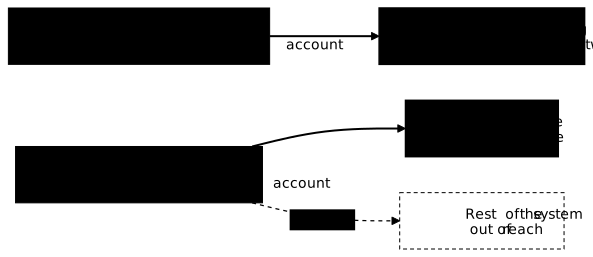
The image of a key ring helps. Picture an office building. You could give every employee a master key that opens all the doors: more convenient, never a door locked by mistake. But if an employee loses their master key, or someone steals it, the thief opens everything: the offices, the server room, the safe. Least privilege consists in handing each person only the keys useful for their job. The stolen key then opens only a few doors, and the rest of the building stays protected.
The restricted access badge of a serious company works exactly this way. The cleaning staff badge opens the technical rooms but not the executive offices. The accountant's badge opens the accounting department but not the datacentre. A computer system follows the same logic: each identity, human or software, reaches only the resources required for its mission.
Why it is essential
The reason is simple: a breach always comes through an entry point, a stolen password, a piece of software with a flaw, a booby-trapped attachment. The real question is not only how to stop the attacker from getting in, but how to limit what they can do once inside. That is where least privilege changes everything.
Experts talk about the blast radius. The idea is borrowed from explosives: when a bomb goes off, it destroys an area around it. In security, the blast radius is the extent of the damage that a compromised account makes possible. An all-powerful account has a huge blast radius: the attacker reaches everything. An account with a restricted scope confines the damage to a small area.
Take two situations with the same initial breach. In the first, the hacked website was running with administrator rights (the account that has every power over the machine). The attacker inherits those powers and takes full control of the server, the data, and sometimes other machines. In the second, the same website was running under a minimal dedicated account. The attacker is stuck in a narrow space: they only see that site's data, cannot destroy anything elsewhere, and find themselves locked in a room with no other door. The entry point is identical, but the consequences are worlds apart.
Beyond breaches, least privilege also protects against human errors. A delete command typed by mistake can only destroy what the account is allowed to destroy. Fewer rights mean fewer irreversible accidents.
In the vocabulary of security control types (in French), least privilege is a preventive and technical control: it bounds what an account can do before any incident. It protects two pillars of the CIA triad (in French): confidentiality, because an account with no read right cannot disclose anything, and integrity, because an account with no write right cannot alter anything. It does not remove the need for detective controls, which spot the abuse of a legitimate right.
How to apply it
Applying least privilege takes no magic tool, just a few reflexes held over time. Here are the most useful ones, with their vocabulary explained.
First, dedicated accounts. A dedicated account is an account created for a single mission. Each person has their own named account, never an account shared among several people. Each service runs under its own service account, that is, an account reserved for a program (not a person), with rights tailored to that program and nothing else. A website that only needs to read three tables in a database only gets the right to read those three tables.
Next, temporary rights. Many sensitive tasks are only occasional: an intervention once a month, a one-off troubleshooting session. Rather than a permanent right (granted forever), you grant a temporary right that expires automatically after a few hours. The right then disappears on its own once the task is done, without anyone having to remember to remove it. This is the just-in-time principle: the right access, at the right time, for just as long as needed.
Then comes the regular access review. Over time, people change jobs, projects end, people leave the team. Without cleanup, rights pile up. A review consists in examining, for example every quarter, who has access to what, and removing what is no longer justified. A person's departure must trigger the immediate revocation (removal) of all their access.
A final word on RBAC, an acronym you will come across often. RBAC stands for Role-Based Access Control. Instead of assigning rights person by person, you define roles (developer, accountant, administrator) to which you attach a precise set of rights. Each person then receives a role. It is simpler to manage and easier to audit: you know exactly what the "developer role" allows, and you control it in a single place.
Do not confuse this principle with its neighbours. Least privilege answers the question of how many rights an account has: the strict minimum. Privilege separation (in French) answers another question, who combines which roles: it prevents a single account from holding several critical roles, even if each one is limited. Minimisation (in French) is the removal rule for what is not needed, and security by default (in French) makes every account start from zero rights.
This lesson sets out the principle; to write it for real in a public cloud, the guide on least privilege in practice (in French) shows how to write policies (rules that allow or deny actions) and predict the verdict of an evaluation.
A concrete scenario
A small team deploys an online shop. At first, to move fast, the site runs under the machine's administrator account, connects to the database with an all-powerful account, and holds an access key that opens all the other servers of the company. Everything works, nobody asks any questions.
Six months later, a flaw in the site lets an attacker run their own commands. Since the site had every right, the attacker gets them all: they read and erase the databases, use the key to hop from one server to another, and compromise the whole infrastructure within minutes. The blast radius is maximal.
Let us replay the scene with least privilege. The site now runs under a dedicated account with no administration powers. It connects to the database with an account that is only allowed to read and write its own tables. It holds no key to the other servers, because deployments to production go through a separate automated system. The same flaw is exploited, but the attacker ends up locked in: they only see the shop's data, cannot destroy anything elsewhere, and cannot hop to any other machine. The incident remains a local nuisance instead of becoming a major crisis.
Common pitfalls
The principle is simple, but several bad habits keep coming back and strip it of its effectiveness. Knowing these pitfalls is already a way to avoid them.
The first is rights piling up. Over projects and years, a person gains access but never loses any. After three years, they can open everything without needing half of it. Without a regular review, every account slowly grows until it becomes a master key again.
The second is the shared administrator account. Several people log in with the same all-powerful account, often with the same password written down somewhere. Two problems follow: this account has huge rights (a big blast radius), and nobody knows who did what anymore, since every action carries the same name. After an incident, it is impossible to trace back to the person responsible.
The third is the permanent right for an occasional need. Someone needs elevated access once a month, so they are granted that right permanently "so we don't have to come back to it". This right sleeps most of the time, but remains a wide-open door if their account is hacked. The right answer is a temporary right that expires on its own.
The last one, more discreet, is forgetting service accounts. You take care of human rights, but let programs run with every power "just in case". Yet a compromised service account is as dangerous as a human account, sometimes more so, because nobody watches it day to day.
Key points
-
Just what is needed, no more: every unneeded right grows the blast radius in case of a breach.
-
A compromised account stays confined when its rights are limited: the entry point is the same, the damage is far smaller.
-
Dedicated accounts everywhere: one account per person, one account per service, never an anonymous shared account.
-
Temporary rather than permanent rights for occasional needs: access that expires on its own can no longer be exploited once the task is done.
-
A regular access review prevents silent accumulation: whatever is no longer justified must be removed, and a departure triggers immediate revocation.
-
Roles (RBAC) make everything simpler: managing rights by role is clearer and easier to control than account by account.
-
This principle is a pillar of the SOCLE threat model (in French): limiting rights is one of the most effective countermeasures against most of the attack vectors described in the framework.
Knowledge check
Check that you have the essentials of this guide. The questions cover only what has just been explained here.
Knowledge check
Check what you have learned with this interactive quiz
How it works
- The timer starts when you click Start
- Multiple choice, true/false and short answer questions
- You can move between questions
- Detailed results are shown at the end
Starts the quiz and the timer
Review
(0/0)Score by domain
A domain groups several guides and gets several questions, so its score is more reliable than a per-topic score, which often rests on a single question.
Summary
Strengths
No topic passed at 80% on at least two questions yet.
Weak areas
No topic below the pass mark.
Recommended next
Hints before you try again?
Continue the course: Defence in depth: securing in layers
A new full quiz with random questions
Work again only on the questions you missed