
Does your job show "pending" for several minutes without ever starting? This guide helps you find the cause quickly and unblock your pipeline. A job stays pending when no runner (the agent that executes jobs) can or will pick it up, so the diagnosis always comes down to the same question: what stands between this job and a runner?
What you will learn
By the end of this guide, you will be able to find out why no runner picks up your job, and to unblock it:
- Recognize the six causes of a pending job and check them in order
- Read the message "This job is stuck" to point the diagnosis
- Compare the tags of a job and of a runner, then fix them in the interface or through the REST API
- Diagnose an offline runner with
systemctl status gitlab-runner,gitlab-runner verifyandjournalctl - Spot an exhausted quota, the GitLab.com identity verification or busy runners (
concurrent) - Check the "Run untagged jobs" option and the protection of branches and runners
The 6 causes of "pending"
A job stays in pending when no runner can or will take it. The table lists the six causes in the order of checking followed by this page, and says where to check each one, from the job's tags to the branch or runner protections.
| Order | Cause | Check |
|---|---|---|
| 1 | Incompatible tags | CI/CD > Runners |
| 2 | Runners offline | Check the runners' status |
| 3 | Quotas exhausted / queue saturated | Settings > Usage Quotas |
| 4 | Runners busy | Wait or add runners |
| 5 | Run untagged jobs = false | CI/CD > Runners > Options |
| 6 | Protected branch/runner | Check the protections |
The tree below covers the first four causes in three diagnostic questions to ask in order: each "yes" exits to the right toward its solution, each "no" goes down to the next question. With no "yes" at all, the runners are busy. The two remaining causes (untagged jobs, protected runner) are checked with the checklist at the end of the page.
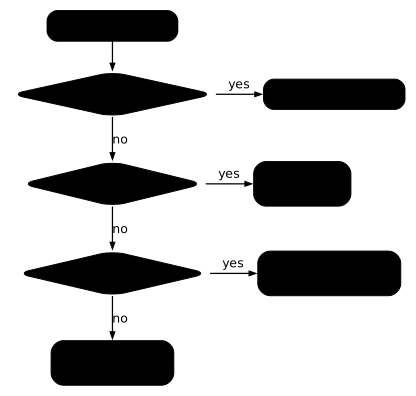
Step-by-step diagnosis
-
Open the pending job
Click the job. The message shown tells you the cause.
-
Read the error message
This job is stuck because of one of the following problems. There are no active runners online, no runners for the protected branch, or no runners that match all of the job's tags→ Runners offline, protected branch or incompatible tagsThis job is stuck because the project doesn't have any runners online assigned to it.→ No runner online for this projectThis job is stuck because you don't have any active runners that can run this job.→ No active runner able to run the job- No "stuck" message, just a
pendingstatus → Runners busy or quotas reached
If the instance runners are turned off, the Settings > CI/CD > Runners page shows
Instance runners are disabled.(orInstance runners are disabled in the group settings.when the group disables them). -
Check the available runners
Settings > CI/CD > Runners shows:
- Active runners (green dot)
- The tags of each runner
- The last contact
-
Compare the tags
Does your job ask for tags that the runner does not have?
Cause #1: Incompatible tags
Symptom: This job is stuck because you don't have any active runners that can run this job. or the variant that lists the possible causes ("... or no runners that match all of the job's tags")
The job asks for tags that the runners do not have. A runner only takes a job whose tags it all carries.
Diagnosis:
# Your job asks for these tagsdeploy: tags: - docker - productionBut your runner only has docker, staging.
Solutions:
Or add the missing tags to the runner:
Option A (recommended): in GitLab, go to CI/CD > Runners, click the runner, edit the tags and save.
Option B: if you automate, go through GitLab's REST API. The tags live on the server side, not in the runner's config.toml: you set them when the runner is created (POST /user/runners, parameter tag_list) and then edit them on the existing runner:
# Replace the tag list of runner 42 (API token in GITLAB_TOKEN)curl --request PUT --header "PRIVATE-TOKEN: $GITLAB_TOKEN" \ --form "tag_list=docker,production,staging" \ "https://gitlab.com/api/v4/runners/42"Cause #2: Runners offline
Symptom: Runners with a red or grey dot in Settings > CI/CD > Runners
A runner that no longer contacts GitLab cannot take any job, and the cause is almost always on the runner's own machine: stopped service, lost network or expired token.
Diagnosis:
On the runner's server:
# Check the service (most reliable method)systemctl status gitlab-runner
# Check connectivity with GitLabgitlab-runner verify
# See recent logsjournalctl -u gitlab-runner -n 200 --no-pager
# Real-time logsjournalctl -u gitlab-runner -fSolutions:
# Restart the servicesudo systemctl restart gitlab-runner
# Check that the runner reconnectsgitlab-runner verifyCause #3: Quotas exhausted
Symptom: On GitLab.com, jobs waiting even with green runners
GitLab.com limits CI/CD minutes according to your plan: the Free plan gives 400 per month on the runners hosted by GitLab. A job also does not start until the identity verification required for these runners is completed: GitLab then displays "Identity verification is required in order to run CI jobs". Depending on a risk score, the verification takes the form of an email, a phone number or adding a payment method. Complete it from the link in the message, or use a project, group or self-managed runner.
Diagnosis:
Settings > Usage Quotas (or group > Settings > Usage Quotas)
Solutions:
- Wait for the start of the month (quota reset)
- Buy extra minutes
- Complete the identity verification if GitLab asks for it
- Install your own runner (no minutes quota, but limited by your resources and the
concurrentsetting)
Cause #4: Runners busy
Symptom: Pending for 1-5 minutes, then it starts
All the runners are running other jobs.
Diagnosis:
Look at the runner's concurrent setting:
concurrent = 4 # Maximum number of simultaneous jobsSolutions:
- Increase
concurrent(if the machine can handle it) - Add runners
- Optimize the pipelines so they are shorter
Cause #5: The runner refuses untagged jobs
Symptom: The job has no tags, but no runner takes it
The runner is configured with "Run untagged jobs" = false. It only accepts the jobs that explicitly ask for its tags.
Diagnosis:
In CI/CD > Runners, click the runner and check the "Run untagged jobs" option.
Solutions:
- Tick "Run untagged jobs" on the runner
- Or add
tags:to your job to match the runner's tags
Cause #6: Protected branch/runner
Symptom: Works on some branches, not on others
The runner is marked "protected" and only runs on protected branches.
Diagnosis:
In CI/CD > Runners, check whether the runner has the "protected" badge.
Solutions:
- Untick "Protected" on the runner
- Protect your branch in Settings > Repository > Protected branches
Debug checklist
□ Does the job have tags?  → Yes: Check that a runner has ALL these tags  → No: Check that a runner has "Run untagged jobs" enabled
□ Are the runners online?  → Settings > CI/CD > Runners (green dot)
□ Do you have quotas or a saturation?  → GitLab.com: Settings > Usage Quotas  → Self-managed: no minutes quota, but limited by `concurrent` and resources
□ Is the runner protected?  → Is the branch protected too?
□ Are the instance runners (formerly shared runners) enabled?  → CI/CD > Runners > "Turn on instance runners for this project"  → If disabled, only your project/group runners can run
□ Does the runner accept jobs without tags?  → CI/CD > Runners > "Run untagged jobs"
Useful commands
# On the runner's server
# Check the servicesystemctl status gitlab-runner
# List the registered runnersgitlab-runner list
# Check the connection to GitLabgitlab-runner verify
# Real-time logsjournalctl -u gitlab-runner -fHands-on lab
The lab "Two silent failures: nothing runs, nothing complains" replays this guide on a GitLab CE forge of your own, set up on a virtual machine with its runner, rather than on gitlab.com: no minute quota, no identity verification, and a project you can break as often as you need.
You diagnose two failures that never turn red and raise no error, then prove the pipeline runs:
- You push, and nothing happens: not a failed or skipped pipeline, but
no pipeline at all, because the
workflow:rulesof the file accepts no source for your push. This failure is not covered by this page: it is diagnosed in Debug: pipeline skipped, and the lab suggests checking it with the CI Lint API, whosedry_runoption is mentioned in Validate a .gitlab-ci.yml file. - Once a pipeline is born, a job hangs forever without failing. This is the case of this page: the job asks for a tag that no runner carries (cause #1). Compare the tags of the job with those of the runner in the interface, as in the diagnosis above.
Grading is taken on the pipeline left on the forge: a pipeline exists on
the default branch, no job is stuck in pending, no job failed, and the
linter job really ran. Removing that job from the pipeline would unblock
nothing: it has to run. A job in manual status waits for a human click: it
is healthy, do not mistake it for the stuck one.
The lab starts with dsoxlab run gl-11-diagnostiquer-un-job-bloque, after
dsoxlab provision prepares the virtual machine and its runner.
Installing DSOXLab and its prerequisites are described in
the DSOXLab documentation.
Key takeaways
- "This job is stuck" = no runner can take the job: offline, protected, tags that do not match or "Run untagged jobs" disabled
- Tags: the job must ask for tags that the runner has
- Run untagged jobs: if your job has no tags, the runner must accept untagged jobs
- Runner offline:
systemctl status gitlab-runnerandverifyto diagnose - GitLab.com quotas: 400 minutes per month on the Free plan, identity verification to complete, then Usage Quotas (or saturated queue)
- Changing tags: through the GitLab interface, not by re-registering the runner
Test your knowledge
Knowledge check
Check what you have learned with this interactive quiz
How it works
- The timer starts when you click Start
- Multiple choice, true/false and short answer questions
- You can move between questions
- Detailed results are shown at the end
Starts the quiz and the timer
Review
(0/0)Score by domain
A domain groups several guides and gets several questions, so its score is more reliable than a per-topic score, which often rests on a single question.
Summary
Strengths
No topic passed at 80% on at least two questions yet.
Weak areas
No topic below the pass mark.
Recommended next
Hints before you try again?
Continue the course: Debug: pipeline skipped
A new full quiz with random questions
Work again only on the questions you missed