
The Transit secrets engine offers encryption as a service. Instead of managing encryption keys yourself inside your application, you send the data to Vault, which encrypts or decrypts it for you. The keys never leave Vault. Transit stores nothing: it only returns the result of the operation, and your application keeps the encrypted value wherever it wants, for example in a database.
This guide shows how to use Transit to protect your application data. It covers the Vault engine itself; the general concept of encrypting a secret at rest and in transit is explained in Encrypting secrets.
What you will learn
- Enable the Transit secrets engine and create an encryption key
- Encrypt and decrypt application data through the CLI, then the API
- Choose the key type that fits the intended operation
- Isolate usages with derivation and the
contextparameter - Renew a key and migrate existing data with
rewrap
Prerequisites
You need a working Vault: the installation guide covers the installation and the first start.
- Vault installed and started
- Environment variables set (
VAULT_ADDR,VAULT_TOKEN)
Why Transit?
Imagine an application that stores sensitive data (card numbers, health data) in a database. You must encrypt it, but:
- Where do you store the encryption key? In the code? A variable? A file?
- How do you rotate it? Can you change the key without re-encrypting all the data?
- Who has access to the keys? How do you audit that?
Transit solves these problems. Two words used throughout this guide: the plaintext is the readable data you want to protect, and the ciphertext is the encrypted result.
| Traditional approach | With Transit |
|---|---|
| Key in the code or config | Key in Vault, never exposed |
| Complex rotation (manual re-encryption) | Easier rotation (rewrap) |
| Hard to audit | Complete audit logs |
| Algorithm to choose | aes256-gcm96 by default |
What Transit does not do
Transit is powerful, but it has structural limits:
| Capability | Transit | Alternative |
|---|---|---|
| Keep the format/length of the data | No | Transform (FPE) |
| Encrypt large files efficiently | No | GPG, age, cloud KMS |
| Replace a full platform KMS | Partially | AWS KMS, GCP KMS |
| Tokenisation | No | Transform |
Enable Transit
The Transit secrets engine is not enabled by default. A secrets engine is a
component that Vault mounts on a path; here the path is transit/:
vault secrets enable transitOutput:
Success! Enabled the transit secrets engine at: transit/Create an encryption key
Each application or functional domain should have its own key. The command
below creates it, and the output lists its properties. Two of them matter right
away: latest_version, the key version (a key can have several versions,
which the rotation section explains), and min_decryption_version, the oldest
version still allowed to decrypt.
vault write -f transit/keys/my-app-keyThe -f option (force) means that no data is sent, it is only a creation.
Output:
Key Value--- -----allow_plaintext_backup falseauto_rotate_period 0sdeletion_allowed falsederived falseexportable falseimported_key falsekeys map[1:1773667976]latest_version 1min_available_version 0min_decryption_version 1min_encryption_version 0name my-app-keysupports_decryption truesupports_derivation truesupports_encryption truesupports_signing falsetype aes256-gcm96Choose the right key type
The key type is fixed at creation and cannot change: to go from a symmetric
key to a signing key, you must create a new key. Read the table column by
column: each type exposes a subset of operations, and Vault explicitly refuses
the others (message encryption not supported for key type ecdsa-p256, for
example). A signature proves who produced a piece of data and that it was
not altered; an HMAC (hash-based message authentication code) is a
checksum computed with a secret key, which proves integrity to whoever shares
that key. One precision on the HMAC column: the transit/hmac/ endpoint
actually accepts every key type, asymmetric ones included, the table only
shows the recommended usages.
| Key type | Encryption | Decryption | Signature | HMAC | Typical usage |
|---|---|---|---|---|---|
aes256-gcm96 | Yes | Yes | No | Yes | Standard symmetric encryption |
chacha20-poly1305 | Yes | Yes | No | No | Alternative to AES |
rsa-2048 / rsa-4096 | Yes | Yes | Yes | No | Asymmetric encryption |
ecdsa-p256 / ecdsa-p384 | No | No | Yes | No | Signatures only |
ed25519 | No | No | Yes | No | EdDSA signatures |
Create a key with a specific type
Add the type= parameter to the creation command. The first key below is for
asymmetric encryption, the second one only signs:
# RSA key for asymmetric encryptionvault write transit/keys/my-rsa-key type=rsa-4096
# ECDSA key for signaturesvault write transit/keys/my-signing-key type=ecdsa-p256Encrypt data
To encrypt, send the text base64-encoded. Base64 is a way of writing any bytes with plain characters, so that binary or accented data travels safely in a command or a JSON body. Transit expects the input in this form:
# Encrypt "données sensibles"vault write transit/encrypt/my-app-key \ plaintext=$(echo -n "données sensibles" | base64)Output:
Key Value--- -----ciphertext vault:v1:+SBSxpnGHczUzugypADpd12e/P2p2bT/grzy8whwrwu7Ijt+NpXxI733VF/ER48=key_version 1The returned ciphertext has the format vault:v<version>:<encrypted_data>.
The v1 prefix records which key version produced it, and Transit reads it
back at decryption time to pick the right version.
In a script
The -field=ciphertext option isolates the useful value from the output table,
which avoids cutting the result with awk. Two reflexes are needed in a real
script: never leave the secret in clear text in an exported variable or in
the shell history, and check the exit code of vault write before writing
anything to a database. An authentication error returns an empty string, which
would silently be inserted in place of the ciphertext.
#!/bin/bashset -euo pipefail
SECRET="my_secret_api_key_123"
# EncryptENCRYPTED=$(vault write -field=ciphertext transit/encrypt/my-app-key \    plaintext="$(printf '%s' "$SECRET" | base64 -w0)")
echo "Encrypted: $ENCRYPTED"# Store $ENCRYPTED in your database
Decrypt data
Decryption takes the ciphertext and the key name, and returns the plaintext still base64-encoded:
vault write transit/decrypt/my-app-key \ ciphertext="vault:v1:+SBSxpnGHczUzugypADpd12e/P2p2bT/grzy8whwrwu7Ijt+NpXxI733VF/ER48="Output:
Key Value--- -----plaintext ZG9ubsOpZXMgc2Vuc2libGVzThe plaintext is in base64. Decode it:
vault write -field=plaintext transit/decrypt/my-app-key \ ciphertext="vault:v1:..." | base64 -d# données sensiblesBatch encryption
For large volumes, Transit supports batches through batch_input: one
request carries several items, and the response lists one result per item in
the same order.
vault write transit/encrypt/my-app-key \ batch_input='[ {"plaintext": "'$(echo -n "secret1" | base64)'"}, {"plaintext": "'$(echo -n "secret2" | base64)'"}, {"plaintext": "'$(echo -n "secret3" | base64)'"} ]'Output:
Key Value--- -----batch_results [map[ciphertext:vault:v1:...] map[ciphertext:vault:v1:...] ...]The batch drastically reduces the number of network calls and improves performance for mass processing.
Key derivation and context
Key derivation means computing, from one master key, several distinct
effective keys, one per value of a parameter. Here that parameter is the
context. Derivation isolates usages cryptographically without multiplying
keys: the same logical key produces different effective keys depending on the
context you provide.
Create a derived key
derived=true is set only at creation and cannot be removed afterwards.
The cryptographic material stays unique in Vault, but each context produces a
distinct effective key by derivation. Concrete result: a ciphertext of tenant A
cannot be decrypted with tenant B's context, while a single key is administered
and renewed.
vault write transit/keys/multi-tenant-key derived=trueEncrypt with a context
The context is sent base64-encoded, exactly like the plaintext. Choose a
stable and unambiguous value: it is what conditions decryption, and a lost
string makes the data permanently unreadable. A technical tenant identifier is
fine, a commercial label that may be renamed is not.
# Tenant A's datavault write transit/encrypt/multi-tenant-key \    plaintext=$(echo -n "données tenant A" | base64) \    context=$(echo -n "tenant-a" | base64)
# Tenant B's data (same key, different context)vault write transit/encrypt/multi-tenant-key \    plaintext=$(echo -n "données tenant B" | base64) \    context=$(echo -n "tenant-b" | base64)
Decrypt with the right context
Decryption must present the same context as encryption, otherwise Vault
refuses the operation:
vault write transit/decrypt/multi-tenant-key \ ciphertext="vault:v1:..." \ context=$(echo -n "tenant-a" | base64)Derivation use cases
The common point of these four scenarios: the context reuses an isolation boundary that already exists in the data model. That is the selection criterion. Conversely, avoid a context derived from a mutable value, such as an e-mail address or a service name, which would condemn the old data at the first change.
| Scenario | Context |
|---|---|
| Multi-tenant | Tenant ID |
| Per environment | prod, staging, dev |
| Per data type | pii, financial, logs |
| Per user | User ID |
Convergent encryption
By default, Transit produces a different ciphertext each time the same plaintext is encrypted (same key, same data). This is the safest behaviour.
Convergent encryption produces an identical ciphertext for the same plaintext + context combination. It requires a derived key:
vault write transit/keys/convergent-key \ derived=true \ convergent_encryption=trueWhen to use convergent encryption?
Because the result is deterministic, you can compare encrypted values without decrypting them. The table lists the cases where that is worth the trade-off.
| Use case | Benefit |
|---|---|
| Deduplication | Detect duplicates without decrypting |
| Deterministic search | Index on encrypted values |
| Comparison | Check equality without exposing the plaintext |
Key rotation
Rotation creates a new version of the key. The old versions remain available to decrypt the existing data.
Perform a rotation
One command creates the new version, and a read confirms it:
vault write -f transit/keys/my-app-key/rotateCheck:
vault read transit/keys/my-app-keyOutput (excerpt):
keys map[1:1773667976 2:1773668123]latest_version 2Behaviour after a rotation
The table shows which version each operation uses. New encryptions always use the latest version, and older ciphertexts stay readable.
| Operation | Version used |
|---|---|
| New encryption | Always the latest (v2) |
| Decryption of v1 | Works |
| Decryption of v2 | Works |
Rotation alone does not migrate existing data. It stays encrypted with the old version until an explicit rewrap.
Rewrap: migrate data to the new key
Rewrap asks Vault to decrypt a ciphertext and re-encrypt it with the latest key version, without the plaintext ever leaving Vault. Use it so that existing data benefits from the new key version:
vault write transit/rewrap/my-app-key \ ciphertext="vault:v1:..."Output:
Key Value--- -----ciphertext vault:v2:... ← New versionkey_version 2Migration strategy
The four steps below go in this order. The last one, which restricts decryption to recent versions, can be undone by lowering the value again, but it makes unrewrapped data unreadable until then, so it comes after the verification.
-
Rotation: create the new key version
-
Progressive rewrap: migrate the data in batches through the application
-
Verification: make sure no data uses the old version
-
Restriction: raise
min_decryption_versionto force the migration
Advanced configuration
The settings below are applied afterwards on the config endpoint of an
existing key. Only one of them is irreversible: exportable=true can
never be removed, which is why it is worth deciding at creation.
min_decryption_version can be lowered at any time: it is a policy setting
that makes data temporarily undecryptable, it does not destroy it. Only the
trim command, shown below, really deletes key versions.
Automatic rotation
Set auto_rotate_period to have Vault create a new key version at a fixed
interval. This only creates versions: existing data still needs a rewrap.
vault write transit/keys/my-app-key/config auto_rotate_period=720h # 30 daysLimit the usable versions
min_decryption_version is the oldest key version that Vault still agrees to
use for decryption. To force the migration to newer keys, set a minimum
version:
# Refuse decryption with versions < 3vault write transit/keys/my-app-key/config min_decryption_version=3This setting therefore destroys nothing. Measured on Vault 2.2.0 with an
aes256-gcm96 key: a vault:v1:... ciphertext rejected after
min_decryption_version=2 decrypts again, and returns the original value, as
soon as you go back to min_decryption_version=1. This distinction matters in
both directions. Believing data is permanently lost when it is recoverable
leads you to give up a possible restoration. Believing, on the contrary, that
raising min_decryption_version protects data is a security mistake: anyone
who can write the key configuration can lower it with one command. It is
not a security measure, only a migration lever.
Destroying key versions: trim
The real point of no return is the trim command, which permanently deletes
the key versions below min_available_version. It requires
min_decryption_version and min_encryption_version to be raised to at
least that value, on a key that has already been rotated.
This requirement on min_encryption_version is strict. Measured on Vault
2.2.0: with only min_decryption_version=2 raised, trim fails with
error 400: minimum available version cannot be set when minimum encryption version is not set. Once min_encryption_version=2 is raised too, trim
succeeds. That is the message you will see if you forget it.
vault write transit/keys/my-app-key/config min_decryption_version=2vault write transit/keys/my-app-key/config min_encryption_version=2vault write transit/keys/my-app-key/trim min_available_version=2After this command, reading the key lists only versions 2 and later. Going back
to min_decryption_version=1 is then refused by Vault
(min decryption version should not be less then min available version), and
decrypting old vault:v1:... ciphertexts stays in error 400. That data can
only be recovered from a backup of the key taken before the trim, and a
standard Transit key cannot be backed up: the section "Can you back up a Transit
key before a trim?", below, gives the conditions. Run trim only after
checking, by rewrapping, that no data uses the deleted versions anymore.
| Operation | Reversible? | Effect |
|---|---|---|
min_decryption_version raised | Yes, by lowering it | Decryption refused (error 400), data intact |
trim | No | Key versions deleted; recoverable only from a backup taken before the trim |
exportable=true | No | Key exportable for good |
Allow key export
By default, keys are never exportable. For exceptional needs (migration out of Vault), the option is set on a new key:
# Decide this when creating the key: exportable=true can never be removedvault write transit/keys/exportable-key exportable=true allow_plaintext_backup=trueCan you back up a Transit key before a trim?
Yes, but only if the key was made backup-capable in advance: a standard
Transit key cannot be backed up, and the safety net exists only if you set it
up before the trim. The vault read transit/backup/my-app-key command
requires both options, exportable=true and allow_plaintext_backup=true.
They can be set after the key is created, on the config endpoint, but
exportable=true is irreversible.
Measured on Vault 2.2.0, the backup answers as follows depending on the key configuration:
| Key configuration | vault read transit/backup/<key> |
|---|---|
| No option | 500, exporting is disallowed on the policy |
allow_plaintext_backup=true only | 500, exporting is disallowed on the policy |
exportable=true only | 500, plaintext backup is disallowed on the policy |
| Both options | The backup is returned |
Take it before the trim, because afterwards there is nothing left to back
up: the deleted versions are gone from the key. The backup is in plaintext
(the option name says so): treat the file as a secret.
vault write transit/keys/my-app-key/config exportable=true allow_plaintext_backup=truevault read -field=backup transit/backup/my-app-key > my-app-key.backupThe restore then works, including after a trim. Measured:
transit/restore/my-app-key without force answers error 500
(key "my-app-key" already exists) while the key is present; with force=true
it succeeds, and decrypting the old ciphertext returns the original text.
Restoring under another name works too.
vault write transit/restore/my-app-key backup=@my-app-key.backup force=trueUse cases
Transit is not only about field encryption. The three usages below all rest on the same principle: the cryptographic material stays in Vault and the application only exchanges data and results. They differ by the requested operation: reversible encryption, an integrity fingerprint, or a signature that a third party can verify.
Database column encryption
Your application encrypts some columns before inserting them: it exchanges the plaintext with Vault Transit (encrypt, decrypt), and only the ciphertext is written to the database. The diagram shows that flow: look at which of the two components ever sees the readable value.
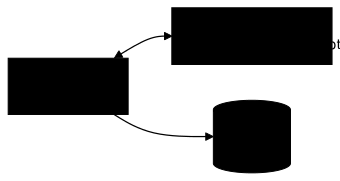
The encryption keys exist only in Vault.
HMAC generation
Transit can generate HMACs to validate integrity: anyone who recomputes the HMAC on the same input through the same key gets the same value, and any change to the input changes the result.
vault write transit/hmac/my-app-key \ input=$(echo -n "données à signer" | base64)Output:
Key Value--- -----hmac vault:v1:abc123...Signing with asymmetric keys
With an RSA or ECDSA key, Transit signs and verifies. The three commands below
create the key, sign the input, then verify the signature that sign returned:
# Create a signing keyvault write transit/keys/signing-key type=ecdsa-p256
# Signvault write transit/sign/signing-key \    input=$(echo -n "données à signer" | base64)
# Verifyvault write transit/verify/signing-key \    input=$(echo -n "données à signer" | base64) \    signature="vault:v1:..."
Application integration
In production, integrate Transit through the HTTP API or an SDK.
API example (curl)
The API mirrors the CLI structure exactly: the path transit/encrypt/<key>
becomes /v1/transit/encrypt/<key>, and the parameters go in JSON. The
token travels in the X-Vault-Token header. In production, do not pass it
through a shell variable: SDKs fetch the token from an authentication mechanism
(AppRole, Kubernetes, JWT) and renew it automatically before it expires.
curl -s \ --header "X-Vault-Token: $VAULT_TOKEN" \ --request POST \ --data '{"plaintext": "'$(echo -n "secret" | base64)'"}' \ $VAULT_ADDR/v1/transit/encrypt/my-app-key | jqAvailable SDKs
The table lists the usual client library for each language; all of them call the same HTTP API as the example above.
| Language | SDK/Client |
|---|---|
| Go | github.com/hashicorp/vault/api |
| Java | Spring Cloud Vault, vault-java-driver |
| Python | hvac |
| Node.js | node-vault |
| Ruby | vault gem |
Performance and sizing
Transit centralises cryptography but increases the application's dependence on Vault. Points to consider:
| Aspect | Impact |
|---|---|
| Latency | Every operation = a network call to Vault |
| Throughput | Vault becomes a critical high-load component |
| Availability | If Vault is down, no encryption or decryption |
| Quotas | Vault supports rate limits per path |
Recommendations
These four levers act on different points of the chain, and the first has the
clearest effect: going from a thousand single calls to one batch_input call
divides the cumulative latency by a considerable factor, because most of the
cost is network time, not the cryptographic computation. The application
cache, for its part, must be designed carefully: it brings plaintext back into
memory, which is exactly what Transit tried to avoid.
- Batch: group operations rather than making single calls
- Application cache: for frequently read decrypted data
- Monitoring: watch Vault metrics (latency, throughput)
- HA: a high-availability Vault cluster for resilience
Troubleshooting
Transit returns its errors as HTTP 400 with an explicit message: read it
before anything else, it almost always names the exact cause. The labels in the
"Symptom" column are shortened, the real Vault messages are longer, for example
invalid ciphertext: could not decode base64, ciphertext or signature version is disallowed by policy (too old) for a min_decryption_version that is too
high, or missing 'context' for key derivation on a derived key. Beware of the
misleading case: cipher: message authentication failed means the ciphertext
was produced by another key, not that it is corrupted.
| Symptom | Probable cause | Solution |
|---|---|---|
invalid ciphertext | Wrong format | Check the vault:v1: prefix |
ciphertext was not valid base64 | Corrupted data | Check the ciphertext integrity |
message authentication failed | Wrong key or modified data | Check the key name |
key version not available | min_decryption_version too high | Rewrap the data first |
context required | derived=true key without a context | Provide a base64-encoded context= |
unsupported operation | Incompatible key type | Check the capabilities of the type |
Key points
- Transit = encryption as a service, keys never exposed
- Always encode in base64 before sending to Vault
- Choose the right key type for the operation (encryption, signing...)
- Derivation + context: isolate cryptographically without multiplying keys
- Rotation is not migration: a rewrap is needed for existing data
- Convergent encryption: deterministic but reveals the equality of plaintexts
- Batch for performance, API/SDK for production
- Transit does not preserve the format, for that see Transform
min_decryption_versioncan be lowered (reversible): onlytrimdestroys key versions, and only a backup taken before it, on a key withexportableandallow_plaintext_backupenabled, can bring them back
Knowledge check
Check that the essentials of this lesson are in place. The questions only cover what has just been explained here.
Knowledge check
Check what you have learned with this interactive quiz
How it works
- The timer starts when you click Start
- Multiple choice, true/false and short answer questions
- You can move between questions
- Detailed results are shown at the end
Starts the quiz and the timer
Review
(0/0)Score by domain
A domain groups several guides and gets several questions, so its score is more reliable than a per-topic score, which often rests on a single question.
Summary
Strengths
No topic passed at 80% on at least two questions yet.
Weak areas
No topic below the pass mark.
Recommended next
Hints before you try again?
Continue the course: Vault: lease, dynamic role and static role
A new full quiz with random questions
Work again only on the questions you missed