
Vault protects your secrets with a sealing mechanism: even if an attacker reaches the storage, the data stays encrypted. This page helps you choose and configure the unsealing method that fits your context, and shows what recovery keys are for, and what they are not for.
The lesson on installing Vault
already shows vault operator init and vault operator unseal with Shamir, and
gives a short comparison of the two methods. This page does not repeat the
initialization: it goes further into automatic unsealing, the keys it
produces, its risks and the migration from one seal to another.
What you will learn
- Why Vault uses a sealing mechanism
- The fundamental difference between Shamir and auto-unseal
- Recovery keys vs unseal keys: when to use which
- The risks of each approach and how to mitigate them
- How to migrate from one seal to another without losing access to the data
- What belongs to Community Edition vs Enterprise
- SOCLE anchoring: this guide implements the sealing part of SOCLE-SEC-STO-5 (in French), a hardened vault for sensitive secrets
Which terms does this page use?
A few words come back all along the page, so here they are in one place. Sealed is the state of a Vault that knows where its data is but cannot decrypt it. Unsealing is giving Vault back the means to decrypt: it happens at every start. With Shamir's Secret Sharing, the key is split into key shares (the parts, also called unseal keys), and a key threshold is the number of shares needed to rebuild it, for example 3 shares out of 5.
With auto-unseal, an external service holds the protecting key: a KMS (Key Management Service, a managed service that encrypts and decrypts with a key it never hands out) or an HSM (Hardware Security Module, a dedicated device that does the same in hardware). The recovery keys are shares produced instead of unseal keys when auto-unseal is used; the sections below explain what they allow. Seal wrap is an Enterprise feature that adds a layer of encryption through the seal mechanism. A root token is the all-powerful credential generated at initialization, and a rekey replaces the key shares with a new set.
Why is Vault "sealed" at startup?
The security problem it solves
Vault stores sensitive secrets (tokens, passwords, private keys). Even encrypted, this data would be vulnerable if someone could:
- Steal the disk or a backup
- Access the Raft/Consul storage
- Compromise the Vault server
Sealing guarantees that the data stays unusable without a key that is never stored on the server.
How does Vault encryption work?
The diagram below shows the key hierarchy. Follow it from the top: the root key decrypts the encryption key, which is stored encrypted, and the encryption key in turn decrypts your secrets. Unsealing is the operation that rebuilds the root key; the two sealing methods differ only in how they do it.
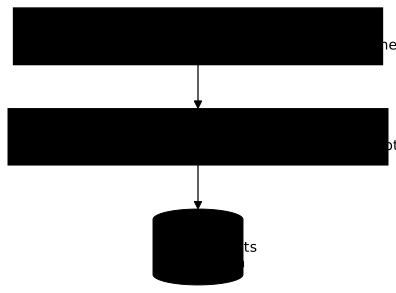
The root key is at the heart of the system. It is never stored in clear text. Vault has to "rebuild" it at every startup.
What does sealing not protect?
Sealing protects access to the keys needed to decrypt the data at startup. But it does not replace:
| Protection | Provided by |
|---|---|
| Access control to secrets | Policies / ACLs |
| Traceability of operations | Audit logging |
| Security of the host system | OS hardening |
| Network protection | Firewall, TLS, mTLS |
| Storage integrity | Disk encryption, backups |
Once Vault is unsealed and running, the data is accessible to authenticated users according to their policies. Sealing protects the startup, not the runtime.
What are the two sealing methods?
Method 1: Shamir's Secret Sharing
Principle: the root key is split into N shares. K shares are needed to rebuild it (K is the threshold).
Classic example: 5 shares, threshold of 3
Root Key = Part1 + Part2 + Part3 + Part4 + Part5
To unseal:- Admin A provides Part1 ✓- Admin B provides Part3 ✓- Admin C provides Part5 ✓ → Vault unsealedAdvantages:
- Full control: no external dependency
- Security: no single person can unseal alone
- Resilience: the loss of N-K shares is tolerated
Drawbacks:
- Manual: human intervention at every restart
- Coordination: gathering K people can take time
- Cannot be automated: a problem for self-managed clusters
With Shamir in a cluster, does every node have to be unsealed?
Yes. In a Vault cluster (several nodes), the sealing mechanism is independent per node. Vault does not share a "partially unsealed" state between nodes.
In practice:
- If you have 3 nodes and use Shamir, you must provide the unseal keys on each node after a full restart
- The leader and the standbys must all be unsealed individually
- This multiplies the operational load by the number of nodes
This is one of the main reasons why auto-unseal is preferred in production on clusters.
Method 2: Auto-unseal
Principle: delegate the protection of the root key to an external service (KMS, HSM, Transit).
How it works: the diagram below shows the exchange. At every start, Vault sends the encrypted root key to the external service and gets it back decrypted, with no human involved. The service is therefore on the startup path.

Advantages:
- Automatic: no human intervention at restart
- Self-managed clusters: compatible with Kubernetes and autoscaling groups
- Audit: KMS accesses are logged
- Rotation: possible without downtime
Drawbacks:
- External dependency: if the KMS is down, Vault cannot start
- Potential cost: KMS usage is billed
- Complexity: extra infrastructure to manage
What is the difference between recovery keys and unseal keys?
The common confusion
Many people mix up unseal keys (Shamir) and recovery keys (auto-unseal). They are different concepts with distinct uses. The table below compares them on the same six criteria.
| Aspect | Unseal keys (Shamir) | Recovery keys (auto-unseal) |
|---|---|---|
| Main function | Unseal Vault | Emergency operations |
| Used at restart | Yes | No (the KMS does it) |
| Can generate a root token | Yes | Yes |
| Can reseal Vault | No (an authorised token is required) | No (an authorised token is required) |
| Allow a rekey | Yes (of themselves) | Yes (of the recovery keys) |
| Critical to operation | Vital | Important but secondary |
Why do recovery keys exist?
With auto-unseal, Vault starts on its own. But some critical operations still need a human authorisation, and the recovery keys provide it. The table below lists them.
| Operation | Recovery keys needed |
|---|---|
| Generate a new root token | Yes |
| Perform a rekey (change the recovery keys) | Yes |
| Seal migration (KMS to another KMS) | Yes |
| Reading the initial recovery keys | No (only once, at init) |
Why can recovery keys not unseal Vault?
This is an intentional security decision. Recovery keys cannot decrypt the root key. If an attacker obtains the recovery keys, they cannot:
- Start a stolen Vault (the KMS is needed)
- Access the secrets without the KMS
- Bypass the KMS
That does not make recovery keys harmless. On a Vault that is already
unsealed and reachable, whoever holds the threshold of recovery keys can
generate a root token (vault operator generate-root), and therefore gets
full access to the secrets, the policies and the configuration. They can
also rekey the recovery keys and lock out the legitimate holders. Protect them
as an administration key, not as a harmless spare key.
Neither unseal keys nor recovery keys can reseal Vault: vault operator seal
requires an authorised token (sudo on sys/seal).
Which auto-unseal methods are available?
Cloud KMS (Community Edition)
The table lists the providers and the seal type to put in the Vault configuration. Each cloud has its own KMS service, and each one is available in Community Edition.
| Provider | KMS service | Vault configuration |
|---|---|---|
| AWS | AWS KMS | seal "awskms" |
| GCP | Cloud KMS | seal "gcpckms" |
| Azure | Azure Key Vault | seal "azurekeyvault" |
| Alibaba | Alibaba Cloud KMS | seal "alicloudkms" |
| OCI | Oracle Cloud KMS | seal "ocikms" |
Advantages:
- Native integration with the cloud
- Managed high availability
- Audit trails included
- Available in Community Edition
Drawbacks:
- Dependency on the cloud provider
- Network latency
- Usage costs
Transit (Vault-to-Vault)
One Vault cluster can unseal another Vault cluster. The one that does the work uses its Transit secrets engine, described in the lesson on Vault Transit.

Advantages:
- No cloud dependency
- Full control
- Free (Community Edition)
Drawbacks:
- Complexity: you need a Vault cluster that is always available
- Possible circular dependency
- The unsealer cluster is usually itself unsealed manually (Shamir)
HSM (Hardware Security Module), Enterprise
Auto-unseal through an HSM (PKCS#11) is a Vault Enterprise feature.
| Type | Examples | Notes |
|---|---|---|
| Cloud HSM | AWS CloudHSM, GCP Cloud HSM | High cost |
| On-premises HSM | Thales Luna, nCipher | Dedicated hardware |
Advantages:
- Reinforced security (the key never leaves the HSM)
- FIPS 140-2 Level 3+ compliance
Drawbacks:
- Enterprise only
- Very high cost
- Operational complexity
Seal HA, Enterprise
Vault Enterprise 1.16+ introduces Seal HA: the ability to configure several auto-unseal mechanisms for resilience.
- At least two auto-unseal seals configured
- Shamir is not supported in this mode
- If one KMS is unavailable, the other takes over
Seal HA reduces the risk of depending on a single service, but it is an Enterprise-only feature.
When should I choose Shamir or auto-unseal?
For most production deployments, HashiCorp pushes towards auto-unseal because it greatly reduces operational complexity compared with Shamir. The table puts the two side by side on six criteria.
| Criterion | Shamir | Auto-unseal |
|---|---|---|
| Automatic restart | No | Yes |
| Horizontal scaling | Difficult | Yes |
| Kubernetes-ready | No | Yes |
| Disaster recovery | Slow (coordination) | Yes, fast |
| External dependency | No | Yes |
| Security | High | High (different) |
When should I keep Shamir?
Shamir remains appropriate in some cases, listed below with the reason for each.
| Situation | Why Shamir |
|---|---|
| Lab / development | No need for auto-restart |
| "Zero cloud" policy | No KMS available |
| Extreme compliance | No external dependency tolerated |
| Air-gapped environment | No KMS connectivity possible |
| Very tight budget | No KMS cost |
| Transit unsealer cluster | The "unsealer" is usually Shamir itself |
What are the risks, and how do I mitigate them?
Risk 1: loss of access to the KMS
Scenario: your KMS key is deleted, your cloud account is suspended, or the KMS is down for a long time.
Impact: Vault cannot start. If the key is deleted permanently, your secrets are permanently inaccessible, even from the backups; as long as access to the KMS can be restored, they become available again.
Mitigations:
-
Regular backups of the Raft storage (the data stays recoverable if you regain access to the KMS)
-
A documented migration procedure to another seal/KMS
-
Strong governance on the KMS key: protection against accidental deletion, retention policy, restricted access
-
Seal HA (Enterprise): several seals configured for resilience
Risk 2: compromise of the KMS
Scenario: an attacker gains access to the KMS.
Impact: they can decrypt the stored root key. If they also have access to the Vault storage, they can potentially decrypt the secrets.
Mitigations:
- Restricted KMS access: strict IAM, least privilege
- Audit logging: monitor every access to the KMS key
- Regular KMS rotation: good hygiene, but it does not shorten the exploitation window of access already obtained. Previous key versions are kept and still decrypt what they encrypted (documented AWS KMS behaviour). In the face of a compromise, remove access to the KMS, then migrate to a new seal
- Seal Wrap (Enterprise): additional encryption by an HSM at runtime
Risk 3: loss of the recovery keys
Scenario: the recovery keys are lost or inaccessible.
Impact: it becomes impossible to generate a new root token if needed. Vault keeps working but some emergency operations are blocked.
Mitigations:
- Secure storage: physical safe, enterprise password manager
- Several copies: spread among N people (threshold K for a rekey)
- Regular testing: check that the recovery keys are accessible
- Documentation: a clear procedure on who holds what
How do I configure each seal?
Pick the tab for your provider. Each shows the seal block, then the minimum
permissions the Vault identity needs on the key.
seal "awskms" {  region     = "eu-west-1"  kms_key_id = "alias/vault-unseal-key"
  # Prefer an IAM role attached to the instance  # rather than hard-coded access_key/secret_key}
Minimum IAM policy:
{ "Version": "2012-10-17", "Statement": [ { "Effect": "Allow", "Action": [ "kms:Encrypt", "kms:Decrypt", "kms:DescribeKey" ], "Resource": "arn:aws:kms:eu-west-1:123456789:key/your-key-id" } ]}Recommendation: use an IAM role attached to the EC2 instance or a Kubernetes service account with IRSA rather than static credentials.
seal "gcpckms" {  project    = "my-project"  region     = "europe-west1"  key_ring   = "vault-keyring"  crypto_key = "vault-unseal-key"
  # Prefer Workload Identity or a service account  # rather than hard-coded JSON credentials}
Service account roles:
roles/cloudkms.cryptoKeyEncrypterDecrypter
Recommendation: use Workload Identity on GKE or the service account attached to the VM rather than a JSON credentials file.
seal "transit" {  address         = "https://vault-unsealer.corp.local:8200"  disable_renewal = "false"
  # Mount path of the transit secrets engine  mount_path = "transit/"
  # Key name  key_name = "unseal-key"
  # Token through an environment variable  # Define VAULT_TOKEN in the systemd environment}
Prerequisites on the unsealer cluster:
# Enable the Transit secrets enginevault secrets enable transit
# Create the unsealing keyvault write -f transit/keys/unseal-key
# Create a dedicated policyvault policy write autounseal - <<EOFpath "transit/encrypt/unseal-key" {  capabilities = ["update"]}path "transit/decrypt/unseal-key" {  capabilities = ["update"]}EOF
# Create an orphan token with this policyvault token create -orphan -policy="autounseal" -period=24hseal "azurekeyvault" { tenant_id = "your-tenant-id" vault_name = "vault-unseal-kv" key_name = "unseal-key"
# Prefer a Managed Identity rather than client_id/client_secret # use_managed_identity = true (if the platform supports it)}Minimum RBAC:
Key Vault Crypto Officeron the key
Recommendation: use a Managed Identity attached to the VM or the AKS pod rather than application credentials.
How do I check that sealing works?
Once the seal block is in place and Vault restarted, the proof is read in
vault status. Three fields matter: Seal Type shows the active mechanism
(awskms, gcpckms, azurekeyvault, transit or shamir), Sealed must
be false after the restart without anyone supplying a share, and Recovery Seal Type appears with auto-unseal as a reminder that recovery keys exist. A
Sealed set to true after a restart means the KMS did not answer: check
Vault's logs.
vault statusHow do I migrate from one seal to another?
It is possible to migrate from one seal type to another.
From Shamir to auto-unseal
This is the typical migration: you start from manual unsealing with Shamir shares and move to automatic unsealing backed by a KMS. The point to remember before starting is that the migration turns the unseal keys into recovery keys: the documentation says the Shamir keys you supply are "migrated as the recovery keys" of the new seal. They serve one last time to authorise the switch, then no longer unseal anything: the KMS takes over. Vault does not generate new ones on this occasion. Keep them until the migration is fully validated, because they are now your recovery keys.
-
Add the new seal in
vault.hcl(in addition to the implicit Shamir):seal "awskms" {region = "eu-west-1"kms_key_id = "alias/vault-unseal-key"} -
Restart Vault: the server detects a pending migration
-
Run the migration with the
-migrateflag:Terminal window vault operator unseal -migrate -
Provide the existing Shamir unseal keys (threshold required)
-
The Shamir shares you supplied become the recovery keys of the new seal
-
Secure these recovery keys. There is nothing to remove: by default, Shamir has no
sealblock invault.hcl. Once every node is migrated, just check that their configuration files carry only the newsealblock
From one KMS to another
Changing cloud provider, or going from AWS KMS to GCP Cloud KMS, follows a
different sequence on a detail that makes the migration fail if you miss it. You
do not just add the new seal: you must mark the old one as disabled with
disabled = true, without removing it yet. Vault needs the old seal to decrypt
and the new one to re-encrypt. Another difference from the previous case: the
recovery keys authorise the operation, since there are no Shamir shares any
more.
-
Mark the old seal
disabledand add the new one invault.hcl. The old block keeps its identification attributes (region, key): Vault needs them to decrypt.seal "awskms" {region = "eu-west-1"kms_key_id = "alias/vault-unseal-key"disabled = "true" # old one, kept for decryption}seal "gcpckms" {project = "my-project"region = "europe-west1"key_ring = "vault-keyring"crypto_key = "vault-unseal-key"} -
Restart Vault: migration detected
-
Run the migration:
Terminal window vault operator unseal -migrate -
Provide the existing recovery keys (threshold required)
-
Once the migration has succeeded on every node, remove the old seal block from their configuration files
-
Restart to validate the final configuration
Which checklist should I apply?
For Shamir
With Shamir unsealing, the risk is not technical but human: the root key is spread among several people, and a cluster stays inaccessible if the quorum cannot be gathered. The points below therefore read in two steps, the configuration of the shares first, then the governance of the holders. It is this second half that people forget, until the day a departure makes a share impossible to find.
- Number of shares suited to the case (5 is the default of
vault operator init) - Suited threshold (3 is the default for 5 shares)
- PGP encryption of the unseal keys at initialization
- Each share stored separately (different people/places)
- Documented unsealing procedure
- Periodic drills to check the ability to gather the quorum
- Holders identified and reachable
- Lifecycle management of the holders (departure, renewal)
For auto-unseal
With auto-unseal, unsealing becomes automatic, but Vault's availability now rests entirely on that of the KMS. The list below has two distinct goals: locking down access to the KMS key (least privilege, no clear-text secret) and guarding against its loss (anti-deletion protection, tested recovery keys, a plan B). The point most often neglected is the last one: what do you do if the KMS is unavailable for even an hour?
- Dedicated KMS key (not shared with other services)
- Minimum KMS access (least privilege)
- No clear-text credentials in
vault.hcl(cloud identity or env://) - Audit logging enabled on the KMS
- Protection against accidental deletion of the KMS key
- Recovery keys generated with PGP encryption
- Recovery keys secured and tested
- Documented migration procedure
- Plan B if the KMS is unavailable (even temporarily)
- KMS SLA checked and acceptable
Key points
- Shamir = full control, auto-unseal = automation: both have high security, but different trade-offs
- Recovery keys are not unseal keys: they do not unseal Vault, do not let you recover a cluster whose seal mechanism is permanently lost, and remain an administration key to protect
- For most deployments, auto-unseal offers a better operational experience than Shamir
- KMS dependency: a critical risk to assess and mitigate; permanently losing the KMS means permanently losing the cluster, even with backups
- Transit: a good alternative with no cloud dependency (but with an unsealer cluster to maintain)
- HSM and Seal HA: Enterprise features for advanced needs
- Never store seal credentials in clear text: use native cloud identities or indirect references
- Proof expected by SOCLE: the
sealblock configuration and avault statusthat showsSealedset tofalseafter a restart with no human intervention prove the sealing part of SOCLE-SEC-STO-5 (in French); the audit and the separation of roles, the other parts of this requirement, are proven elsewhere (installation, policies)
Knowledge check
Check that the essentials of this lesson are in place. The questions only cover what has just been explained here.
Knowledge check
Check what you have learned with this interactive quiz
How it works
- The timer starts when you click Start
- Multiple choice, true/false and short answer questions
- You can move between questions
- Detailed results are shown at the end
Starts the quiz and the timer
Review
(0/0)Score by domain
A domain groups several guides and gets several questions, so its score is more reliable than a per-topic score, which often rests on a single question.
Summary
Strengths
No topic passed at 80% on at least two questions yet.
Weak areas
No topic below the pass mark.
Recommended next
Hints before you try again?
Continue the course: Operating Vault in production: the complete guide
A new full quiz with random questions
Work again only on the questions you missed