
The fastest and most reproducible way to run Nexus Repository is the container: an official image, a volume for the data, and Nexus is ready in a few minutes. This guide deploys Nexus Community Edition 3.96 with Docker Compose, gets past the EULA acceptance without which nothing is served, retrieves the initial admin password and checks the state of the service through its API. Intended audience: beginner to intermediate. All commands were validated on Nexus 3.96.0-09.
What you will learn
- Deploy Nexus in a container with a pinned image.
- Persist the data in a dedicated volume.
- Accept the EULA, through the wizard or through the API if you automate.
- Retrieve the initial admin password.
- Check that Nexus is ready through its status API.
Prerequisites
- Docker and Docker Compose installed.
- About 2 GB of RAM available for the Nexus JVM.
Deploy with Docker Compose
You describe the service in a compose.yaml. Two points matter: the image is pinned to a precise version, never latest, and the data goes into a named volume so that it survives a container restart.
services:  nexus:    image: sonatype/nexus3:3.96.0@sha256:56f8e1d241507338be1f91c9de9a9b97d72a7376f0404f6c1e914b542c983f75    container_name: nexus    ports:      - "8081:8081"    environment:      # Caps the JVM memory to avoid abrupt stops at startup.      INSTALL4J_ADD_VM_PARAMS: "-Xms2g -Xmx2g -XX:MaxDirectMemorySize=2g"    volumes:      - nexus-data:/nexus-data    restart: unless-stopped
volumes:  nexus-data:
Start the container:
docker compose up -dWait for startup
Nexus takes 1 to 3 minutes to start on first launch, the time to initialise its database and its default repositories. Its status API answers 200 when it is ready: you therefore wait for that answer rather than guessing a delay.
until curl -sf http://localhost:8081/service/rest/v1/status >/dev/null; do echo "Nexus is starting..."; sleep 6doneecho "Nexus is ready"Once ready, the interface is available at http://localhost:8081.
Get the admin password
On first installation, Nexus generates a random admin password that it writes to a file inside the container, not on the host machine. You therefore read it with docker exec, in the data volume:
docker exec nexus cat /nexus-data/admin.passwordff5f64b0-0600-4f87-9b41-c0c27d1c40a7This password is used for the first sign-in with the admin user.
First sign-in
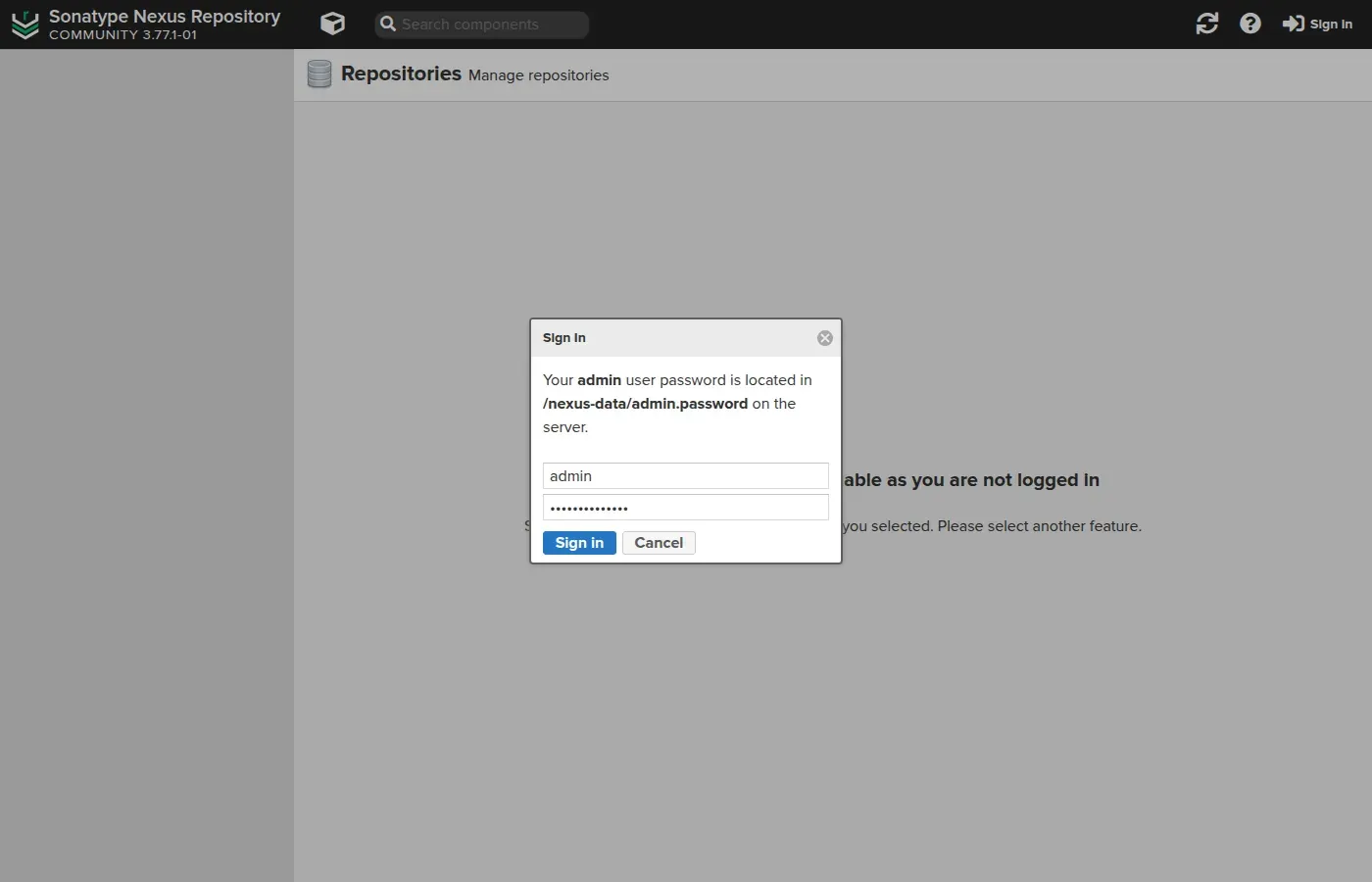
Open http://localhost:8081 and click Sign In at the top right. The sign-in window even reminds you of the location of the initial password, which saves you coming back here. Enter the user admin and the password read in the previous step:
A three-step wizard then starts. The first step has you accept the Community Edition EULA, and it is not a formality: as long as it is not accepted, Nexus refuses to serve any component. The Sonatype documentation is explicit: downloads and uploads are blocked until an administrator agrees. Read the text before clicking: you are committing the organisation that runs the instance, not only your lab.
The next two steps force you to change the admin password, then to choose the anonymous access policy:
- Enable anonymous access: anyone can search, browse and download without credentials. Handy in a lab, to be reserved for public repositories.
- Disable anonymous access: every client and every build tool will have to authenticate. This is the expected setting in an enterprise.
Verify the installation
Beyond the 200 status, the API confirms the version and lists the default repositories created at initialisation. Nexus comes with ready-to-use repositories for Maven, npm, PyPI, NuGet and Docker, which also serve as configuration examples:
curl -s -u admin:VOTRE_MDP http://localhost:8081/service/rest/v1/repositories \ | jq -r '.[] | "\(.type)\t\(.format)\t\(.name)"'proxy maven2 maven-centralgroup maven2 maven-publichosted maven2 maven-releasesproxy npm npm-public-proxyproxy pypi pypi-public-proxyThese repositories illustrate the three types of Nexus: a proxy caches a public repository, a hosted stores your private artifacts, a group aggregates several repositories behind a single URL. The next guides use these types for a cache and a Docker registry.
Where data is stored: the blob store
Understanding this point is essential for backup. Nexus puts the files (the .jar, .whl, image layers) in a blob store, separate from the database which, for its part, keeps the metadata (which component, which version, which repository). The /nexus-data volume you mounted contains both.
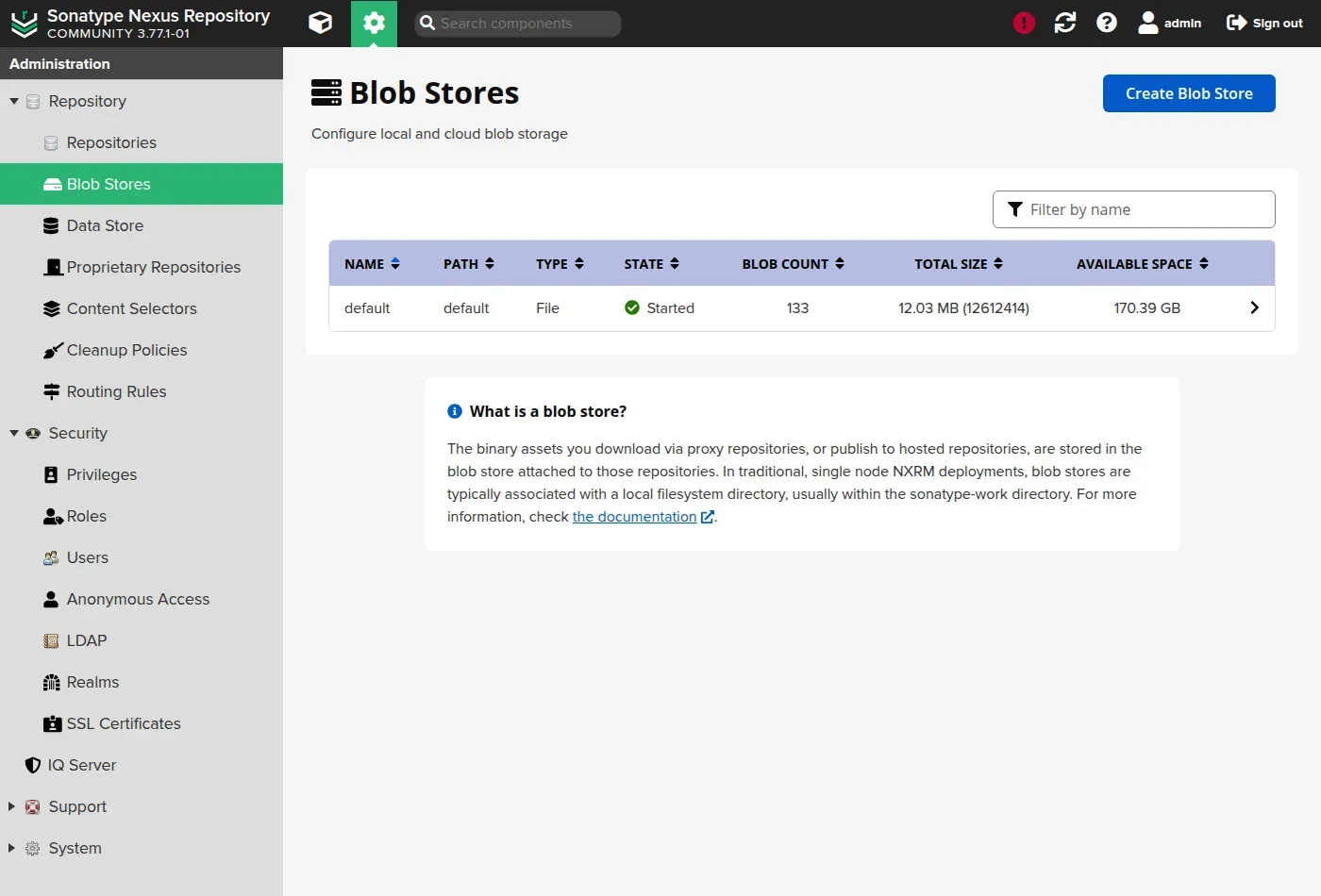
Under Administration, Blob Stores, you see the default blob store (type File), its number of objects, its size and the remaining disk space:
Accepting the EULA without the interface, for an automated installation
If you deploy Nexus with a playbook or a pipeline, nobody will go through the wizard, and the instance will stay silent on its components with nothing to explain why. The acceptance is then done through the REST API, and it has a quirk that costs time: sending {"accepted": true} alone fails with 500 Invalid EULA disclaimer. The server demands its own text, character for character. The method that works is therefore to read the state back, flip the field, and send the whole object back.
# 1. read the state, which contains the exact text of the licencecurl -s -u admin:VOTRE_MDP \  http://localhost:8081/service/rest/v1/system/eula | tee /tmp/eula.json
# 2. send it back with accepted set to true (expected answer: 204)jq '.accepted = true' /tmp/eula.json \  | curl -s -o /dev/null -w '%{http_code}\n' -u admin:VOTRE_MDP \      -X POST -H 'Content-Type: application/json' --data @- \      http://localhost:8081/service/rest/v1/system/eula
The endpoint is described in the EULA REST API page of the Sonatype documentation, which specifies that the request must reuse the full disclaimer text returned by the GET. It does not, however, mention the 500 Invalid EULA disclaimer error of an incomplete body: that one is observed in the lab. The OpenAPI schema of your instance, served at /service/rest/swagger.json under /v1/system/eula, remains the most reliable source for the version you run.
Troubleshooting
| Symptom | Likely cause | Solution |
|---|---|---|
| The container stops at startup | Not enough memory | Check the free RAM, keep -Xms/-Xmx at 2g |
admin.password not found | Instance already initialised | The password was changed; the file disappears after the first sign-in |
The API answers 404 | Wrong published port | Check docker port nexus and the URL |
| Data lost on restart | Volume not mounted | Confirm the named volume nexus-data:/nexus-data |
A repository index answers 200 but every download answers 403 | EULA not accepted | Go through the wizard, or accept it through the API as above |
500 Invalid EULA disclaimer when accepting through the API | Incomplete body | Send back the whole object read by the GET, not only accepted |
Key takeaways
- Nexus deploys cleanly in a container with a pinned image (
sonatype/nexus3:3.96.0). - The data lives in a named volume
/nexus-data, which must be preserved. - Nexus starts in 1 to 3 minutes; the
/service/rest/v1/statusAPI signals availability. - The initial admin password is read from
/nexus-data/admin.passwordand must be changed at the first sign-in. - As long as the EULA is not accepted, a repository index answers
200but every download answers403. - An automated installation accepts the EULA through the API, by sending back the whole object read by the
GET. - Nexus creates default repositories illustrating the proxy, hosted and group types.
Knowledge check
Six questions on the points that waste time: the startup you think is over, the throwaway password, and the EULA that blocks downloads without saying so.
Knowledge check
Check what you have learned with this interactive quiz
How it works
- The timer starts when you click Start
- Multiple choice, true/false and short answer questions
- You can move between questions
- Detailed results are shown at the end
Starts the quiz and the timer
Review
(0/0)Score by domain
A domain groups several guides and gets several questions, so its score is more reliable than a per-topic score, which often rests on a single question.
Summary
Strengths
No topic passed at 80% on at least two questions yet.
Weak areas
No topic below the pass mark.
Recommended next
Hints before you try again?
Continue the course: Nexus as a cache: PyPI, npm and Maven proxy repository
A new full quiz with random questions
Work again only on the questions you missed